October, ‘03 Comdial 111
DX-80 Installation & Maintenance
4.8 Setting Up Message Delivery to a Cell Phone
SOLUTION: External Transfers with Voice Mail
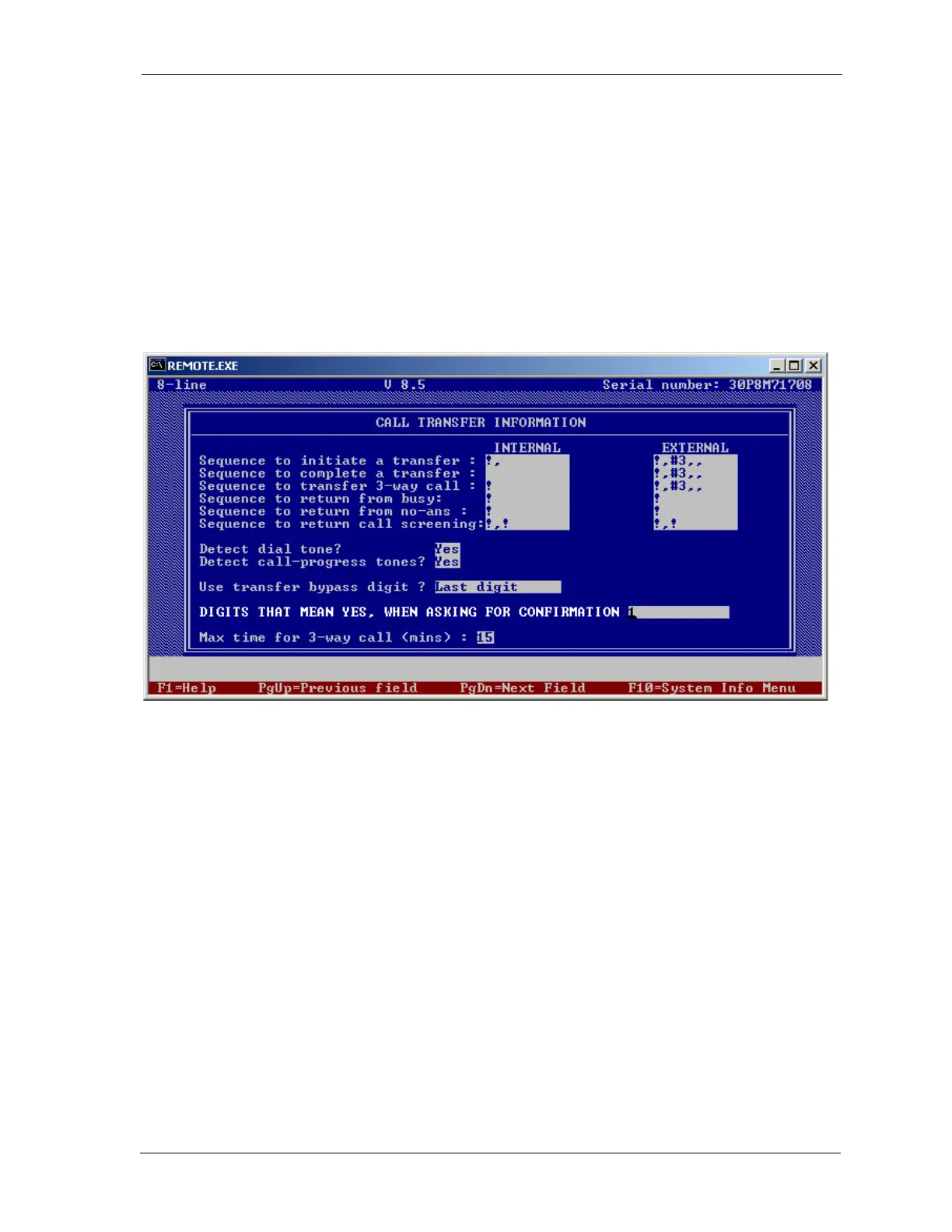
1. If the system has In-Skin or analog voice mail, and uses Centrex transfer on the same CO line,
go to the Call Transfer Information screen in PC-DBA. Then enter the following values in the
External column.
• Sequence to initiate a transfer: !,#3,,
• Sequence to complete a transfer: !,#3,,
• Sequence to transfer a 3-way call: !,#3,,
If the system DX80 3-way call transfer or analog voice mail 3-way call transfer, and uses one
voice mail port with two CO lines, go to the Call Handling screen in PC-DBA. Enter the fol
-
lowing values in the Unsupervised talk time column.
• Sequence to initiate a transfer: !,9,
• Sequence to complete a transfer: !,3,
• Sequence to transfer a 3-way call: !,3,














 To Next Page