October, ‘03 Comdial 49
DX-80 Installation & Maintenance
2.7.4 ADDING A DPM8
You can add two DPM8 modules to each KSU of the DX-80 system. These modules expand the DX-
80 system capacity to a maximum of 24 digital ports in each KSU, for a total of 48 total digital ports.
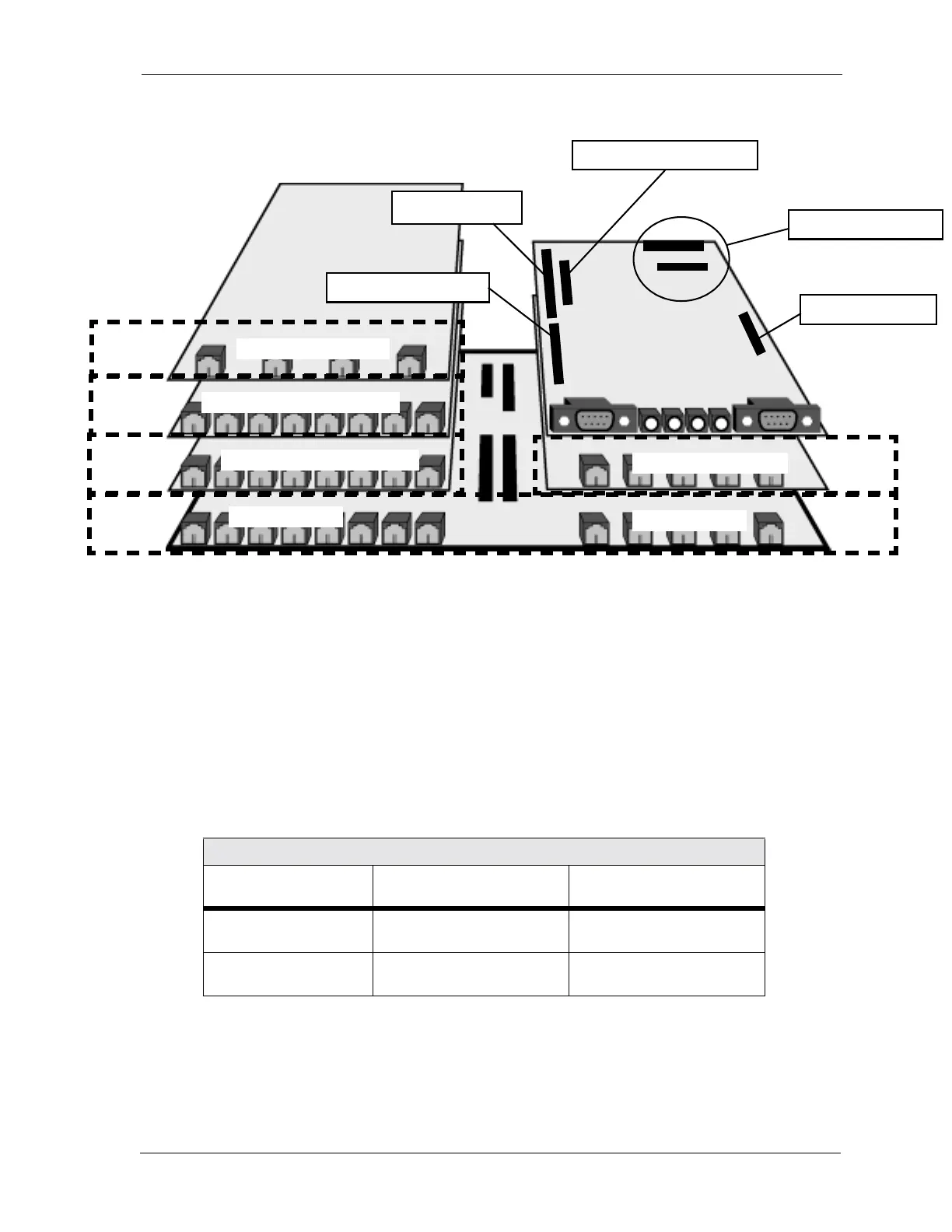
To install a DPM8, connection to the 408M/E via the Extension Expansion module connectors J2 and
J3. These connectors have the logical system address of SLOT 2 and SLOT 3 in both cabinet 1
(KSU1-408M) and cabinet 2 (KSU2-408E). Note: You can connect both APM4 and DPM8 modules
to the system via these two connectors. Install the DPM8 using four 1.5 cm brass color standoffs
included with the DPM8 module.
To install the DPM8 perform the following steps.
1. Be sure that the entire system is turned off.
2. Remove the KSU cover (four screws at each corner).
DPM8 Extension Number Matrix Per Installed Location
KSU Connector Used Extension Numbers in
KSU1
Extension Numbers in
KSU2
J2 Extension Expansion 109,110,111,112,
113,114,115,116
133,134,135,136,
137,138,139,140
J3 Extension Expansion 117,118,119,120,
121,122,123,124
141,142,143,144,
145,146,147,148
SLOT 4
SLOT 3
SLOT 2
SLOT 1
SLOT 1
SLOT 5
CPM
408M/E
APM4 dedicated cable
DPM8 or APM4 J3 connector
DPM8 or APM4 J2 connector
DPM8 on board
COM4 on board
COM4 dedicated cable
408M connector
408E connector to KSU2
MDM connectors
AAM connector
AAM/VP connector














 To Next Page