October, ‘03 Comdial 25
DX-80 Installation & Maintenance
1.11 MDM (Modem Module)
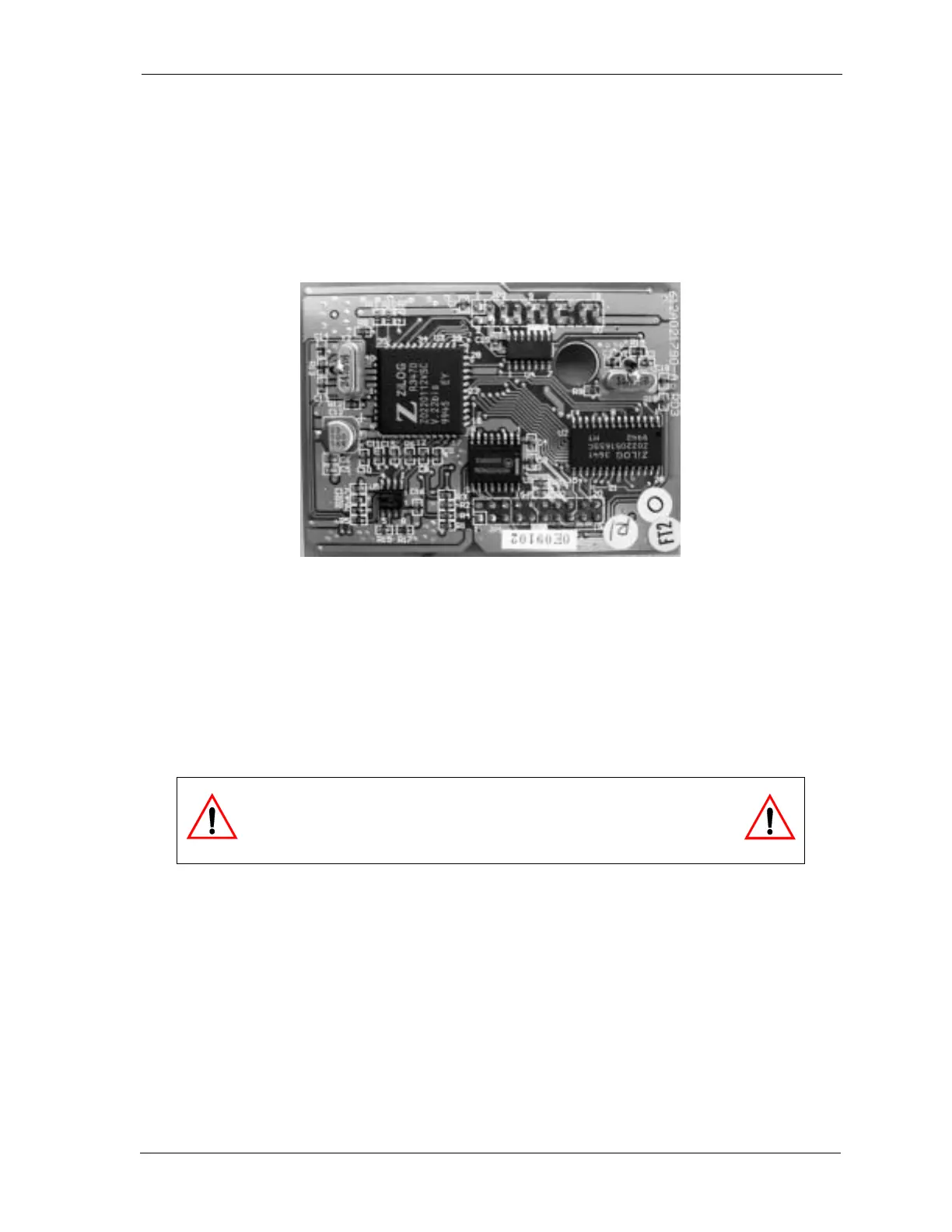
The 7249 Modem Module is a self-contained integrated modem unit that is installed at JP5 and JP6 in
the upper right corner of the CPM. The integrated MDM allows you to access the system pro
-
gramming and remote maintenance utilities from an off-site location (password verification is
required).
Figure 1-8 MDM (Modem Module)
When the MDM is installed, you can program the system remotely using PC-DBA. Note: PC-DBA is
included in the utilities CD DXUIILCD shipped with every new system. Or, you can obtain PC-DBA
free of charge at the Comdial Web site, www.comdial.com.
You can service the system, using PC-DBA and a modem in your PC, to place a call to the site where
the DX-80 is installed. Note: If one of the voice processing systems are installed, routing to the
modem extension is automated. Otherwise, the person who answers this data call must transfer the
call to extension 199. Once the modems have established the data connection, you can begin servicing
the switch.
CAUTION
The MDM default extension number is 199. This number can be
changed and therefore may be different for some DX-80 systems.














 To Next Page