Troubleshooting Installation Issues
112 Comdial October, ‘03
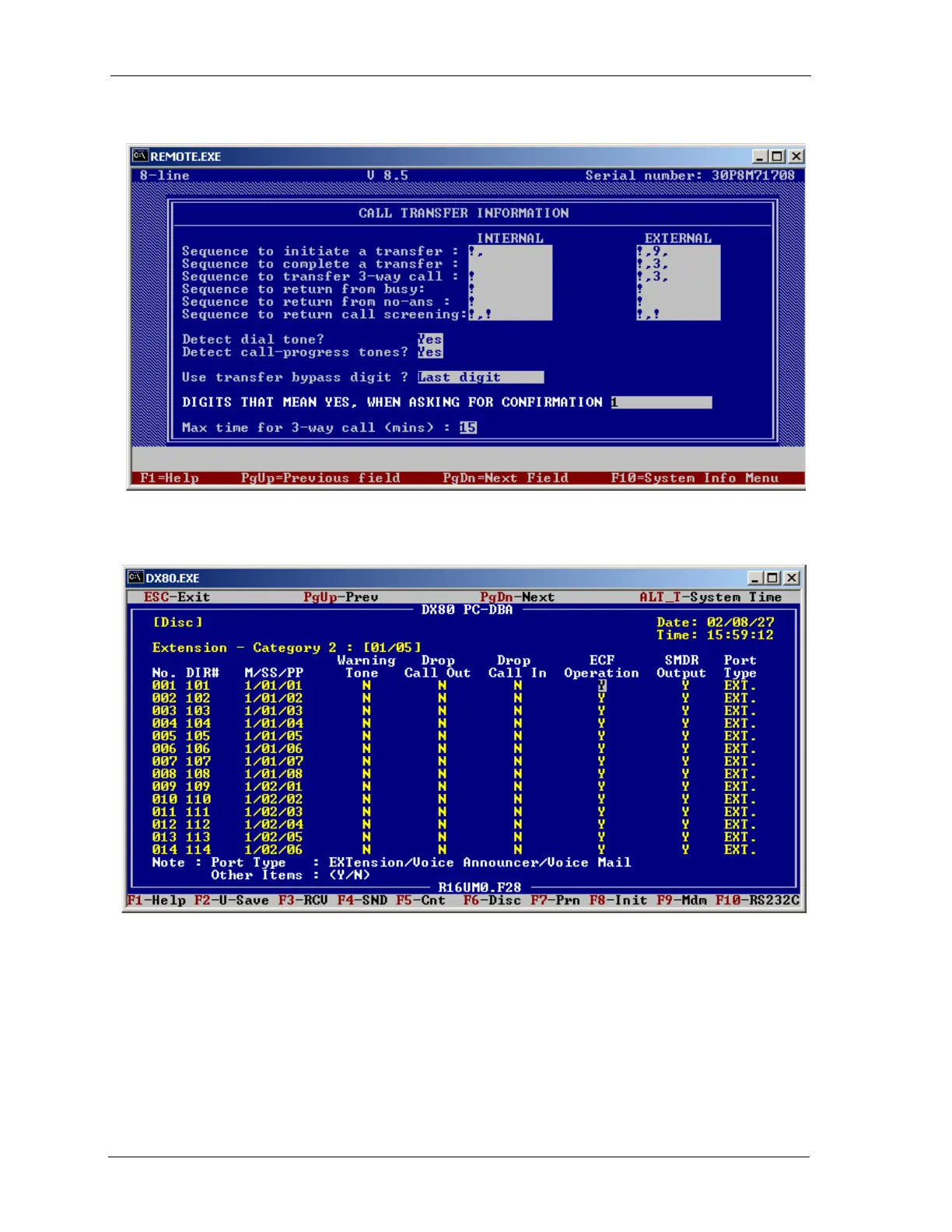
2. Next, you must enable ECF. Go to the DX80 Extension – Category 2 PC-DBA screen and enter
Y in the ECF Operation field.
3. Finally, using the phone dial into the programming mode and enter 01-(101~156)-18. The
range of numbers in the middle of this command represent the station number. So, to program
station 102 you would enter 01-102-18, to program station 123 you would enter 01-123-18, etc.
4.9 Using Prime CO Instead of Intercom with Modem or Fax
SOLUTION: Analog Prime Line—Setting Up A Prime Line for a FAX Connected to an Analog
Port Using CO line 4.














 To Next Page