October, ‘03 Comdial 81
DX-80 Installation & Maintenance
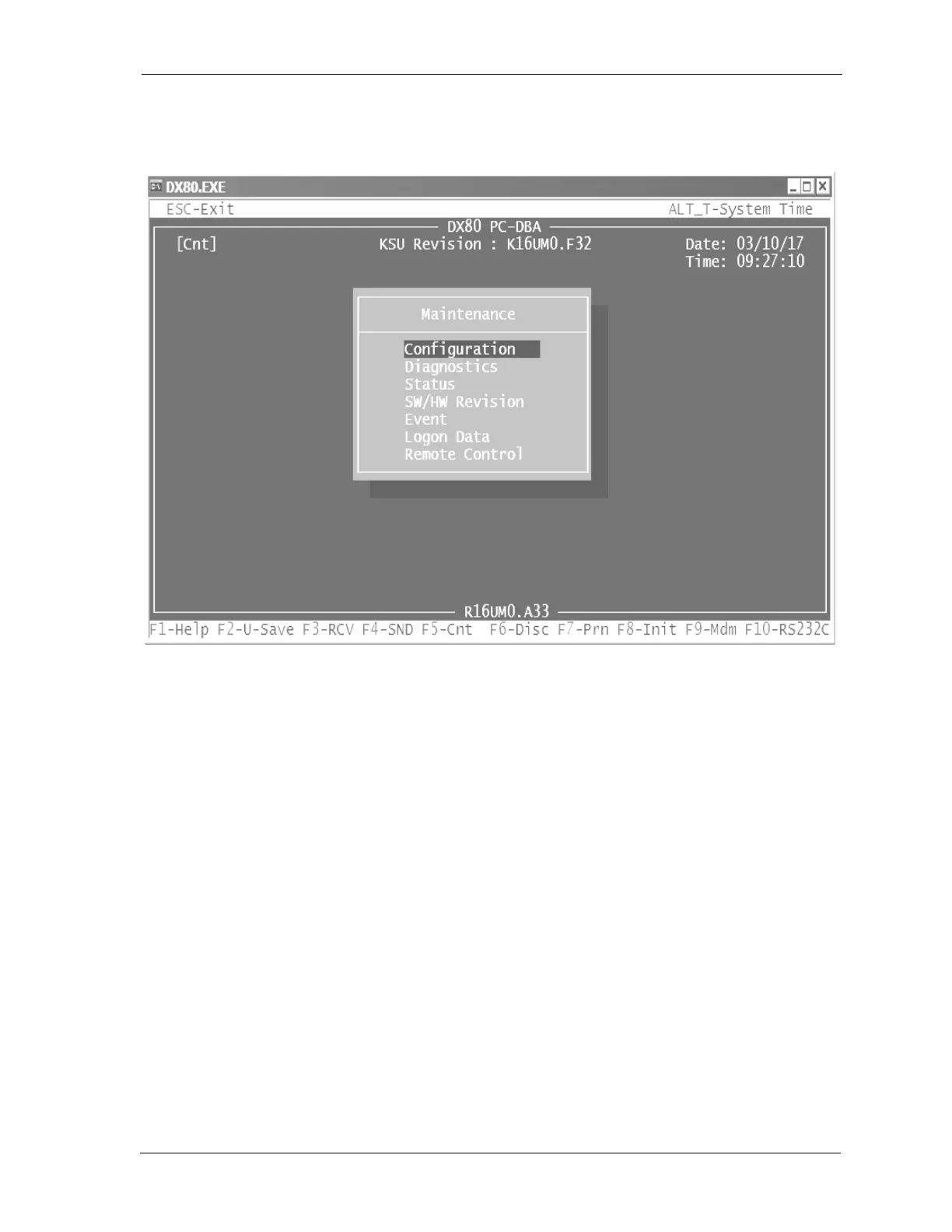
5. When the DX-80 and the PC are communicating, notice that [Cnt] is displayed in the upper left
corner of the PC-DBA screen, indicating a successful connection.
3.5.4.7 F6 - Disconnect
When a link is established between the DX-80 and PC-DBA, this link must also be broken when main-
tenance operations are complete. This breakdown of the connection will occur automatically if the
connection path (cable or modem connection) is interrupted, or when you exit PC-DBA while the link
is active.
To force a disconnect between the DX-80 processor and PC-DBA, press the F6 function key. This pro-
cedure usually completes within a few seconds.
3.5.4.8 F7 - Print
Pressing the F7 function key will print the currently displayed screen to the PCs parallel printer port.
Other, third-party utility programs are available to capture the output of the PC LPT (parallel) port to a
file. These utilities can be very helpful for trouble shooting analysis.
3.5.4.9 F8 - Initialize
This function key is used to initialize the database and return all settings to the factory default values.
For details on using this function key, refer to the DX-80 Technical Manual: Volume II, Programming.














 To Next Page