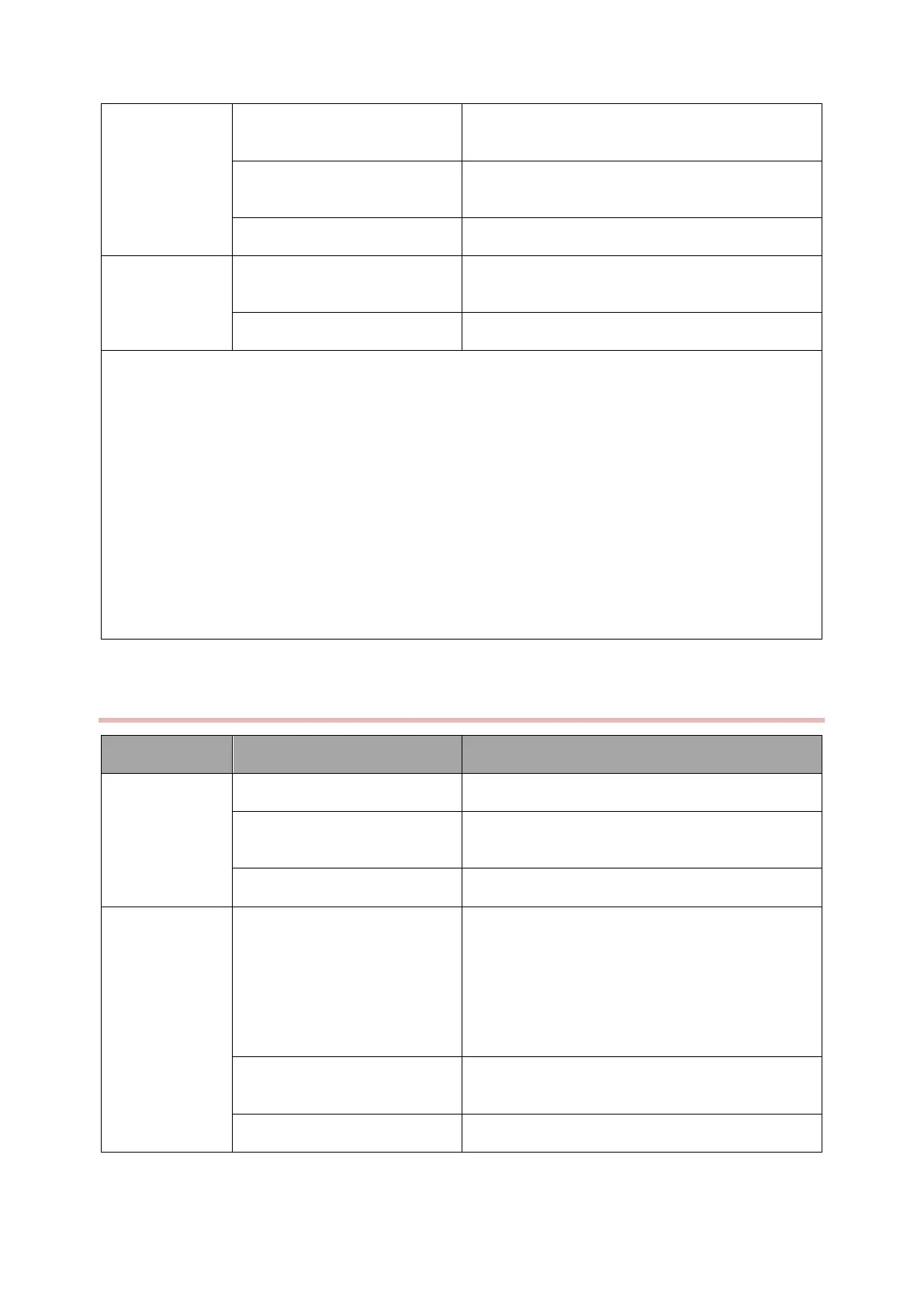
NO TEMP
values on the
display screen
The TEMP probe is damaged or
poorly connected
Change another TEMP probe
The type of TEMP probe is
incorrect
Select the right type of TEMP probe during monitor
maintenance
The TEMP module is defective
Replace the Parameter board
The type of TEMP probe is
incorrect
Select the right type of TEMP probe during monitor
maintenance
The TEMP probe is damaged
Change another TEMP probe
Possible causes:
● Large deviation in TEMP value
■ Check that the TEMP probe is properly placed or clamped, etc.
■ Since a thermistor is used to detect the TEMP instrument and it must be relayed over a long data
line, it can take some time before the value increases.
● Sporadic TEMP
■ The socket is poorly connected.
■ The TEMP probe is poorly connected.
■ The TEMP module is defective.
Table 4-7
4.6.8 IBP Failures
The IBP cannot
be measured
The IBP module is defective
The IBP pressure sensor is
poorly connected.
Reconnect or replace the cables
Select the correct labeling
Select the correct labeling
IBP readings are
incorrect
The IBP settings are incorrect
1. Zeroing must be done before use. Refer to user’s
manual for details
2.Disposable IBP sensor must be change after single
use
Ensure the channel you set is the channel you are
using
The IBP extension cable or
sensor is defected
Replace the extension cable or sensor
The IBP module is defective



 To Next Page