Performance Verification, Calibration
2
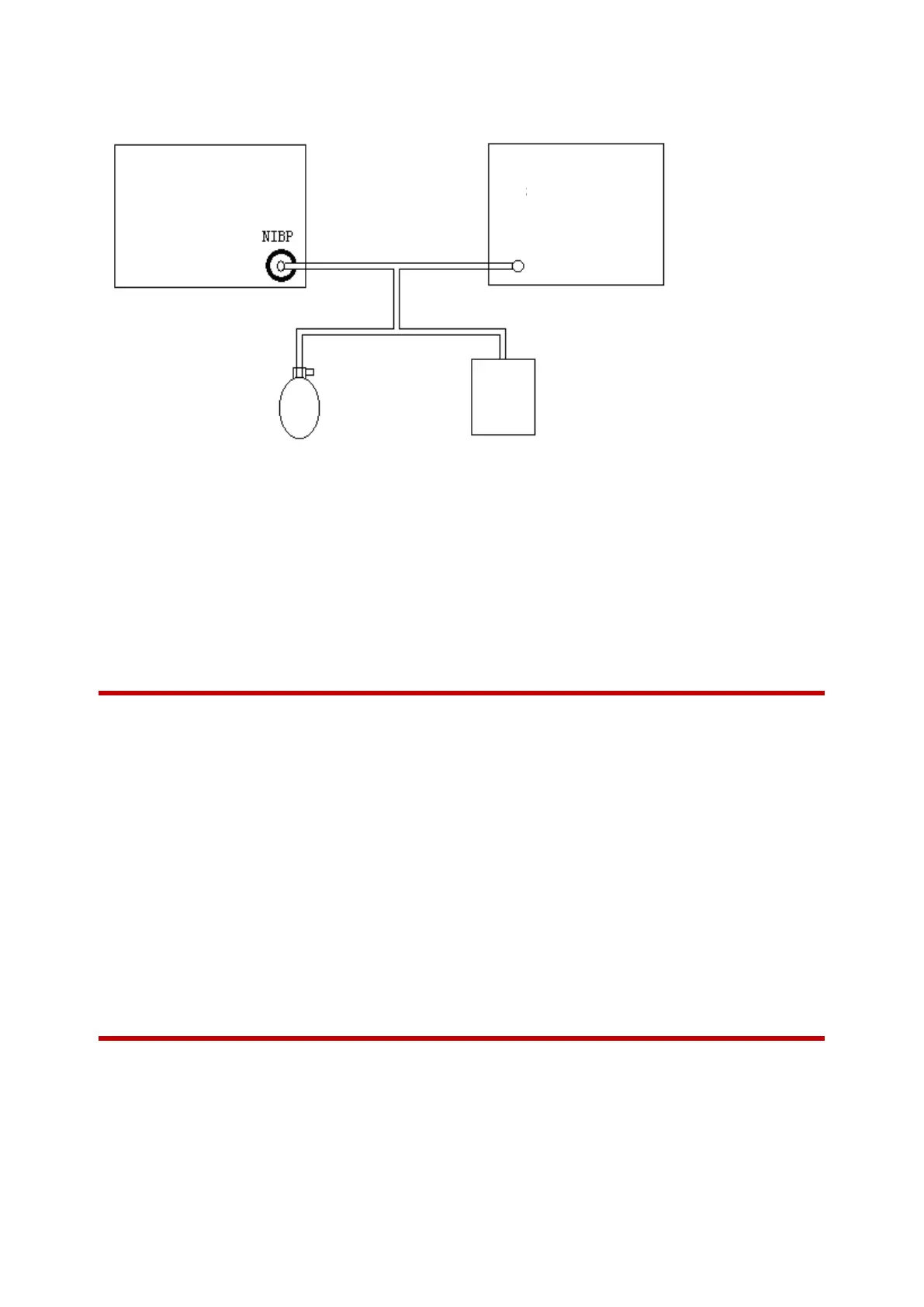
1) Connect the monitor, manometer, balloon pump and metal vessel (in place of the cuff) as shown below.
Chart 6-2
2) Before inflation, the reading of the manometer should be zero. If not, open the balloon pump to let the
whole airway open to the atmosphere. Close the balloon pump after the reading is 0.
3) In the [Maintain] menu, enter the password to enter the [User Maintenance] menu, select the [Module]
menu, and then select [NIBP] and click [NIBP Calibration] to set the monitor to the “Calibration” mode.
4) The pressure in the metal vessel is inflated to 0 mmHg, 50 mmHg and 200 mmHg using a balloon pump.
The difference between the value of the standard manometer and the pressure value indicated by the
monitor should be within 3 mmHg at this point.
6.2 IBP Test
Tool required:
Five-in-one simulator, IBP accessories
Follow this procedure to perform the test:
1) Connect the five-in-one simulator and the monitor through accessories, set the output static pressure
of the invasive pressure simulator to 0 mmHg (0 kPa), change the name of the current IBP channel
pressure in the monitor to P1 and zeroing, the system should prompt that the zeroing is completed,
and the average pressure value is also displayed as 0 mmHg (0 kPa).
2) Set the static pressure values of the invasive pressure simulator to 0 mmHg, 100 mmHg, 200 mmHg,
and the dynamic pressure value of 120/80 mmHg, and the pressure display range of the current
channel should be (0-1 mmHg, 98-102 mmHg, 196-204 mmHg, and (118-122)/(79-81) mmHg)
respectively.
3) Repeat the steps above for 2,3,4 of the IBP channels.
6.3 ECG Test
Tool required:
ECG Lead, Verification instrument
Follow this procedure to perform the test:
Set the monitor sensitivity to 10 mm/mV, scanning speed to 25 mm/s, and monitor mode. Turn on the
verification instrument, press S+ST key to make the verification instrument enter into verification state (both



 To Next Page