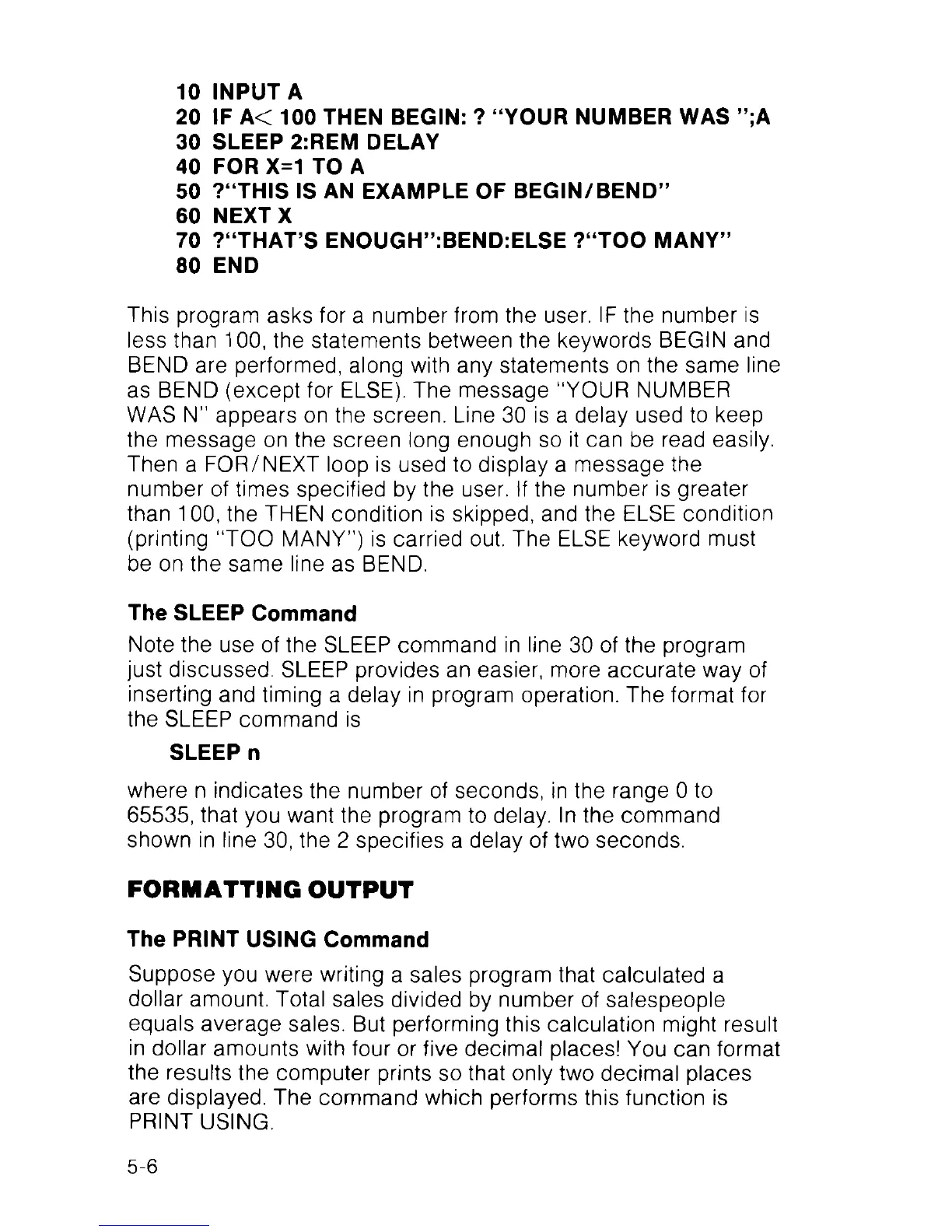
10 INPUT A
20 IF A< 100 THEN BEGIN: ? “YOUR NUMBER WAS ”;A
30 SLEEP 2:REM DELAY
40 FOR X=1 TO A
50 ?“THIS IS AN EXAMPLE OF BEGIN/BEND”
60 NEXT X
70 ?“THAT’S ENOUGH”:BEND:ELSE ?“TOO MANY”
80 END
This program asks for a number from the user. IF the number is
less than 100, the statements between the keywords BEGIN and
BEND are performed, along with any statements on the same line
as BEND (except for ELSE). The message “YOUR NUMBER
WAS N” appears on the screen. Line 30 is a delay used to keep
the message on the screen long enough so it can be read easily.
Then a FOR/NEXT loop is used to display a message the
number of times specified by the user. If the number is greater
than 100, the THEN condition is skipped, and the ELSE condition
(printing “TOO MANY”) is carried out. The ELSE keyword must
be on the same line as BEND.
The SLEEP Command
Note the use of the SLEEP command in line 30 of the program
just discussed. SLEEP provides an easier, more accurate way of
inserting and timing a delay in program operation. The format for
the SLEEP command is
SLEEP n
where n indicates the number of seconds, in the range 0 to
65535, that you want the program to delay, ln the command
shown in line 30, the 2 specifies a delay of two seconds.
FORMATTING OUTPUT
The PRINT USING Command
Suppose you were writing a sales program that calculated a
dollar amount. Total sales divided by number of salespeople
equals average sales. But performing this calculation might result
in dollar amounts with four or five decimal places! You can format
the results the computer prints so that only two decimal places
are displayed. The command which performs this function is
PRINT USING.
5-6



 To Next Page