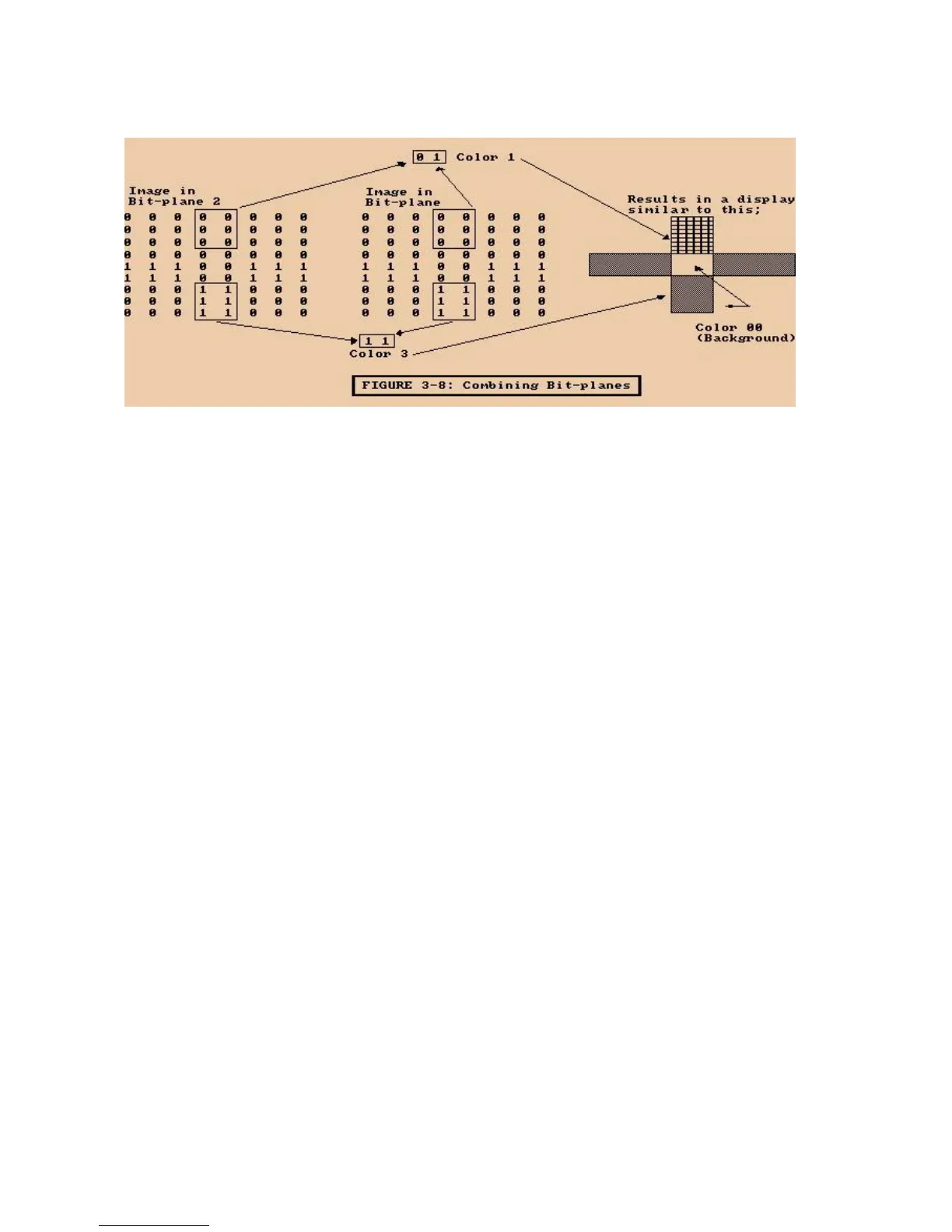
Figure 3-8: Combining Bit-planes
You place the correct "1"s and "0"s in both bit-planes to give each pixel in the picture
above the correct color.
In a single playfield you can combine up to five bit-planes in this way. Using five bit-
planes allows a choice of 32 different colors for any single pixel. The playfield color
selection charts at the end of this chapter summarize the bit combinations for playfields
made from four and five bit-planes.
DEFINING THE SIZE OF THE DISPLAY WINDOW
After you have completely defined the playfield, you need to define the size of the display
window, which is the actual size of the on-screen display. Adjustment of display window
size affects the entire display area, including the border and the sprites, not just the
playfield. You cannot display objects outside of the defined display window. Also, the size
of the border around the playfield depends on the size of the display window.
The basic playfield described in this section is the same size as the screen display area
and also the same size as the display window. This is not always the case; often the
display window is smaller than the actual "big picture" of the playfield as defined in
memory (the raster). A display window that is smaller than the playfield allows you to
display some segment of a large
- 50 Playfield Hardware -















 To Next Page