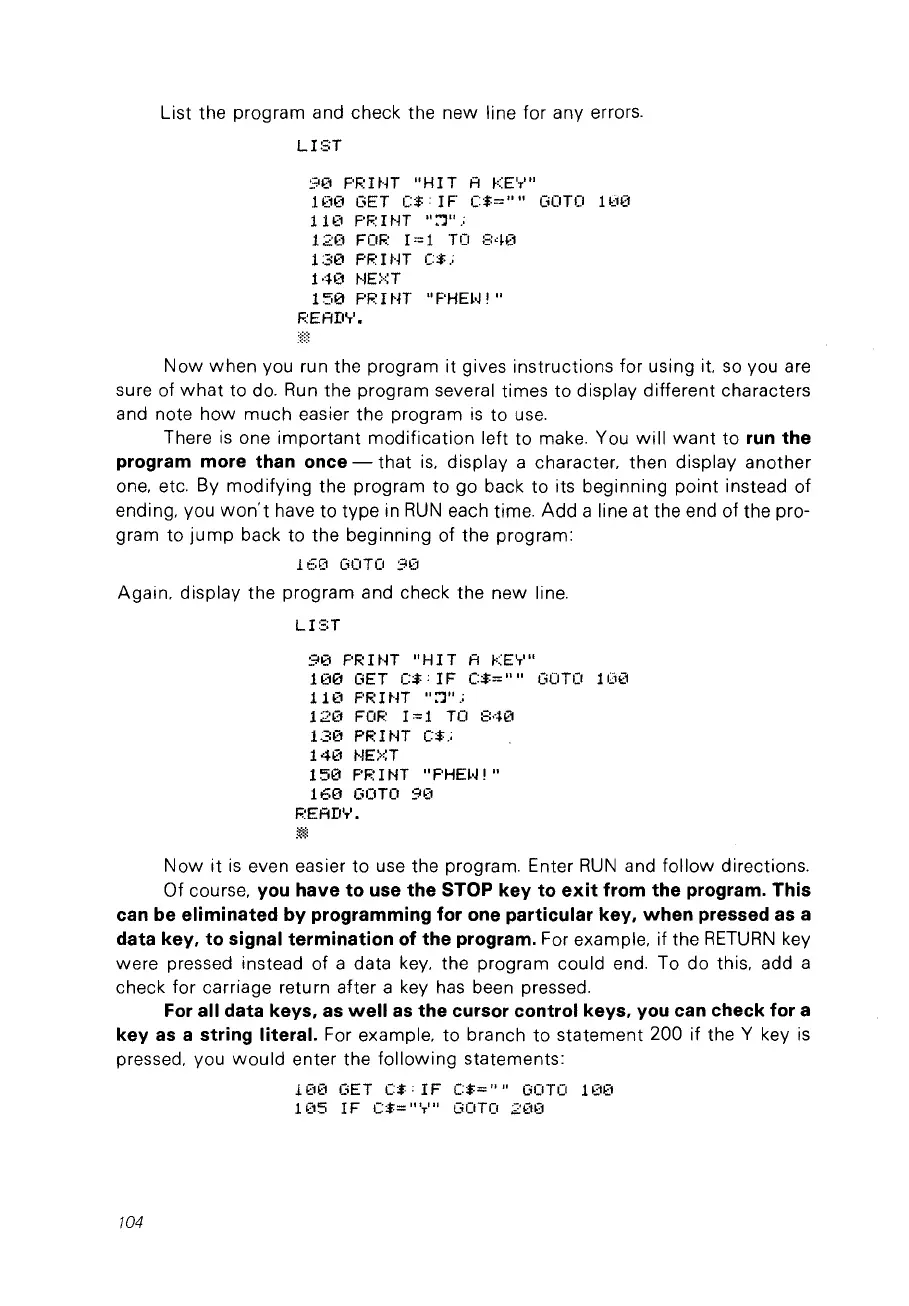
List the program and check the new line for any errors.
LI:,H
90
PRINT
"HIT
A KEY"
1
(10
GET
C$:
1F
C$=""
GOTO 1
Ü€1
110
PF.:
1
NT
"::1".;
120
FOF.:
1=1
TO
:,::4(1
130
PF.:
nn
C$.;
140
NE::·::T
1
50
PR
1
~n
"PHEI,J 1 "
F.:EAD'r'.
Now
when
vou run the program it gives instructions for using it.
so
vou are
sure of
what
ta do.
Run
the program several times ta display different characters
and note how
much
easier the program
is
ta
use.
There
is
one
important
modification left to make. You
will
want
to
run
the
program more than once -
that
is.
display a character. then display another
one. etc. By modifying the program to go back to its beginning
point
instead of
ending. vou
won't
have
to type in
RUN
each time.
Add
a line at the end of the pro-
gram ta
jump
back to the beginning of the program:
160
GOTO
90
Again. display the program and check the new line.
LIST
9(1
PRINT
"HIT
A KEY"
10€1
GET
C$:
1 F
C$=""
GUTO 1
C10
11(1
PRIt·n
":')".;
120
FOR 1=1 TU
840
130
PRHn
C$.;
140
~jE>~T
150
F'F.:
1
NT
"PHEI~!"
160
GOTO
9(1
READ'T'.
m
Now
it
is
even easier
to
use the program. Enter
RUN
and
follow
directions.
Of course. vou have
ta
use the STOP key
ta
exit
from the program. This
can be eliminated by programming for one particular key.
wh
en
pressed
as
a
data key.
ta
signal termination of the program, For example. if the
RETURN
key
were pressed instead of a data
key.
the program could end. To do this. add a
check for carriage retu
rn
after a key
has
been pressed.
For
ail data keys.
as
weil
as
the cursor control keys. vou can check for a
key
as
a string literai. For example.
to
branch
to
statement 200 if the Y key
is
pressed.
Vou
would
enter the following statements:
1(1(1
CiET
C$:
1F
C$=""
GOTO 1
(1ü
1
(15
1F
C$="
'T'"
CiOTO
200
/04



 To Next Page