readread
readread
'>
6
<CR>
WIDGETS
SUPPL
y
CO
<CR>
555
SOGUS
AVE
<CR>
GERTIE
<CR>
TENNESSEE
38901 t
t
INPUT
#
1,
1
INPUT
#1,
NM$ -
INPUT
#1,
A1$
--J
INPUT
#1,
A2$
--1
INPUT
#1,
A3$
.J
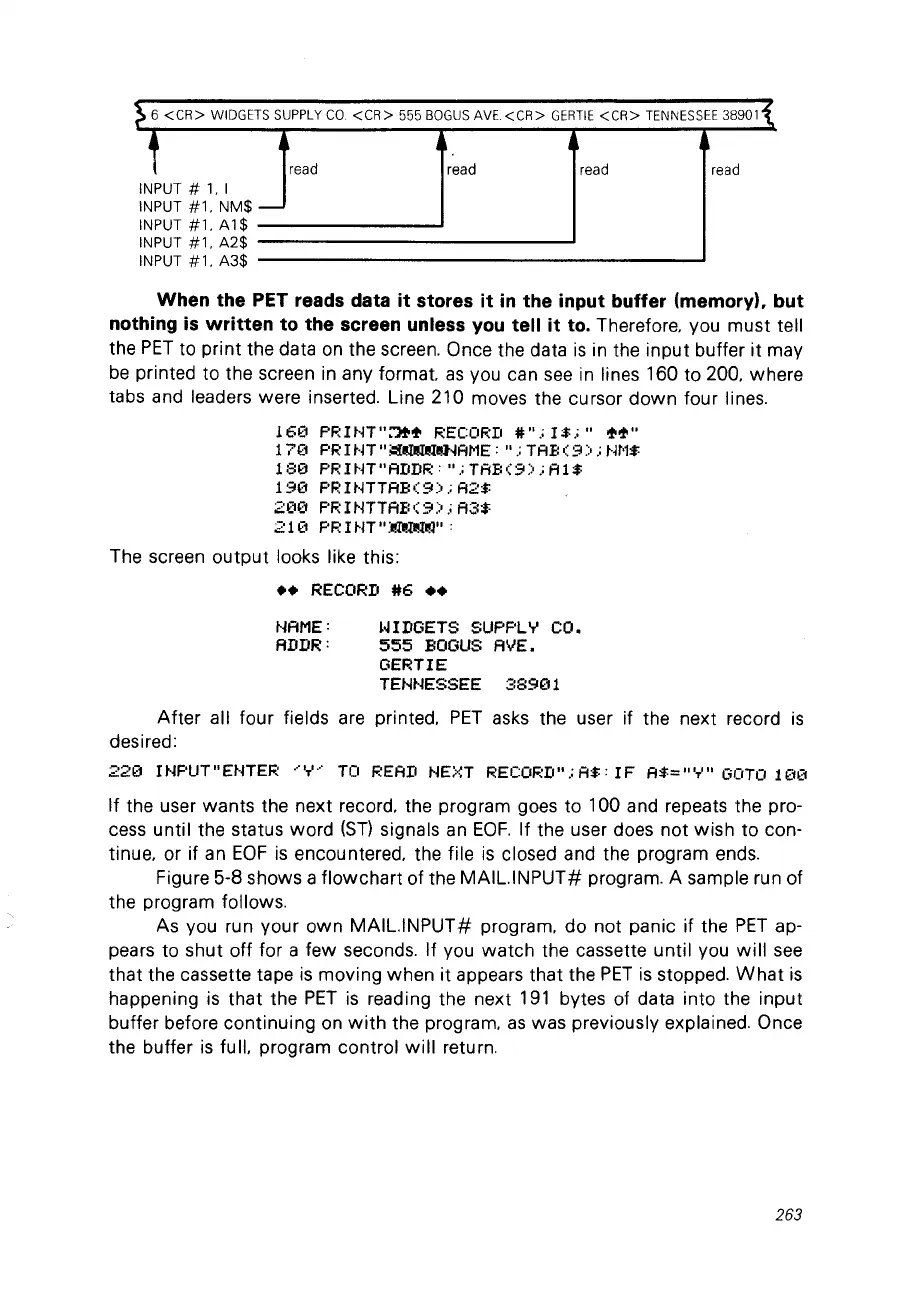
When the PET reads data
it
stores
it
in
the input buffer (memory), but
nothing
is
written
to the sereen unless vou tell
it
to. Therefore, you must tell
the
PET
ta print the data
on
the screen, Once the data
is
in the input buffer
it
may
be
printed ta the screen in any format.
as
you can
see
in lines 160 ta 200, where
tabs and leaders were inserted, Line 210 moves the cursor down four lines,
161:'::1
PF:
l NT":1++ RECORD
#"
,;
1$,;"
+of'''
1
71:'::1
PR
l
~'lT"
i:II~I!!J..jAME
: "
.;
TAE:
(9)
,;
~.it'1$
180
PF:HlT"ADDR:"
,;
TAB(9)
,;
A1$
190
PRINTTAB(9);A2$
200
PRINTTAB(9);A3$
211:'::1
PF:IHT"~":
The screen
output
looks Iike this:
••
RECORD
#6
••
l'lAME:
ADDR:
WIDGETS SUPPLY CO.
555
BOGUS
AVE.
GERTIE
TENNESSEE
38901
After
ail four fields are printed,
PET
asks the user if the next record
is
desired:
220
INPUT"
ENTER
~.,.'
..
'
TC!
READ HEi<T RECOF:D"
,;
A$
:
IF
A$="
'r"
GOTO
11:'::1(1
If the user wants the next record, the program goes ta 100 and repeats the pro-
cess until the status ward
(ST)
signais
an
EOF.
If the user does not wish ta con-
tinue, or if
an
EOF
is
encountered, the file
is
closed and the program ends,
Figure 5-8 shows a flowchart of the
MAILINPUT#
program. A sample run of
the program follows.
As you run your own
MAILINPUT#
program, do not panic if the
PET
ap-
pears ta shut off for a few seconds, If you
watch
the cassette until you
will
see
that the cassette tape
is
moving when
it
appears that the
PET
is
stopped,
What
is
happening
is
that the
PET
is
reading the next
191
bytes of data into the input
buffer before continuing on
with
the program,
as
was previously explained, Once
the buffer
is
full, program control
will
return.
263



 To Next Page