IN8ERT/DELETE. The INSERT/DELETE key in unshifted mode
is
DELETE.lt
deletes the character to the immediate
left
of the cursor
and
moves the rest
of the line, headed
by the cursor, one character position to the left. Ta use
DELETE.
press
CURSOR
RIGHT
or other cursor control keys ta place the cursor
on
the character ta the right of the character or characters ta
be
deleted. Then press
the
DELETE
key
as
many times
as
needed; each time vou
will
remove one
character.
We
saw
how
typeover can
be
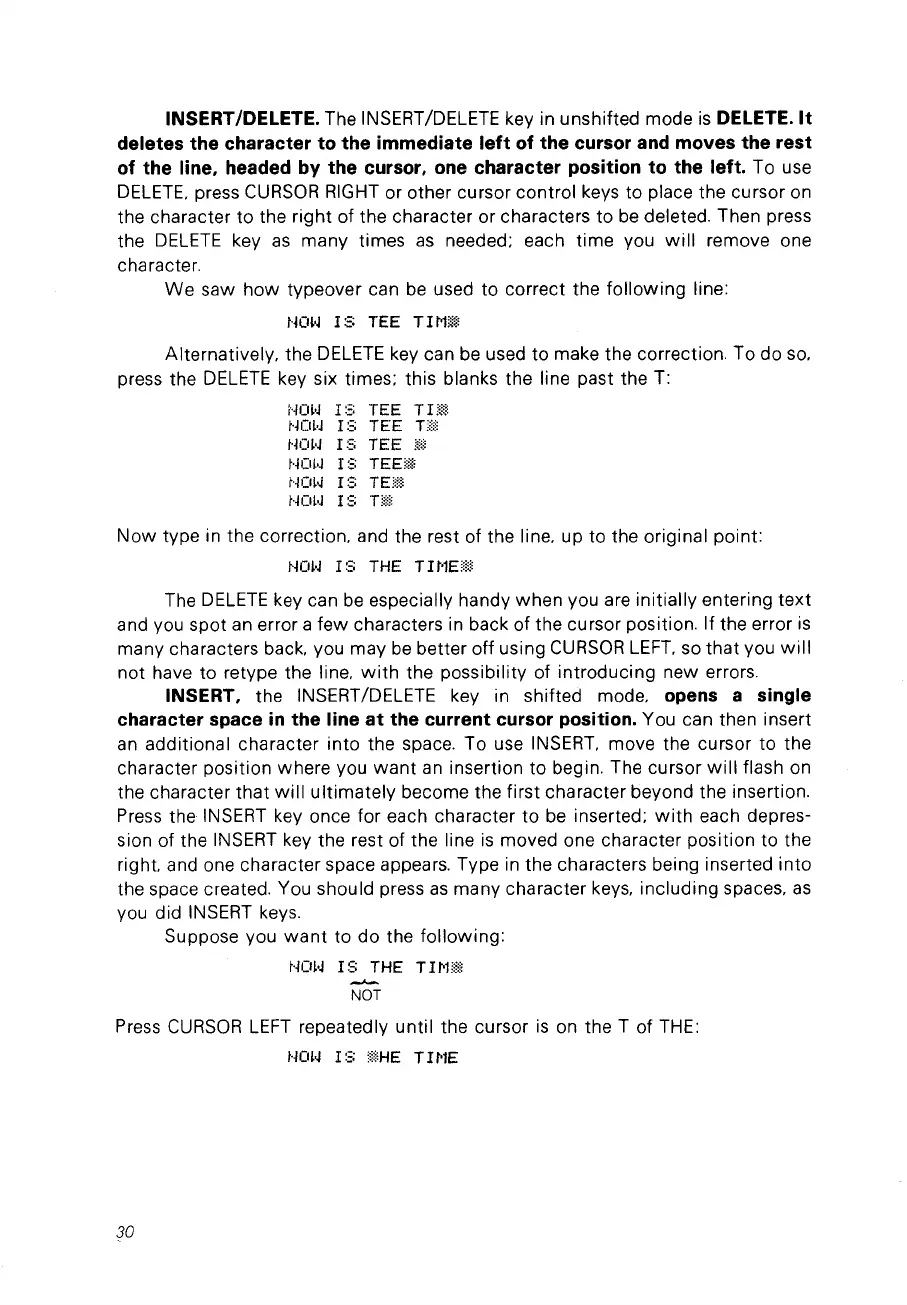
used ta correct the following line:
NOIoJ
18
TEE
T1Mli<~
Alternatively. the
DELETE
key can
be
used ta make the correction. Ta do
sa.
press the
DELETE
key six times; this blanks the line past the T:
i··iO~·J
1::::
TEE
Tl
r~i,
Hm.J l S
TEE
Hi!,
t·jm·J l S
TEE
ri:)
NOl·J
I S TEE!iii
t'Ki~~
1::::
TE!,!,l
t·jOl·J
If::
Tü
Now
type in the correction. and the rest of the line. up ta the original point:
NOW
1S
THE
T1MEü
The
DELETE
key can
be
especially handy when vou are initially entering
text
and vou spot
an
error a few characters in back of the cursor position. If the error
is
many characters back. vou may
be
better off using
CURSOR
LEFT.
sa that vou
will
not have ta retype the line.
with
the possibility of introducing new errors.
IN8ERT, the
INSERT
/DELETE key in shifted mode. opens a single
character space
in
the line
at
the current cursor position. You can then insert
an
additional character into the space. Ta use
INSERT.
move the cursor ta the
character position where vou
want
an
insertion ta begin. The cursor
will
flash
on
the character
that
will
ultimately become the first character beyond the insertion.
Press
the
INSERT
key once for each character ta
be
inserted;
with
each depres-
sion of the
INSERT
key the rest of the line
is
moved one character position ta the
right. and one character space appears. Type
in
the characters being inserted into
the space created. You should press
as
many character
keys.
including spaces.
as
vou did
INSERT
keys.
Suppose vou
want
ta
do
the following:
HOl·J
1S
THE TII"Œ!:
..;-.
NOT
Press
CURSOR
LEFT
repeatedly until the cursor
is
on
the T of
THE:
t·jm~
l S
::!iHE
TI
l''IE
30



 To Next Page