Ruckus ICX 7450 Switch Hardware Installation Guide 27
Part Number: 53-1003899-09
• Grounding: Rack-mounted equipment should be properly grounded. Particular attention should be given to supply connections
other than direct connections to the mains electricity supply.
To mount the product into a four-post rack, you can order the XBR-R000295 four-post rack kit. For the procedure to install this kit, refer
to “Installing the 1U, 1.5U, and 2U Universal Kit for Four-Post Racks (XBR-R000295)” on page 29.
Two-post rack mount installation
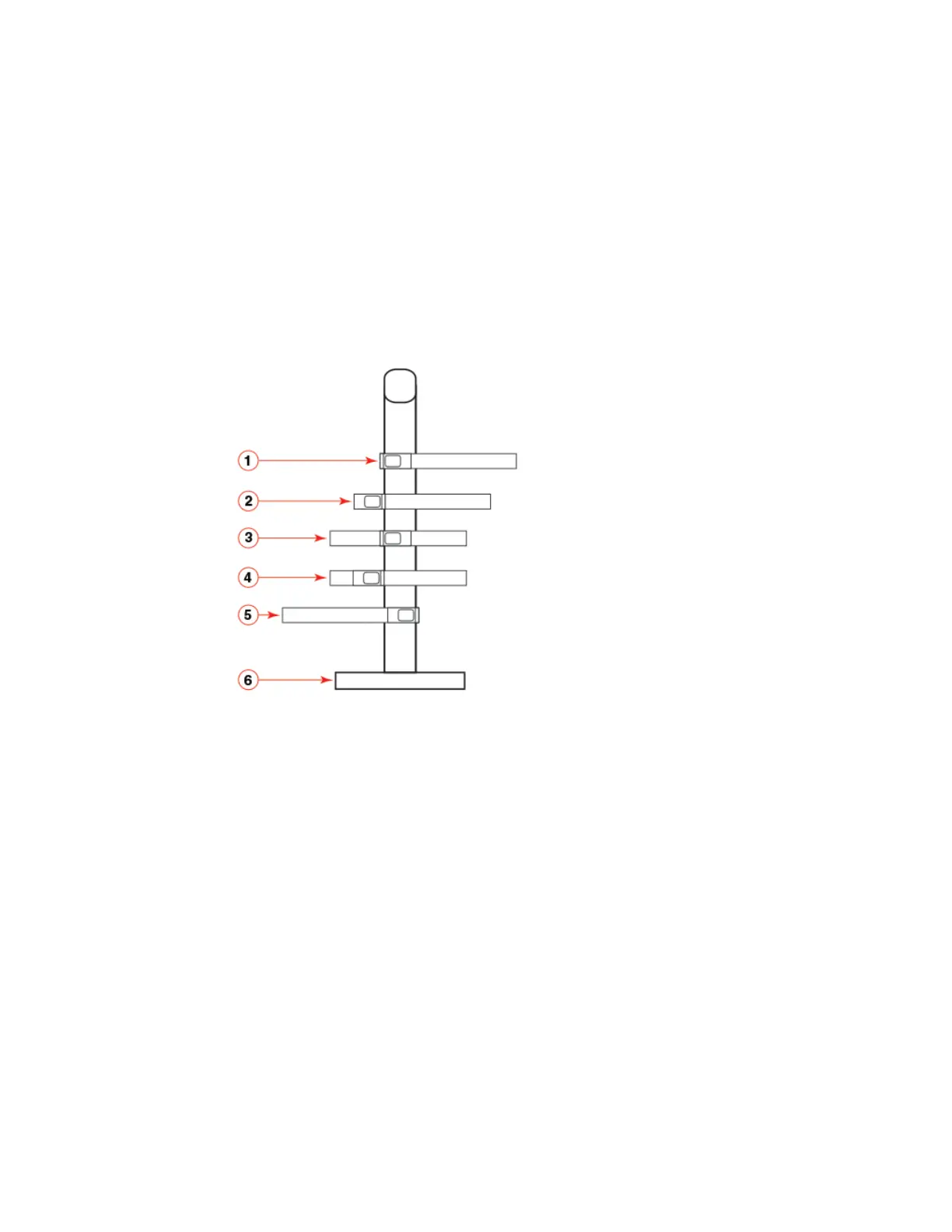
The Ruckus ICX 7450 can be installed in a two-post rack in various mounting positions, as shown in Figure 15.
FIGURE 15 Two-post rack mounting positions
Use the following procedure when installing the Ruckus ICX 7450 in a two-post rack. For four-post racks, follow the procedure
in “Installing the 1U, 1.5U, and 2U Universal Kit for Four-Post Racks (XBR-R000295)” on page 29.
Use the following steps to mount the Ruckus ICX 7450 in a two-post rack.
1. Remove the rack mount kit from the shipping carton. The kit contains the following items:
• Two L-shaped mounting brackets
• Eight 8-32 x 5/16 in., panhead Phillips screws
2. Attach the mounting brackets to the sides of the device as illustrated in Figure 16 using the 8-32 x 5/16 in. screws.
Be sure to use only the screws included in the Ruckus ICX 7450 kit.
1 Front flush mount 4 Reverse mid-mount
2 Reverse-front mount 5 Rear mount
3 Front mid-mount 6 Two-post rack, side view



 To Next Page
 Loading...