ComNav 1500 / 1510 Autopilot - 31 -
Caution!
The NAV function will automatically change course when the next
waypoint information is displayed and the helmsman should ensure that
there are no boats or other hazards on the new course as the waypoint
is changing. When using waypoint sequencing in a route list, it is
extremely important that the helmsman is at the steering position and
ready to override the pilot if the course change would cause collision
with other boats or objects.
Set all waypoints in navigators away from navigational hazards by at
least 100 meters as the boat may require this radius or more on
waypoint advance. The NX2 GPS Navigator will allow you to select a
route list with automatic sequencing, or with a confirming push-button
press for each waypoint.
5.2.5 Automatic Steering by Wind
Automatic steering by wind is only possible if the Autopilot is
connected to a NX2 Network with a wind transducer connected.
Note! The apparent wind speed must be more than 3 knots. If the
apparent wind speed falls below 3 knots, wind signals are disabled
and the Autopilot will maintain the current magnetic heading
reference instead.
Before activating wind steering, optimize your sail trim.
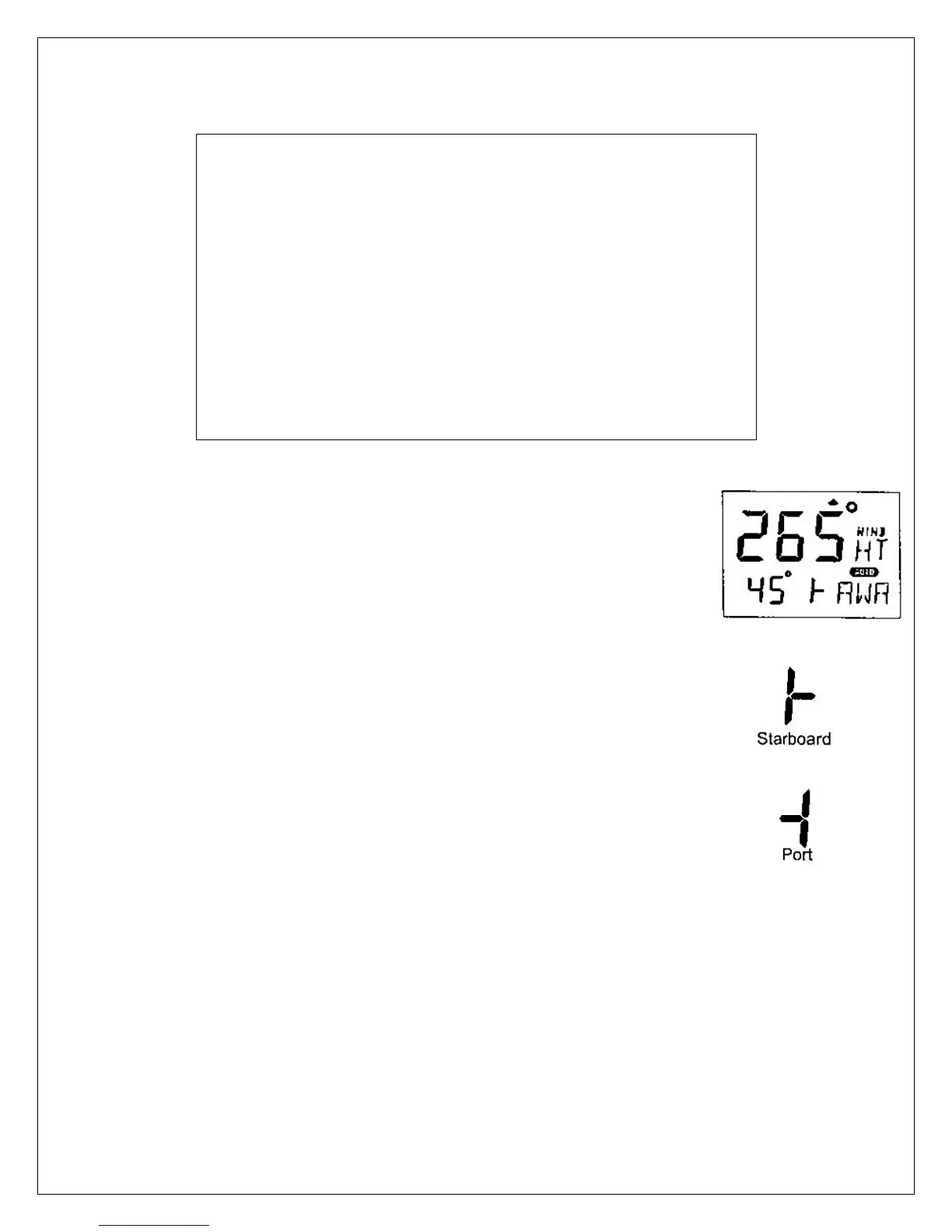
To select wind steering, press MODE until the page-arrow appears
under WIND, and Apparent Wind Angle [AWA] is flashing on the
lower-line. Your present course is displayed on the top-line.
To activate wind steering, press SET when [AWA] is flashing.
The present [AWA] now becomes the reference angle, and is
displayed on the lower-line to the left, followed by a sign to
describe wind from port or starboard.
To steer to port, press LEFT.
To steer to starboard, press RIGHT.
A short press changes the value by 1°, a long press by
10°.
When making large changes of over 30°, it may take about 1
minute for an accurate course to be re-established due to changes
in boat balance, which must be recognized by the automatic trim
function.



 To Next Page