ComNav 1500 / 1510 Autopilot - 39 -
6.5 Compass Setup Group [C]
Auto-deviation, auto-deviation-check and auto-deviation clear, are
only available if a NX2 compass transducer is connected. The
auto-deviation routine will automatically correct all possible faults,
except alignment.
Note! As soon as you place any kind of ferrous items close to the
compass, the auto-deviation and auto-deviation check routines
should be repeated. So if you have packed your boat for the
vacation, think about where you place ferrous items in relation to
the compass transducer.
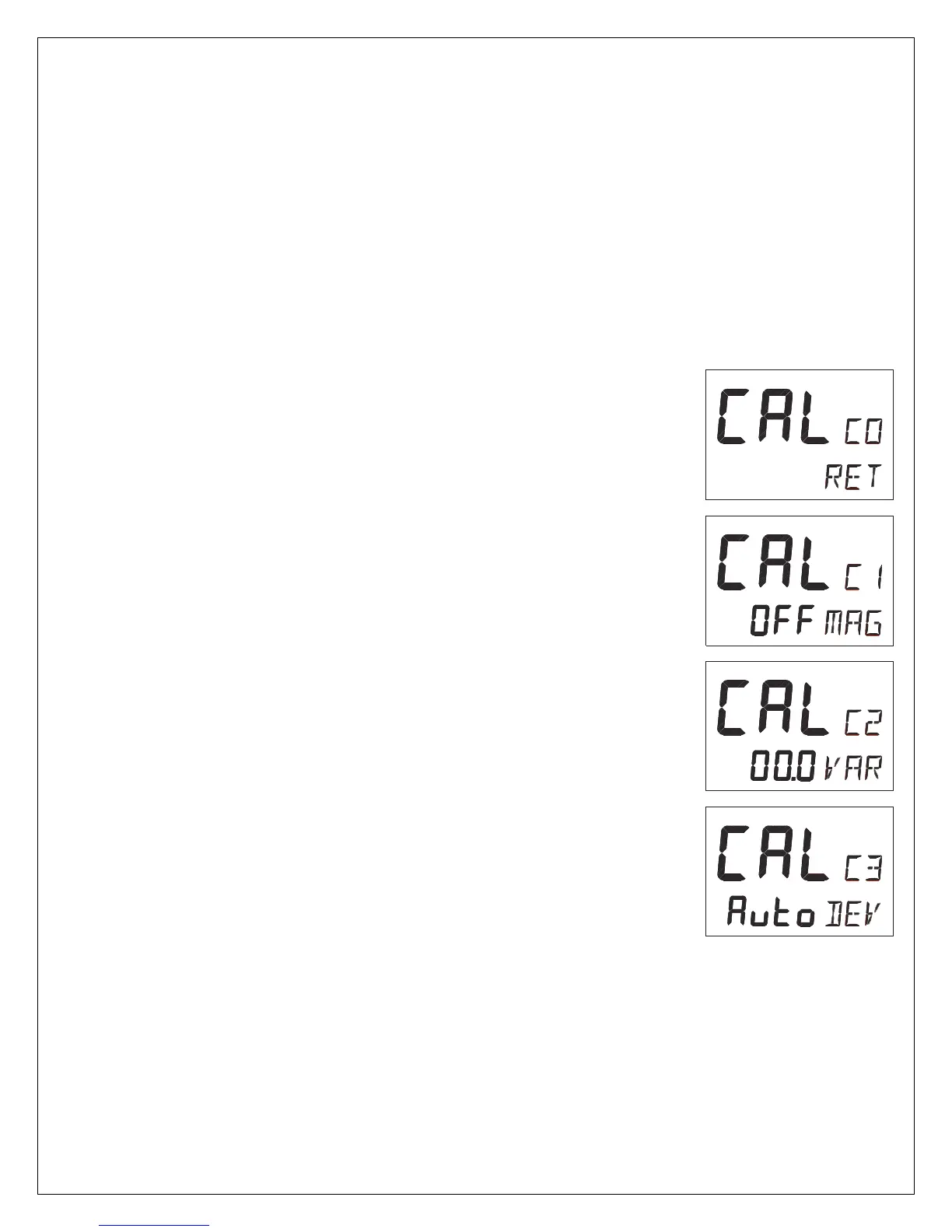
6.5.1 C0, Return [RET]
To return to previous mode, press SET when the text [RET] is
displayed.
6.5.2 C1, Magnetic Heading [MAG]
Possible settings are [OFF] and [On]. Default setting is [OFF].
[On] = All headings will be magnetic.
[OFF] = All headings will be true, i.e. corrected for local variation
set in C2, Local variation [VAR]. This is local setting.
6.5.3 C2, Local Magnetic Variation [VAR]
Possible settings are [+/-00.0°-99.9°]. Default setting is [00.0]
Easterly variation = underlining ( _ ) sign.
Westerly variation = minus ( - ) sign.
The local magnetic variation is usually printed in the sea chart.
6.5.4 C3, Auto-Deviation [Auto DEV]
This function is used to automatically correct the deviation of your
compass.
Take the boat into a slow turn, in calm sea and away from other
boats or obstructions. There is no need to perform a perfect circle.
When steady, select C3 [Auto DEV] and press SET to start. The
present "uncorrected" compass heading is displayed and the
compass auto-deviation is in progress. Turn the boat in a 1 ¼
circle, and when ready press SET again.
If successful, the text [CAL C3] [Auto DEV] will be displayed.



 To Next Page