ComNav 1500 / 1510 Autopilot - 38 -
6.4 Alarm Setup Group [A]
To silence an alarm, press any push button.
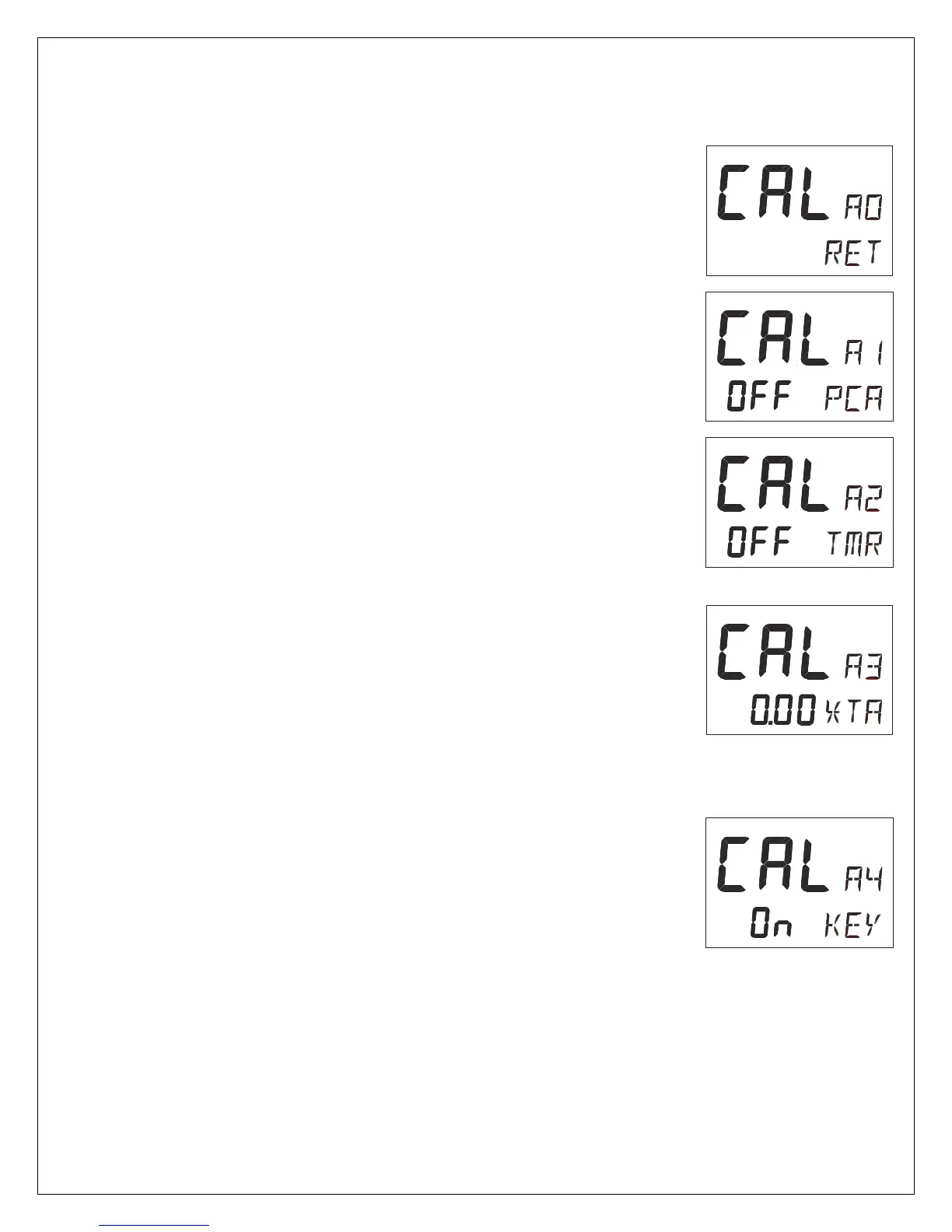
6.4.1 A0, Return [RET]
To return to previous mode, press SET when the text [RET] is
displayed.
6.4.2 A1, Pilot Course Alarm [PCA]
Possible settings are [OFF] and [00°-99°]. Default setting is [OFF].
When the boat’s average course differs more than the [PCA]
setting, the alarm will sound and the display will blink.
6.4.3 A2, Timer Watch Alarm [TMR]
Possible settings are [OFF] or [On]. Default setting is [OFF].
On = audible alarm activated.
The audible alarm will sound every 5 minutes to alert the person on
watch to confirm and restart the timer, press any push-button. If not
confirmed within 1 minute, the optional external alarm buzzer, if
connected to the NX2 Server, will sound for 1 minute, to alert the
rest of the crew.
6.4.4 A3, Cross Track Error Alarm [XTA]
Possible settings are [0.00] = OFF to [9.99]. Default setting is
[0.00].
This function is only available in NAV function when the Autopilot is
connected to a NX2 Network and a navigator is connected to the
NX2 Server.
If the pilot’s cross track error exceeds the set threshold of distance
of the track, the alarm will be activated.
6.4.5 A4, Push-Button Beep [KEY]
Possible settings are [OFF] or [On]. Default setting is [ON].
[On] = Sound when push buttons are pressed. [OFF] = No sound.



 To Next Page