SinoGNSS
○
R
T300 User Guide
13
4.1 Receiver Configuration
1. Download and install CRU software from (ensure the driver is properly
installed in your PC):
http://www.comnavtech.com/download.asp?bigclassid=28
2. Connect the receiver and your PC through 7-pin lemo to USB cable.
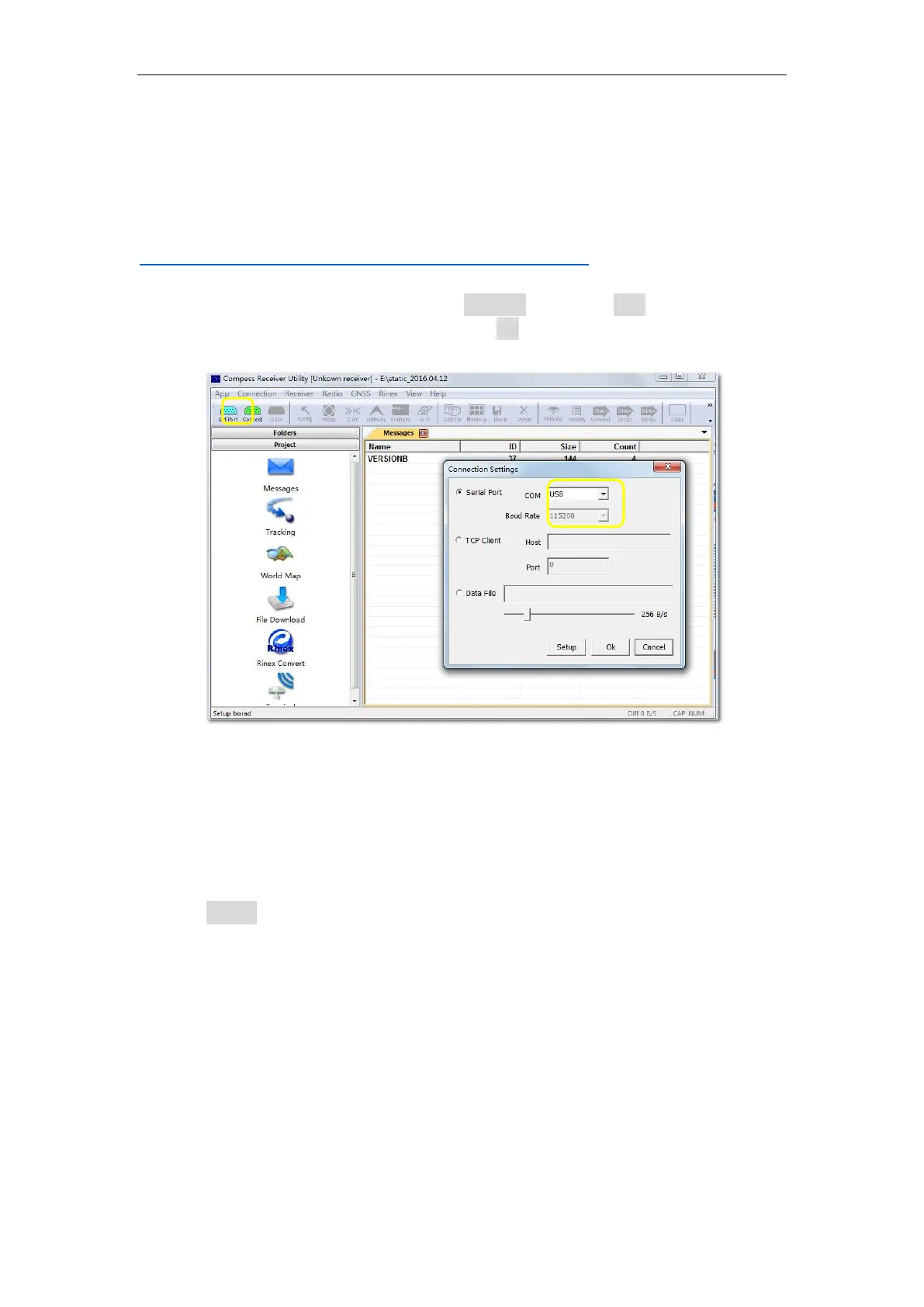
3. Turn on your T300 receiver and click set port in CRU -> USB in the serial port
option -> enter proper baud rate -> click OK to complete receiver connection.
The SN of receiver will appear in the title bar if connected successfully.
Tips: two types of cable are provided in your package,
1) we recommended use 7-pin Lemo to USB cable to configure the receiver and raw
observation data downloading;
2) with 7-pin Lemo to RS232 cable, you can connect T300 receiver with external power or
firmware upgrade.
4. Click Config to configure the receiver:
Sample Interval: change the sample interval of observations, the maximum data
rate is 20 Hz, the minimum is one observation per minute.
Mask angle: disable the receiver to track satellites that below the mask angle.
You can set mask angle values for different constellations, which can reduce
serious multipath influence or low SNR.
Data Log: logging data manually or automatically.
Data Log Session: 1) Manual means that the receiver keeps recording data in
one file until the receiver is turned off or its memory runs out; 2) if set to
1\2\3\4\12 hours, the data recorded will be saved in to a file every 1\2\3\4\12
hours.



 To Next Page