SinoGNSS
○
R
T300 User Guide
34
6.2 PPK
PPK is a special part in Measuring Points function, which apply to the survey that
cannot do RTK. The rover survey dynamic data and another receiver record static
data, and then do PPK processing in Compass Solution software.
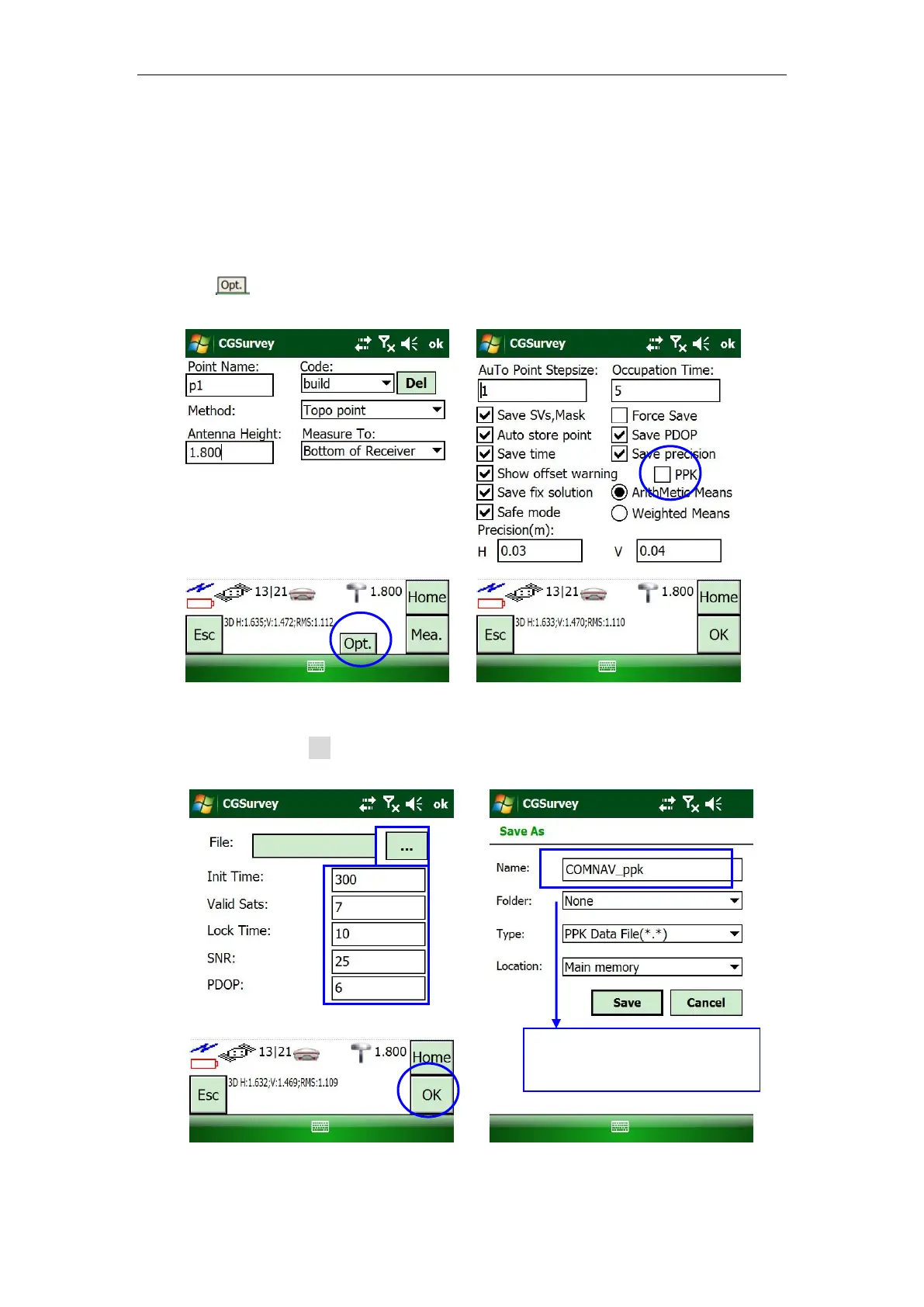
Click , and choose PPK mode.
Choose file name and path, and adjust Init Time, Valid Sats, Lock Time, SNR, PDOP by
requirement. Click OK.
The default folder “None” =
My Device:\My Documents\



 To Next Page