SinoGNSS
○
R
T300 User Guide
24
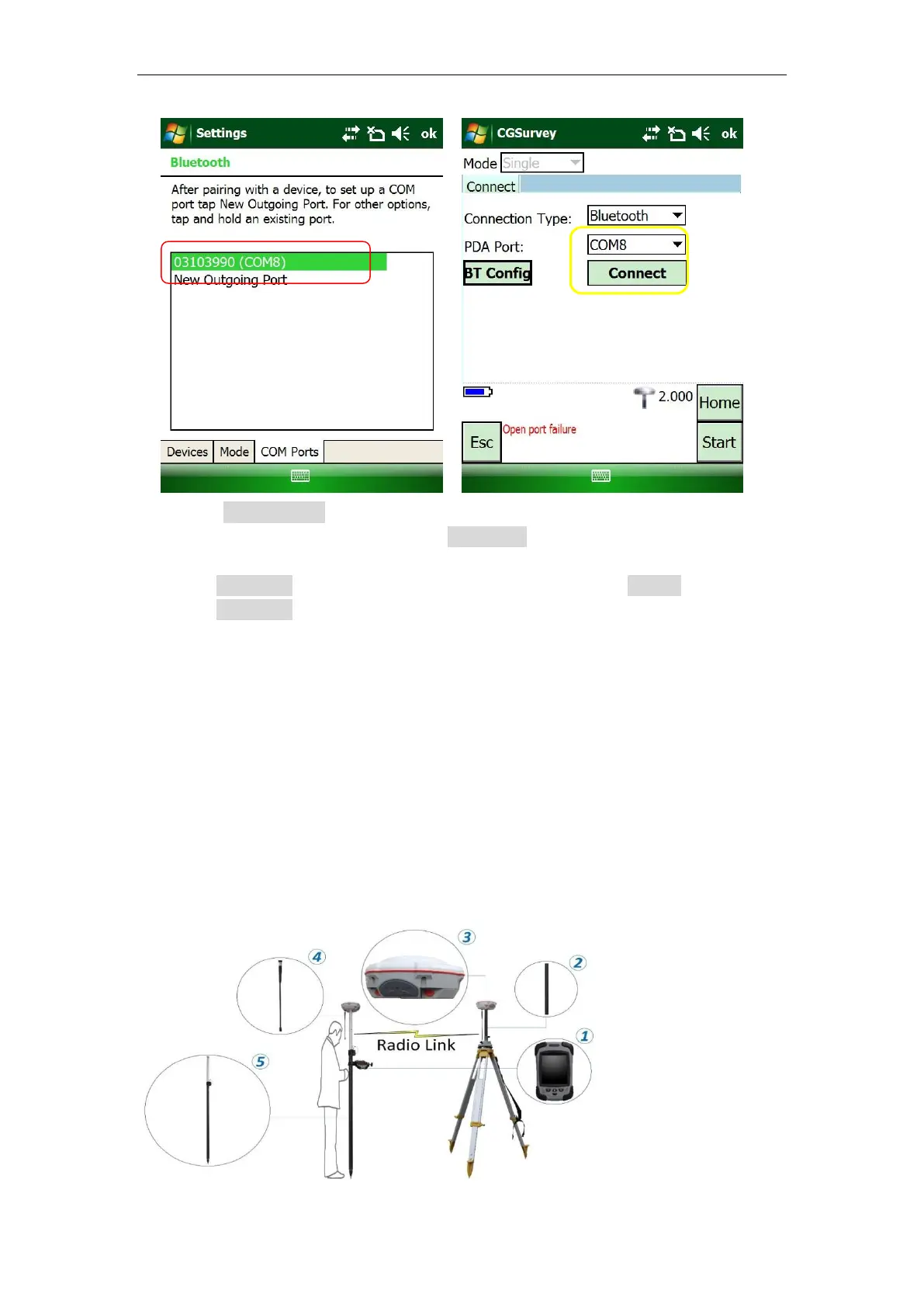
Note: Go to COM Ports tab to modify or delete Bluetooth connection with receivers, the COM
Ports cannot be allocated again if deleted in Devices tab.
Warning: When need to delete one COM port for connecting another device, you MUST
delete it in COM Ports interface firstly. IF you just delete device’s SN in Devices without
delete it in COM ports, this COM port will never be used (unless reinstall the software).
Tips: Our R100 controller support COM5, COM8 and COM9 as Bluetooth port, while our R200
controller support COM7, COM8 and COM9.
7. After connected successfully, the position status will be showed (H, V, RMS). Then
you can set up T300 receiver with the required survey mode and style based on
instructions below.
5.4 Internal Radio Mode
The T300 GNSS receiver supports transmit & receive the correction data in internal
radio mode. To conduct the RTK survey in internal radio mode, it requires:
○
1
A controller with software
installed
○
2
An extension bar
○
3
Two units of T300 GNSS
receiver
○
4
Two Whip Antennas
○
5
A range Pole with bracket
○
6
Tripod and tribrach
If you want to delete one
connection, just right click it and
choose delete



 To Next Page