SinoGNSS
○
R
T300 User Guide
41
6.8 Import Points to Current project
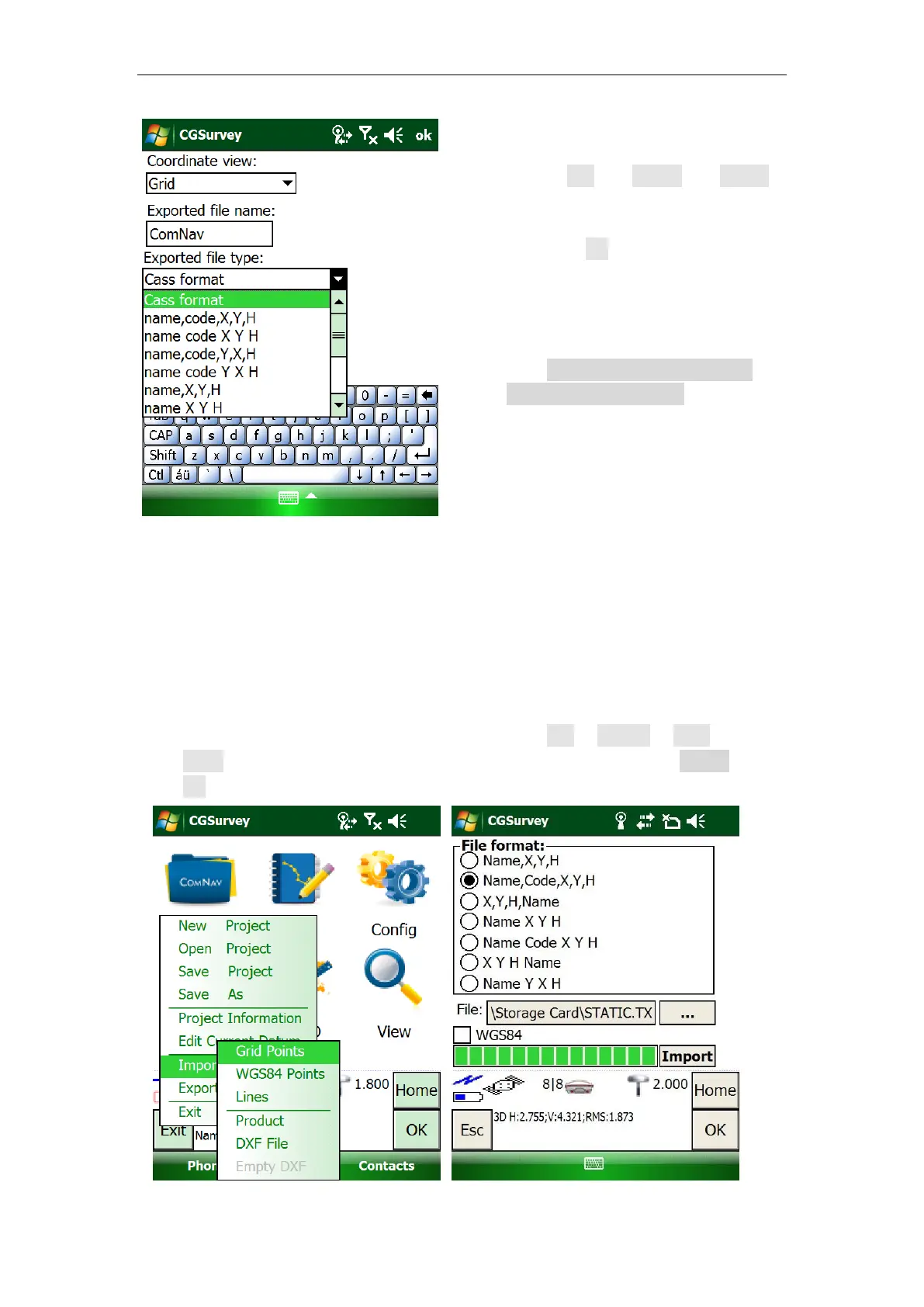
To import points:
Prepare the points file with right format (*.txt or *.csv) .
Connect the Controller to your PC through USB cable.
Copy the points file to Controller root directory.
Then, open CGSurvey on your controller -> click File -> Import -> Grid
point-> select proper file format -> select the file in root directory -> Import ->
OK.
Go to File -> Export -> points,
select the coordinate frame, give
the new file a name and choose a
file type > OK.
Connect the Controller to your PC
through the USB cable, the
exported result will be saved in the
path:YourController\\\Program
Files\CGSurvey\Project.



 To Next Page