SinoGNSS
○
R
T300 User Guide
27
Note: Uncheck Fix Base to start Base station in Auto Base mode, which means that the
receiver can get current coordinates and broadcast correction data automatically.
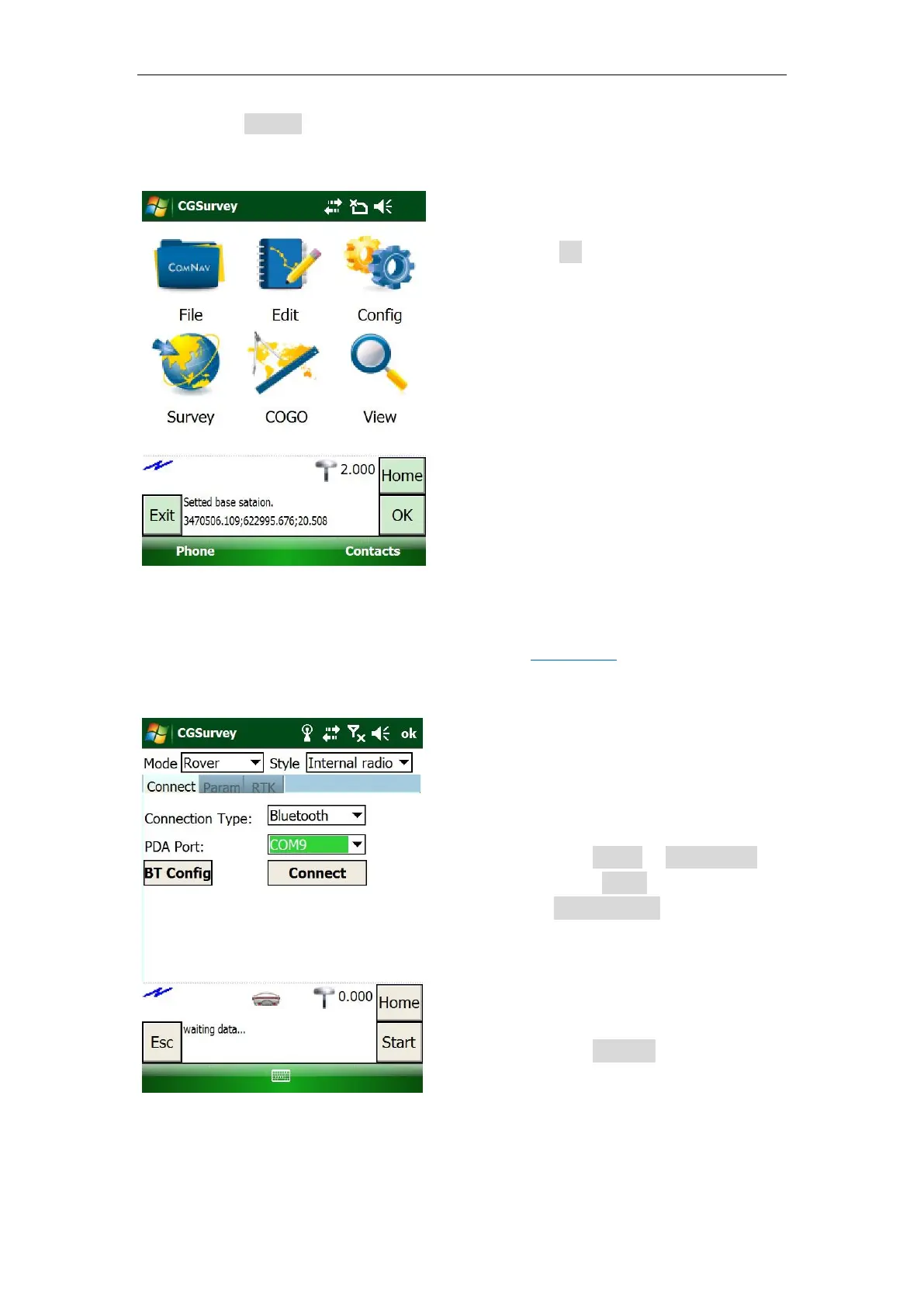
5.4.2 Start Rover Station by CGSurvey
Connect your controller to T300 receiver based on Chapter 5.3, and allocate the
Rover another COM port that different from the Base.
Click OK to save configuration
Check the differential LED in the
front panel, flashing once per
second means that the base
station is transmitting correction
data.
Connect:
Click Config -> Work Mode ->
select Rover as Mode and
Internal radio as Style.
Select the PDA port you set
for the rover
Click Connect



 To Next Page