SinoGNSS
○
R
T300 User Guide
31
5.7 Internal GPRS Mode
For Internal GPRS mode, the T300 receiver supports Point to Point/Points, Ntrip
client and Phone Call mode. To acquire the APN (access point number) from the
mobile service provider, you need to insert a SIM card into the T300 receiver. It
commonly acquires the APN from the mobile network provider, otherwise try to get
via:http://www.hw-group.com/products/HWg-Ares/HWg-Ares_GSM_APN_en.html#t
op
5.7.1 Point to Point/Points mode (P to PS mode)
In point to point mode, the correction data is transmitted from the base station to
the Server, then rovers can log on the Server to get the correction data. Therefore,
SIM cards are required both in the base and rover.
Firstly, configure the base station as below:
For the base station:
Enter proper Protocol, APN, IP Address and Port.
Sourcelist: It’s recommended set as the SN of the base.
Click Get to acquire current coordinates in Position Tab
After successfully starting the base station:
1) The differential LED (yellow) flashes 1/s, which means the base is broadcasting
correction data;
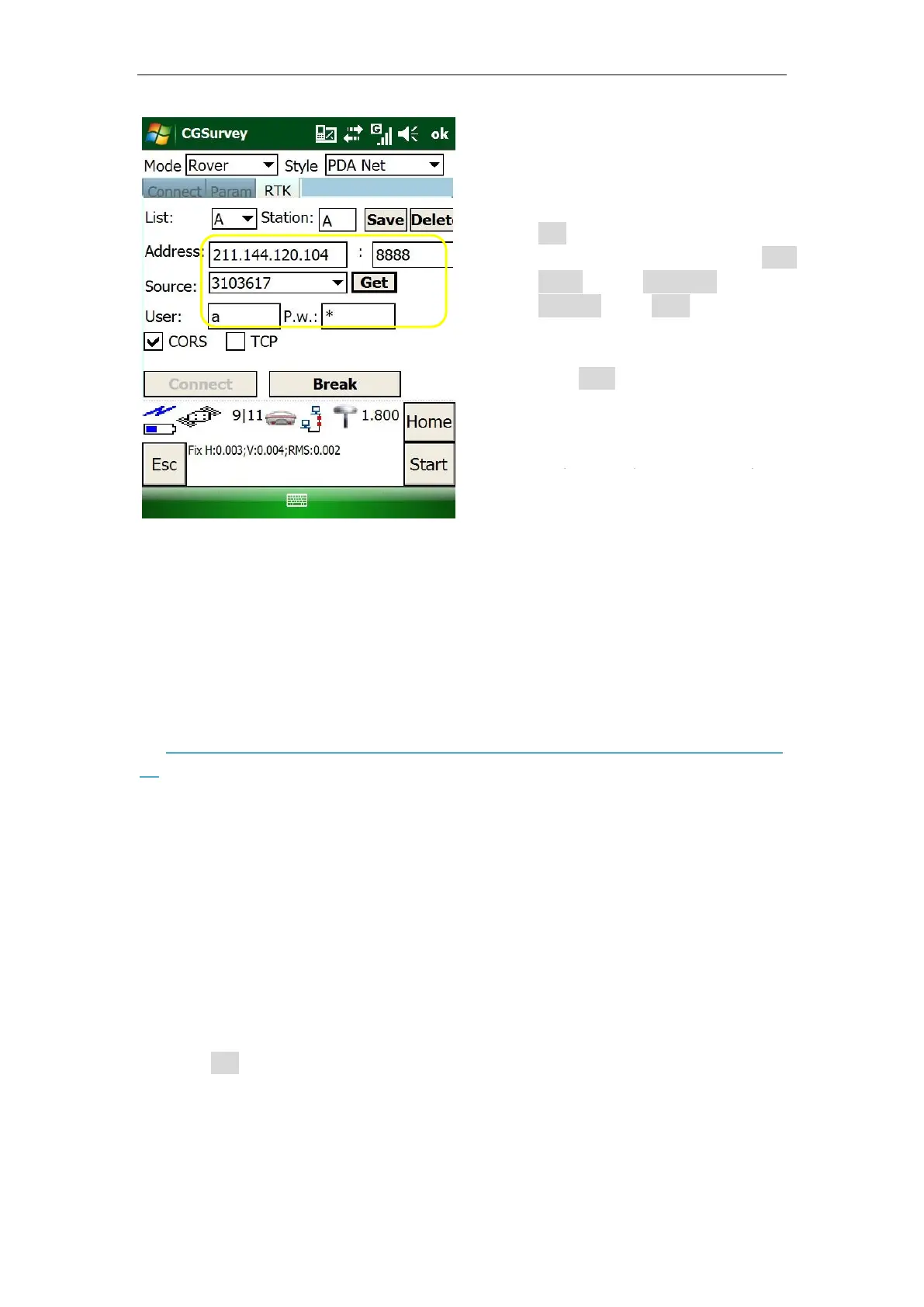
RTK:
Enter CORS IP and port -> Click
Get to acquire Source List (select
the proper source) -> enter User
name and password -> click
Connect -> Start to receive
correction data.
Click Save to add CORS station to
list, which provides a quick
acquisition.
It also provides TCP protocol.



 To Next Page