SinoGNSS
○
R
T300 User Guide
15
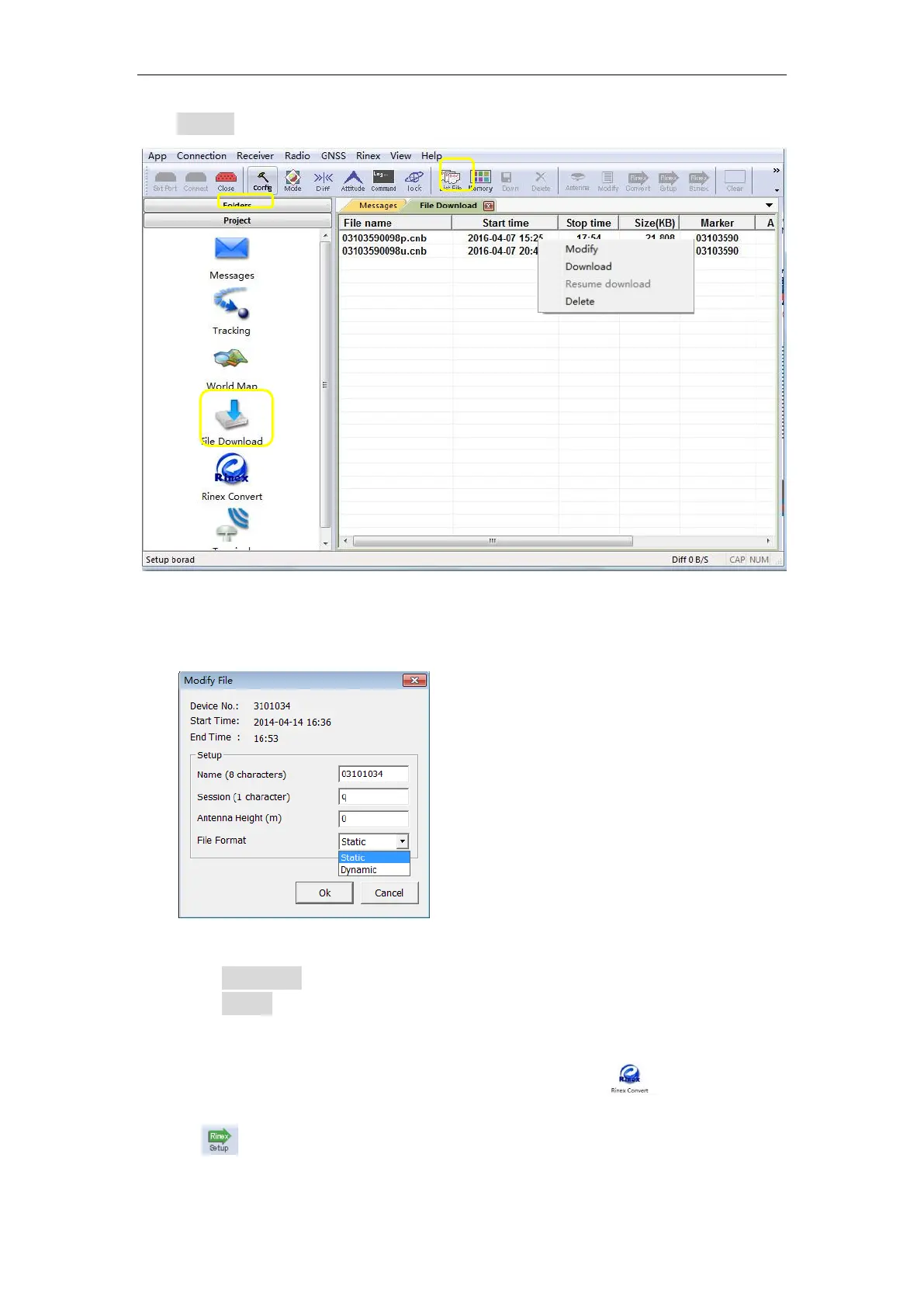
click List File to refresh raw data list.
4. Right-click on the file name to modify, download or delete the raw observation
data.
Click Download to save raw observation data in download path.
Click Delete to remove raw data from the receiver.
4.3.2 Convert to RINEX
After downloading raw observation data to your PC, go to to convert from
ComNav binary format (*.cnb) to RINEX.
Click in standard toolbar to change Convert Settings, mainly export
format and export observation information.
Modify: Only Station Marker
and Antenna height can be
modified.



 To Next Page