SinoGNSS
○
R
T300 User Guide
16
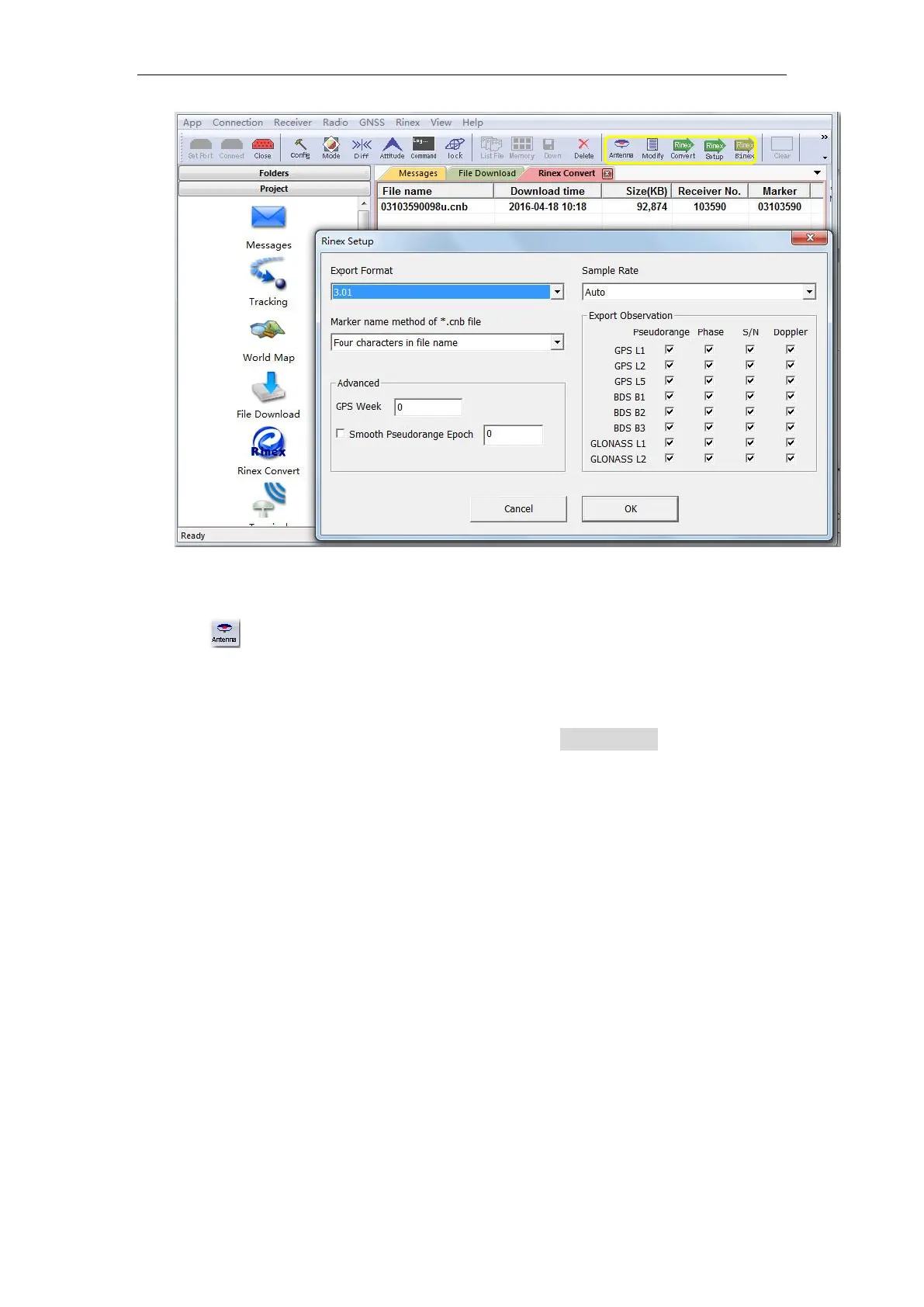
Tip: In some Post Processing software, the BeiDou observations cannot be processed,
you can uncheck the BeiDou B1,B2,B3 observations.
Click to select the Antenna Type and Measurement. If you cannot find
T300 antenna, 1) input the value of R0 (horizontal offset from measurement
mark to phase center) and h0 (vertical offset from measurement mark to phase
center), R0 is 0.079m and h0 is 0.0411m respectively for T300 receiver; 2) or
check Enable antenna configure file to select Antennas.ini file to select
Antenna type again. You can also add, edit and delete antenna types based on
your requirement.



 To Next Page