SinoGNSS
○
R
T300 User Guide
20
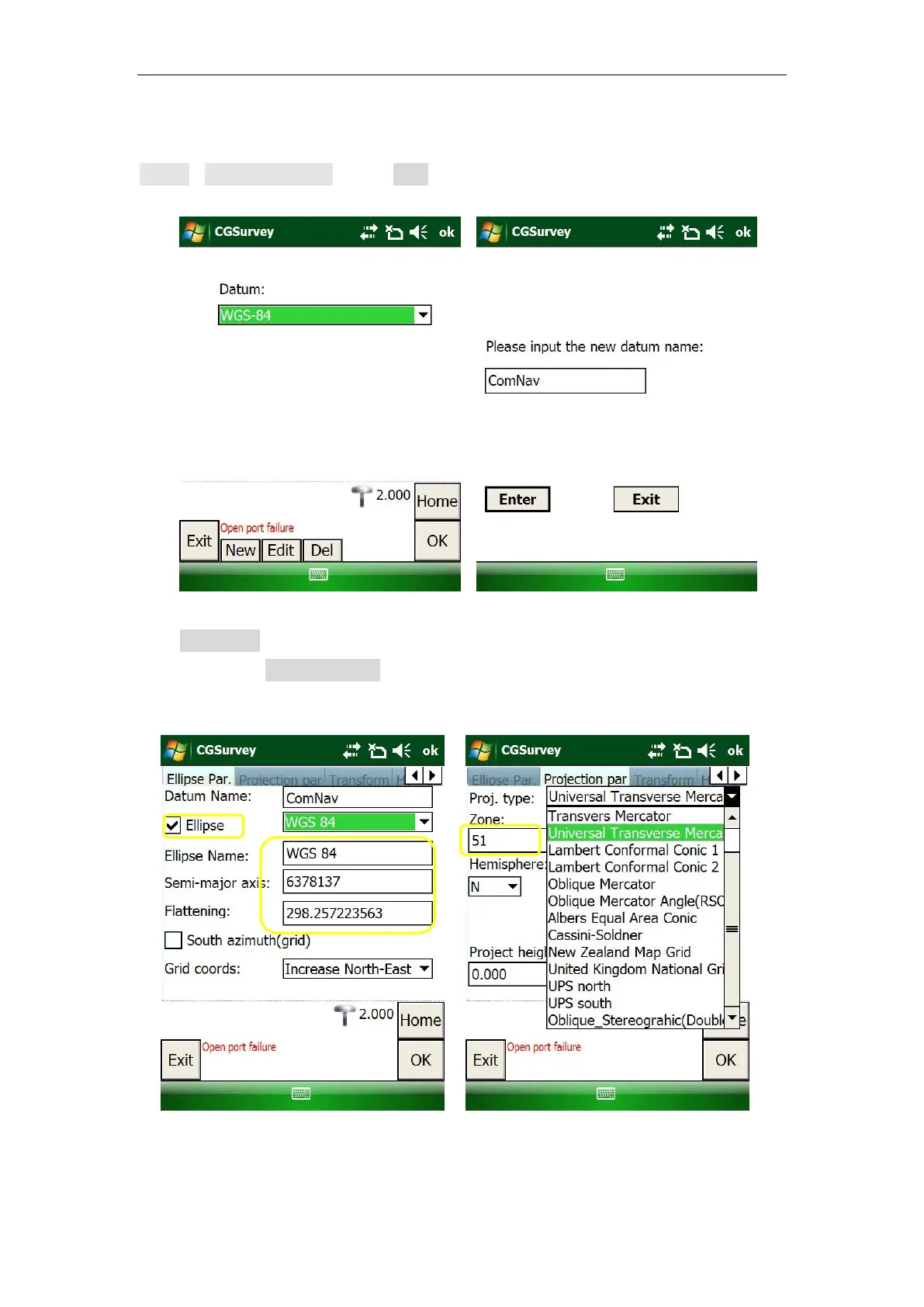
2. To add a new Datum if you cannot find the coordinate system you need. Go to
Config->Datum Manager -> click New and input Datum name.
3. In Ellipse Par, select the existing ellipsoid or create a new ellipsoid by inputting
parameters; In Projection par, choose a proper projection type and input the
corresponding parameters.



 To Next Page