SinoGNSS
○
R
T300 User Guide
22
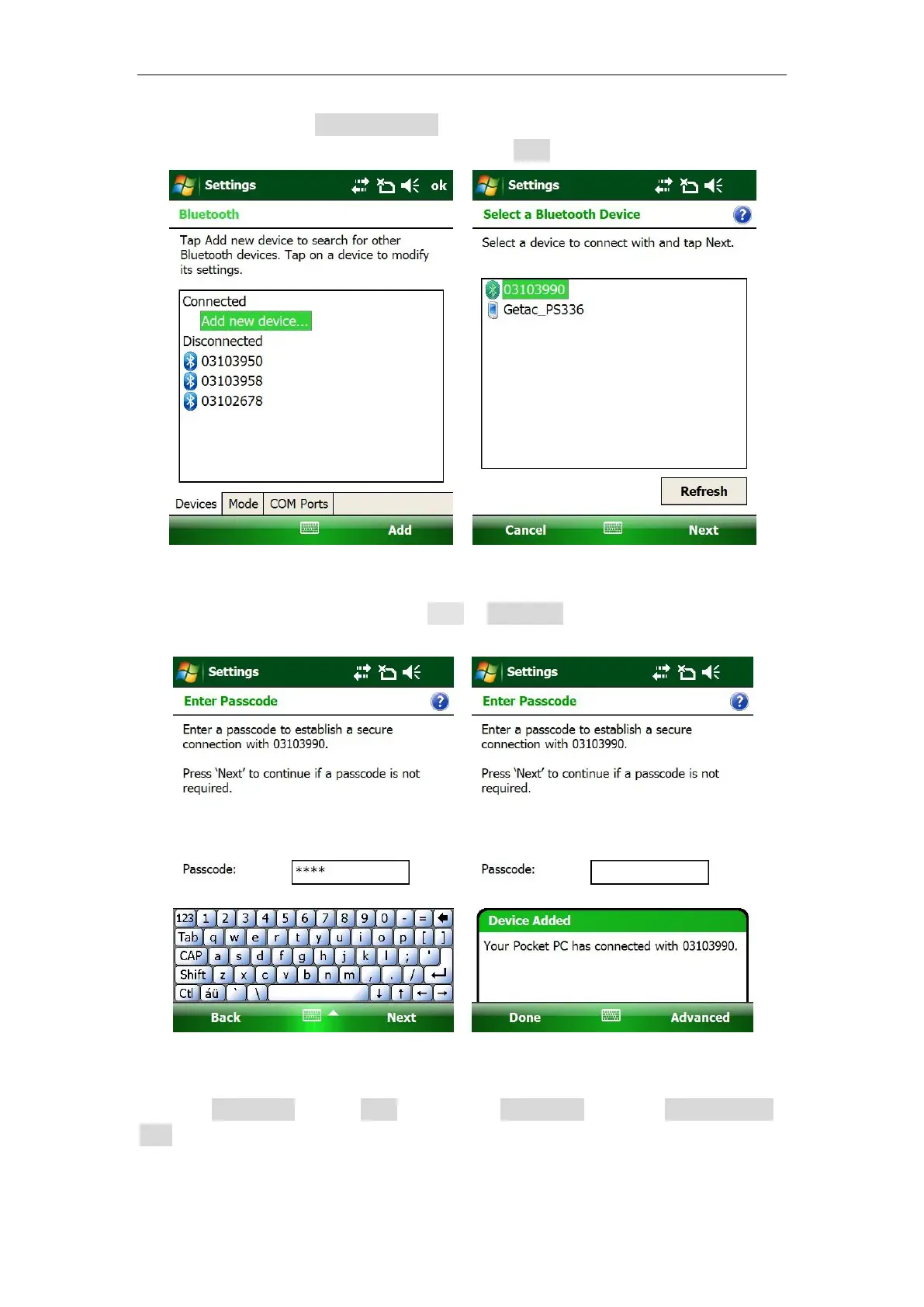
2. In Devices tab, click Add new device to search the Bluetooth device -> select
corresponding SN number of the receiver -> click Next.
Tip: Make sure T300 receiver is powered on before searching devices.
3. Input the passcode ‘0000’ and click Next -> Advanced.
4. Check Serial Port -> click Save. Then go to COM Ports tab, click new outgoing
port to set up a COM port to your receiver.



 To Next Page