SinoGNSS
○
R
T300 User Guide
44
2. The default frequency of PDL:
3. Follow instructions to configure PDL:
1) Power on the PDL and Connect to your PC with Lemo to RS232 cable.
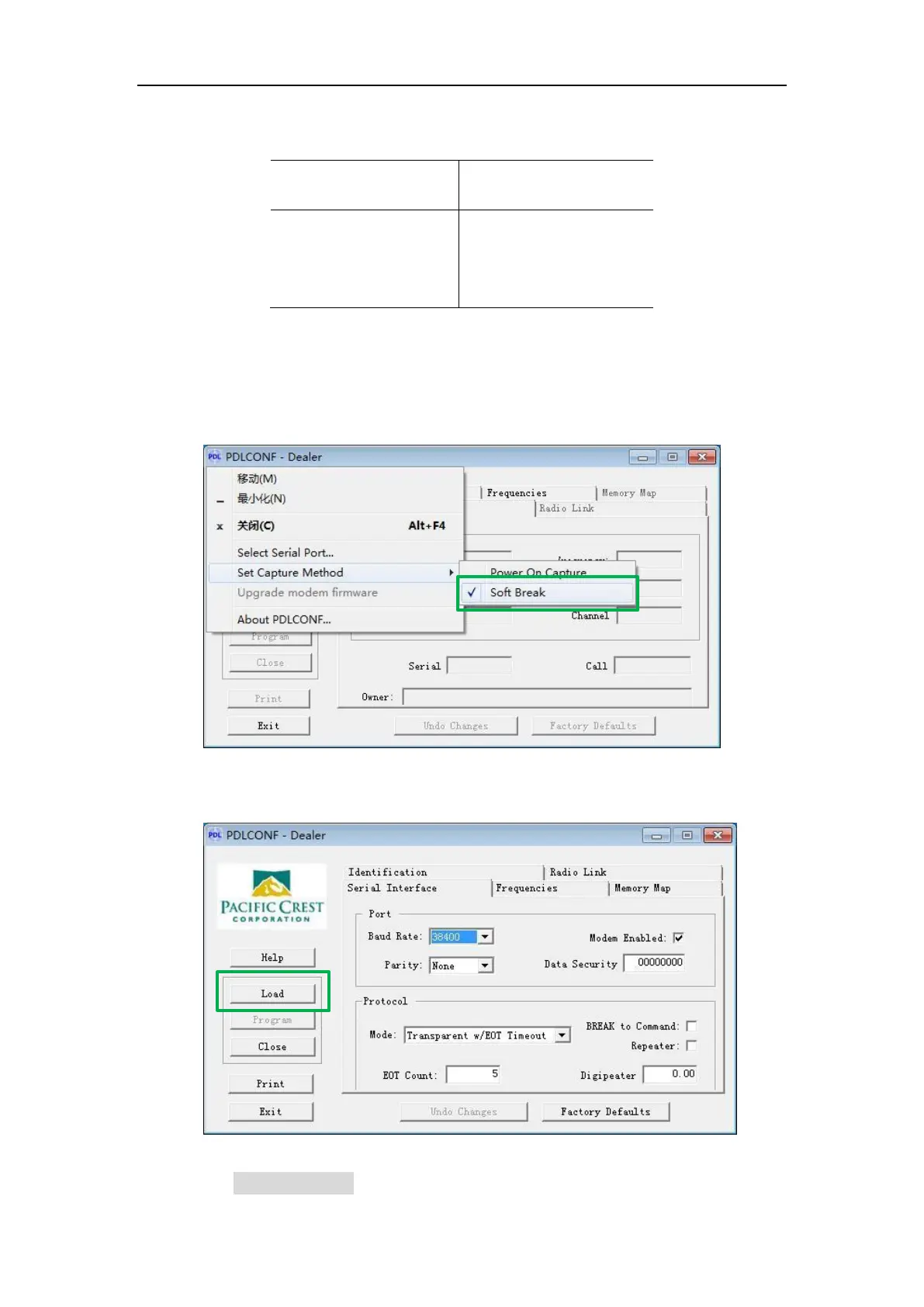
2) Install PDL configuration software -> select the proper serial port ->
right-click on the status bar -> Set Capture Method -> Soft Break.
3) Click Load button to check current settings
4) In Serial Interface, set the Baud Rate (default 38400bps) and Protocol



 To Next Page