ComNav T300 + CGSurvey User Guide
9
3 Products View
3.1 Parts of Receiver
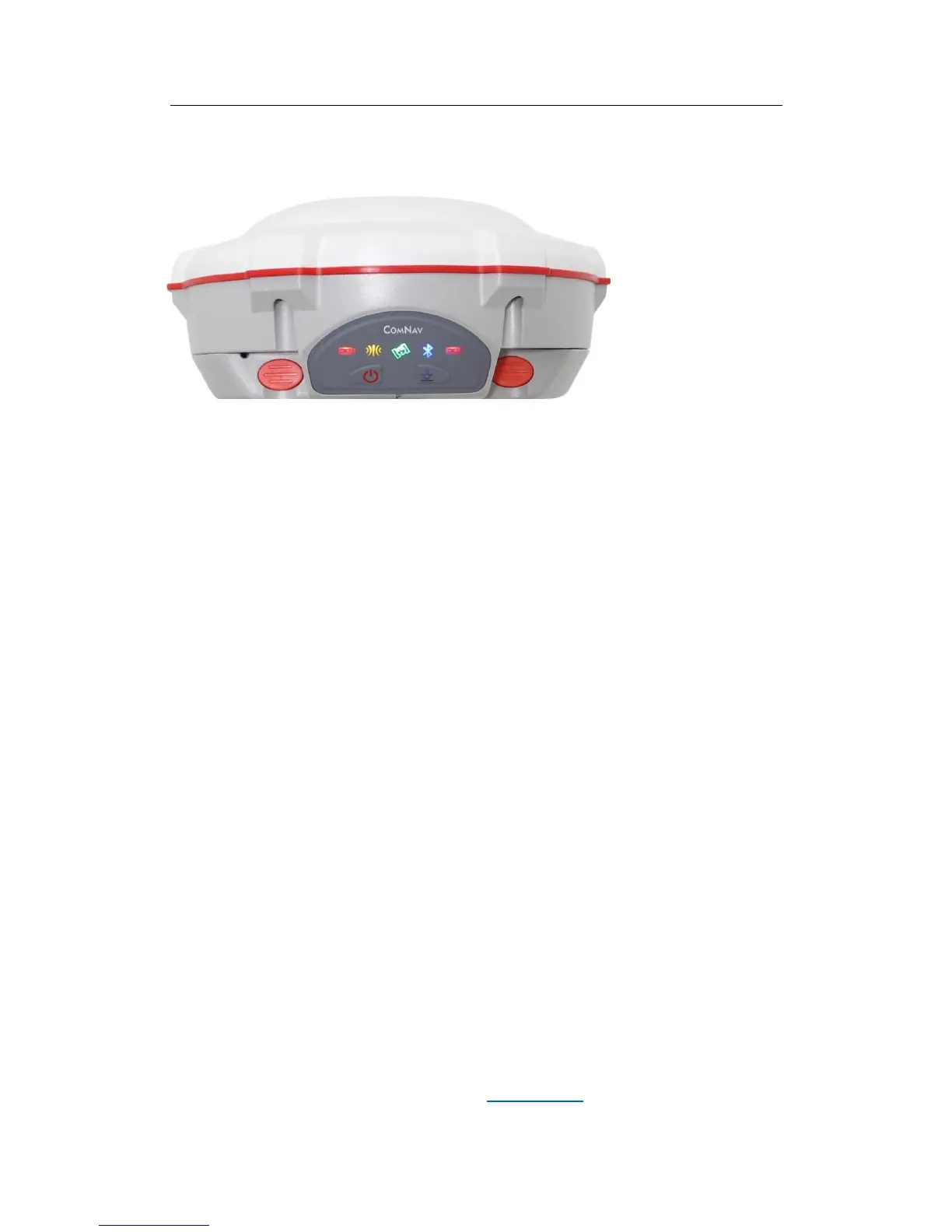
All buttons and LEDs are located on the front panel. Serial port and connectors are
located on the bottom of the unit.
Front Panel
The Power button function is power on and power off the receiver.
The Function button is to enable or disable the raw data recording.
The indicator LEDs show the status of data logging/downloading, power, satellite
tracking,
Bluetooth, and radio transmit/receive.
Lower Housing
The lower housing contains a communication/power port, radio antenna connector,
two batteries and a fixing screw in the center.
3.2 Batteries
The receiver has two rechargeable Lithium-ion batteries, which can be removed for
charging. The internal batteries typically provide about 8 hours of power for a rover
operation. About 4.5 hours if it is operated as a base station using the internal
460-470 MHz Tx (transmit at 1-2 watt) radio. These times vary according to different
operations and conditions.
In RTK mode, if the base station uses internal UHF to transmit correction data, which
will enable the power consumption a lot, we strongly suggest to use external power
supply for base station receiver. Refer to chapter 3.4.2 for details about external



 To Next Page