ComNav T300 + CGSurvey User Guide
32
Tip: after starting the base station successfully, please check the differential LED of T300. It
will flash 1/s, meaning the base station is sending correction data.
5.2.3 Start Rover Station by CGSurvey
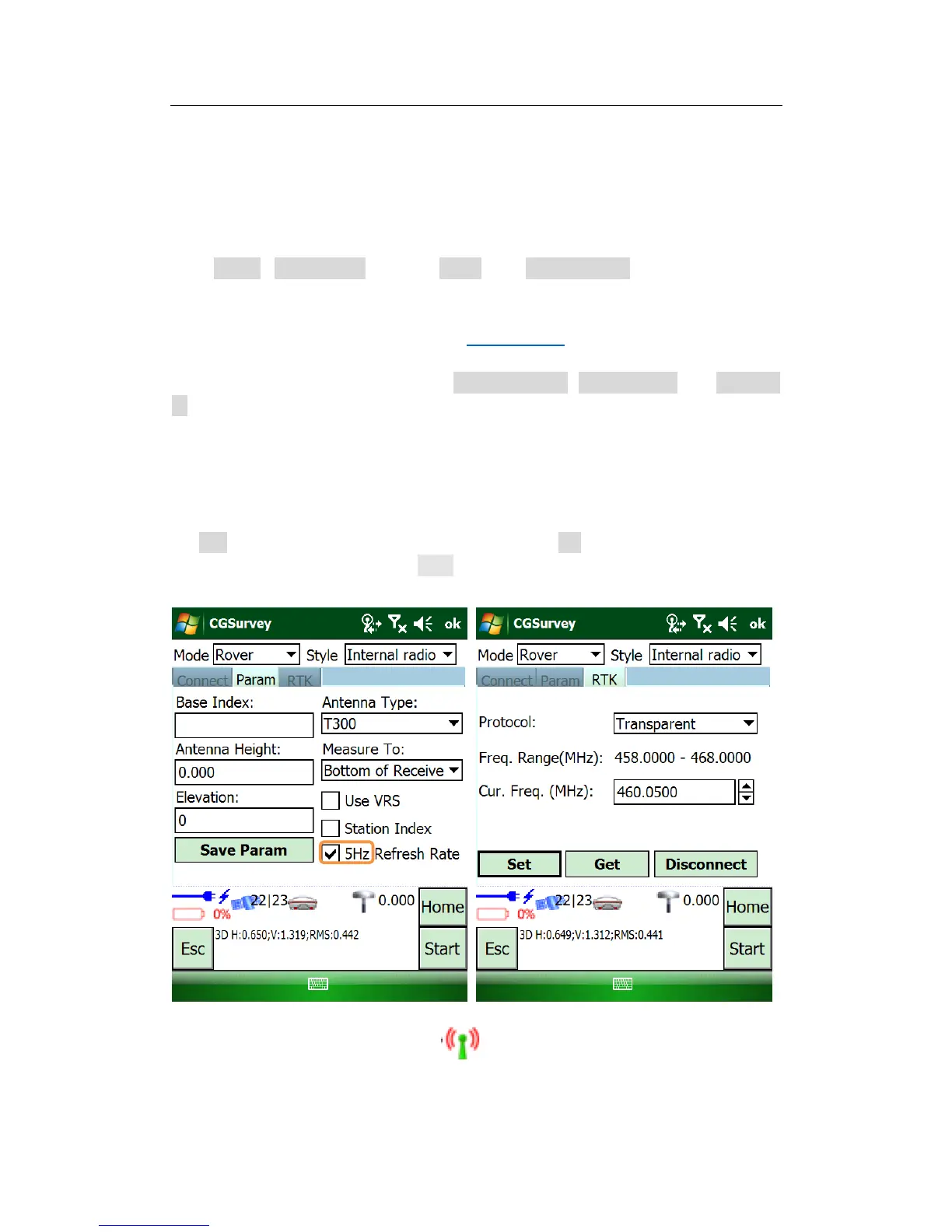
Click Config->Work Mode, choose Rover and Internal radio on the top of the
window.
Build Bluetooth connection as showed in Chapter 5.2.2.
Modify parameters in Param tab, e.g. Antenna height, antenna type and Measure
to.
Tips, 5Hz data refresh is used in continuous Topo survey and stake out, this will improve your
work more efficiency; right now stake out can not reach 5HZ, it is 2.5 HZ, we will improve this
in the next version.
In RTK tab, set the frequency and protocol and click Set, those settings must match
with the Base setting. Finally, click Start to complete the configuration.
Tip: after starting rover, please check in the software as show below; and the
differential LED of T300. It will flash, meaning the rover is receiving correction data.



 To Next Page