ComNav T300 + CGSurvey User Guide
51
Appendix B Setting up of PDL
Please follow the steps below to configure PDL:
1) Connect PDL to your PC with Lemo to RS232 cable and connect the external
battery with power cable.
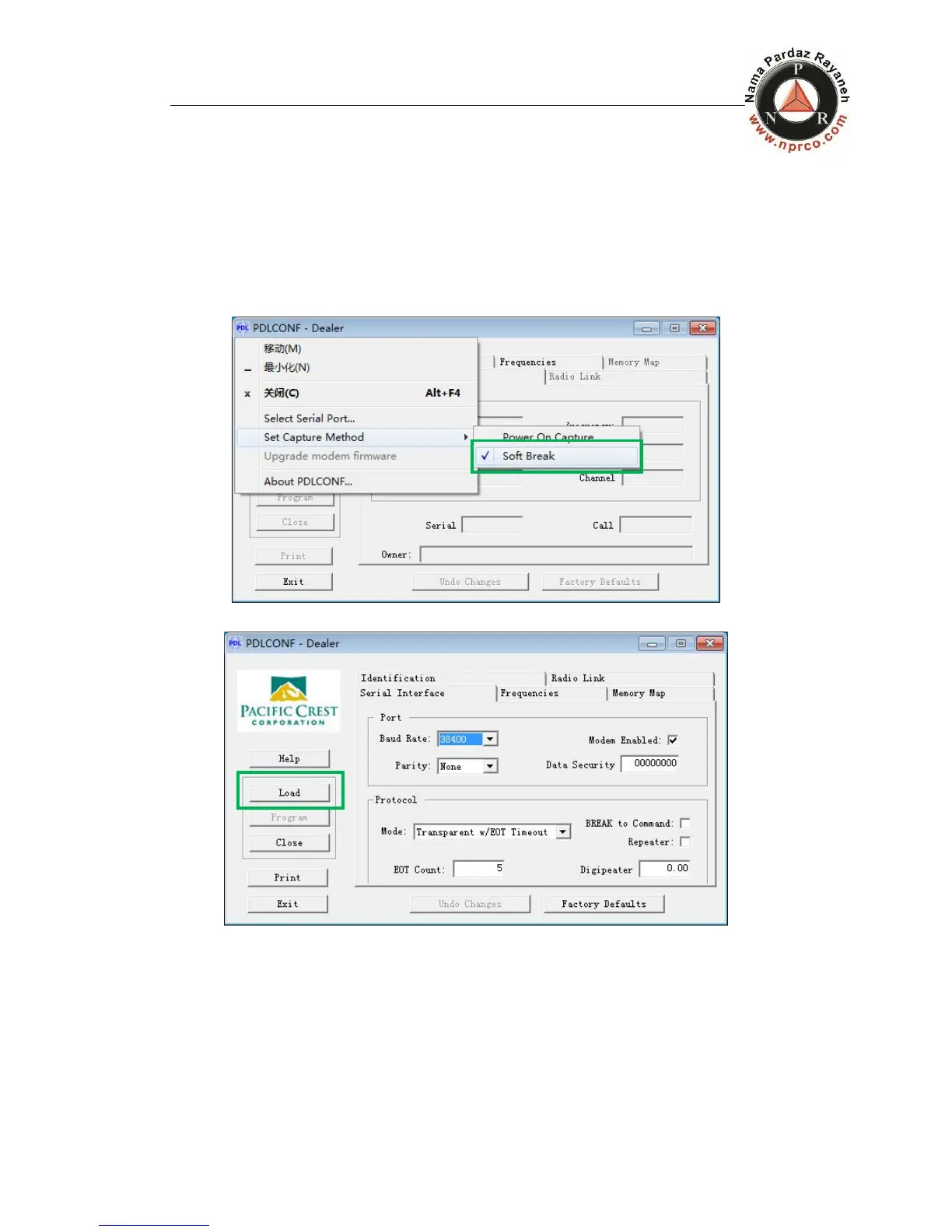
2) Open the PDL configure software, select the serial port of PC, right click on
the status bar and then tap Set Capture Method->Soft Break, just like the
figure below.
3) Click the button Load to get the current settings
4) Choose the term Serial Interface to set the Baud Rate (default 38400bps)
and Protocol Mode. The T300 receiver supports two protocols: Transparent
w/EOT Timeout and TrimTalk 450s. As shown in figure below.



 To Next Page