ComNav T300 + CGSurvey User Guide
52
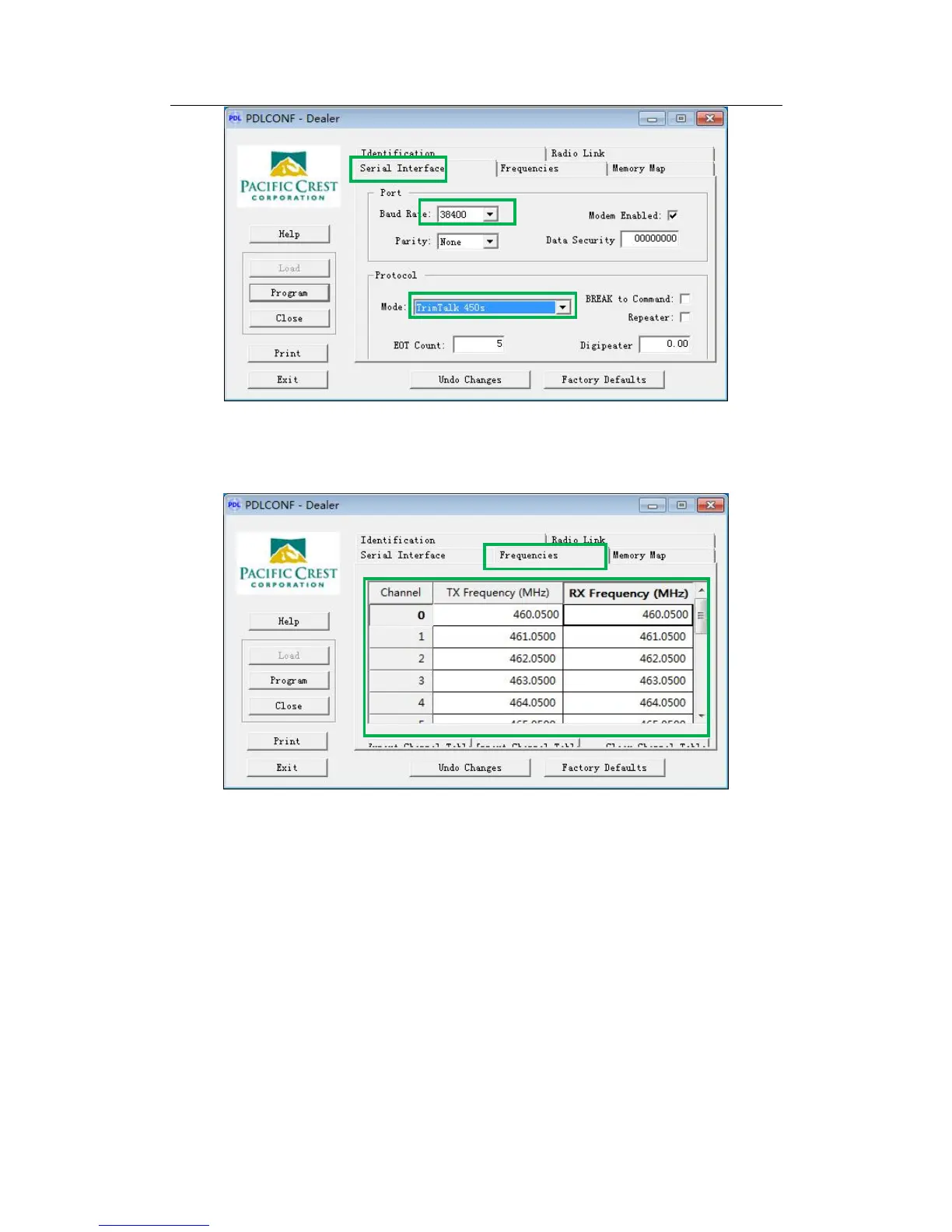
5) Switch to term Frequencies to configure the output frequency of PDL, you
can input the values of Tx/Rx frequencies for corresponding channel
according to your own need. Just like the figure below.
6) After input all the frequencies, click the button Program to save all the
settings, and then you have completed the configuring, click button Exit to
exit.
To set up external radio mode, link the long whip antenna mounted highly on
another tripod to PDL. Then Connect T300 to PDL with Lemo cable and connect the
external battery with power cable. Finally, choose appropriate channel on PDL (see
chapter 6.1.4 for software operation). The cable connection of PDL is shown in the
figure below.



 To Next Page