ComNav T300 + CGSurvey User Guide
24
5 Real-Time Kinematic Mode
To conduct RTK (Real-Time Kinematic) survey, radio mode and CORS mode can be
employed.
In RTK mode, you have to install RTK survey software firstly.
5.1 Installation of CGSurvey Software
If you use Windows 8 OS, Controller can be automatically recognized when you link it
with your office computer. If not, make sure Microsoft Windows Mobile Device
Center or Microsoft ActiveSync is installed on your computer and is allowed to
perform USB connections (download Microsoft Windows Mobile Device Center or
Microsoft ActiveSync via http://windows.microsoft.com/en-us/windows/downloads).
Then, you can copy files between your office computer and controller.
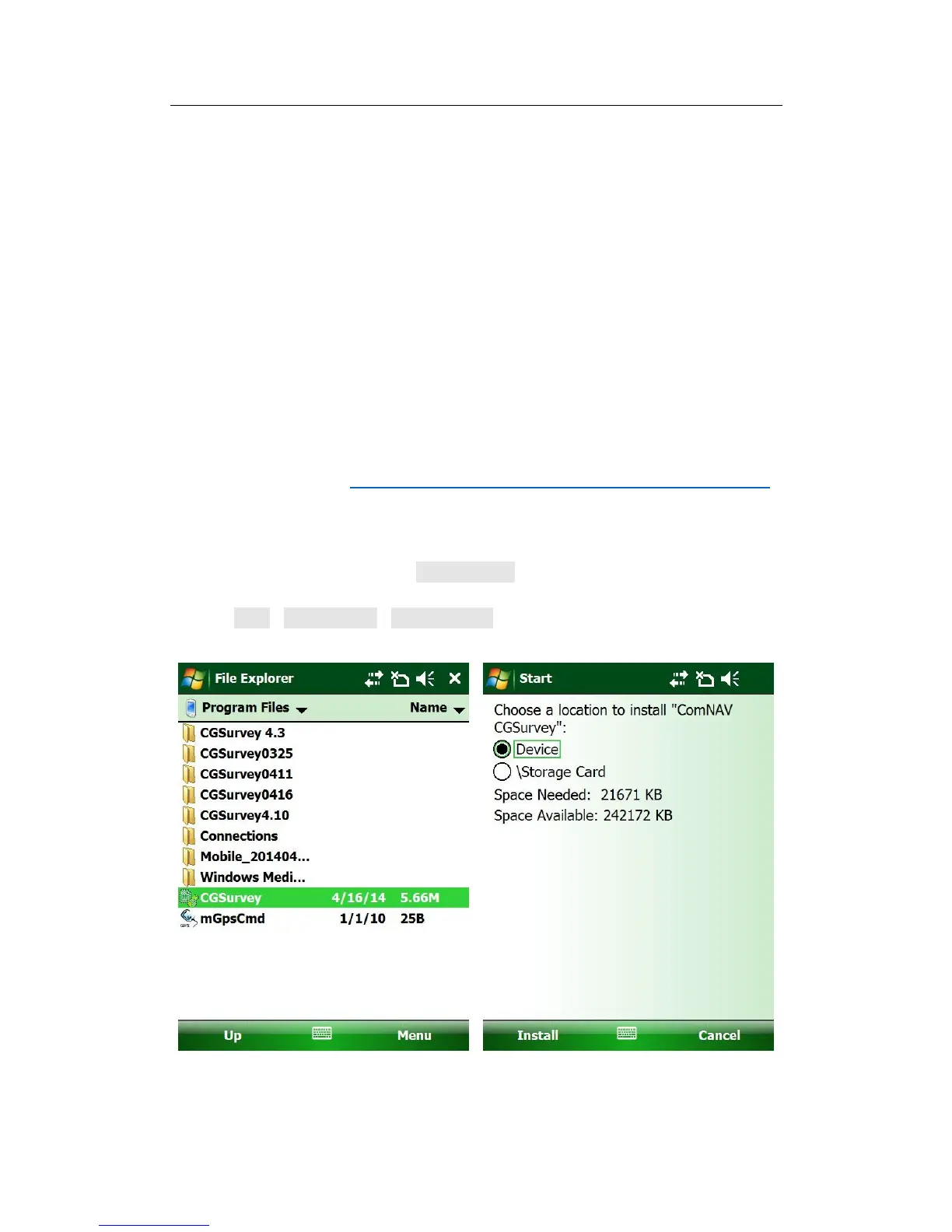
Make sure the software package has been copied in a folder of controller before the
installation; here we save it in the Program Files.
Tap Start->File Explorer->Program Files, find the software package, tap it and
choose a location to start the installation.



 To Next Page