ComNav T300 + CGSurvey User Guide
35
5.3.1 PDA CORS Mode Setting-Up
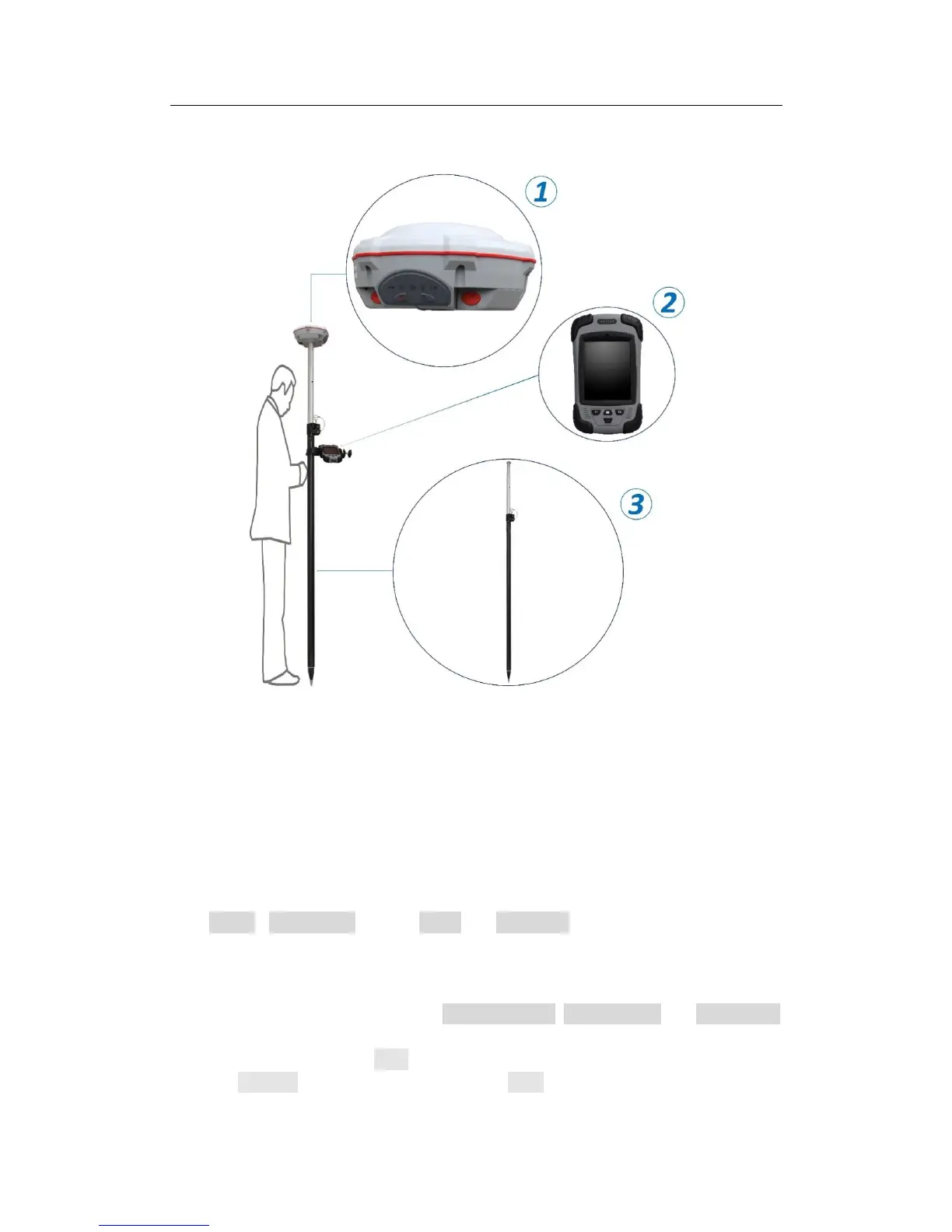
The hardware connection information of the CORS mode is as follows:
Hardware components: ①T300 ②Controller ③Range Pole
Connection relation: range pole is connected to fixing socket under T300; controller
is mounted on range pole by a bracket support; controller and T300 communicate by
Bluetooth.
5.3.2 Start Rover by CGSurvey
Firstly, set the controller log on internet (see Appendix C). Run CGSurvey
Click Config->Work Mode, choose Rover and PDA CORS on the top of the window.
Build Bluetooth connection as showed in Chapter 5.2.2.
Modify parameters in Param tab, e.g. Antenna height, antenna type and Measure to.
If you would like to use 5Hz refresh rate and VRS, tick them. In RTK tab, key in the IP
and Port of CORS, and click Gain to get source list. Key in user Name and Password,
and click Connect to finish setting. Finally, click Start to complete the configuration.



 To Next Page