ComNav T300 + CGSurvey User Guide
37
6 Start New Project and coordinate Localization
This chapter will explain how to start new job and coordinate localization functions in
CGSurvey (ComNav Geodetic Survey software).
6.1 New Project
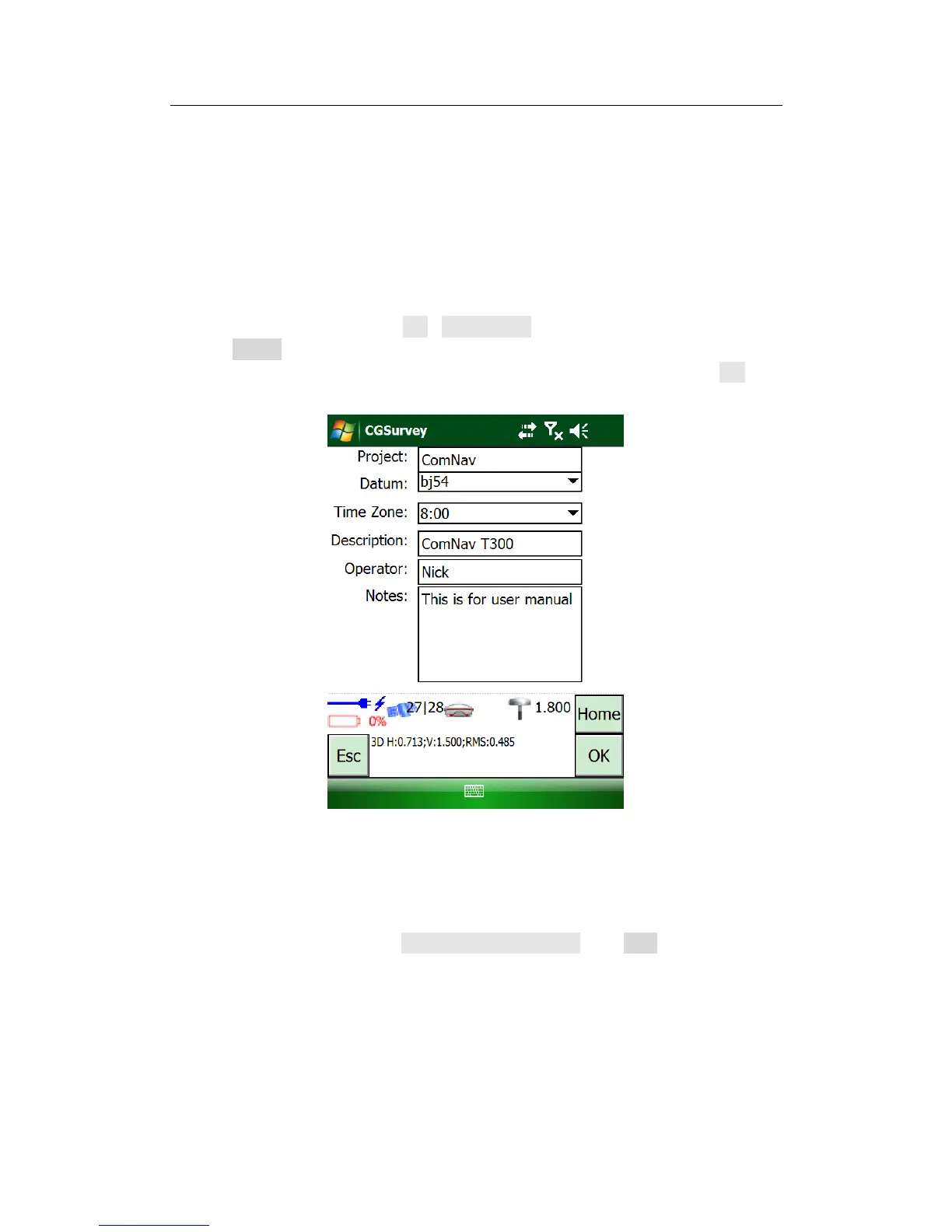
Launch CGSurvey first. Then tap File->New Project, key in project name, select a
suitable Datum and the right Local Time Zone which three are most important
parameters for a new job. Then key in Description, Operator and Notes, click OK to
accept the inputting.
Tip: about the coordination system, if there is no suitable Coordination system existing, you
need to establish a new one by choosing right map projection and relative parameters, see
the following explanation.
To establish a new datum, go to Config->Datum Manager, click New, and then key in
a name of datum for distinction.



 To Next Page