ComNav T300 + CGSurvey User Guide
54
Appendix C Set Controller Log on the Internet
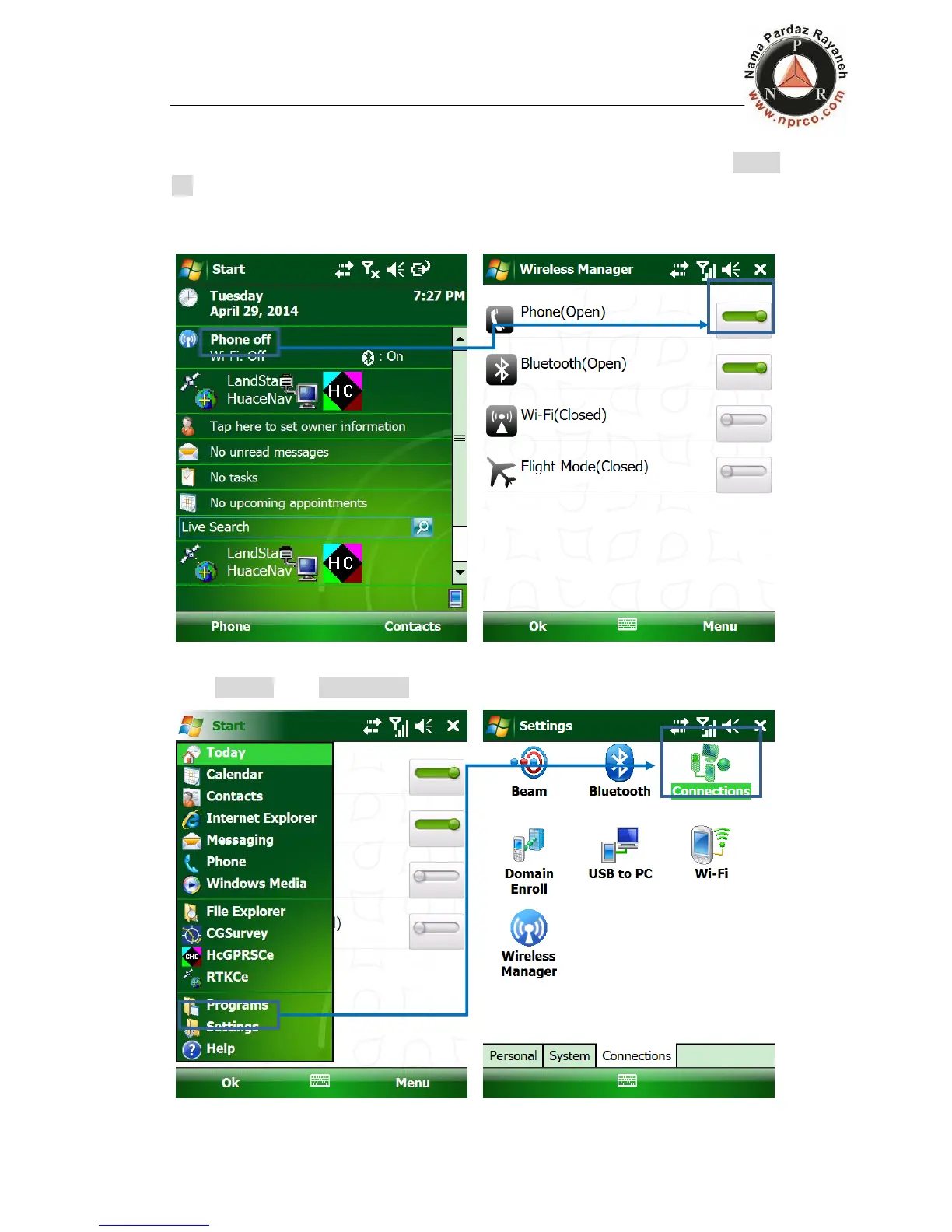
GSM/GPRS connection: Input SIM card into your controller, and you may find Phone
off on controller screen. Then click it to turn on the Phone, you will see the mobile
network signal.
Go to Settings, then Connections.



 To Next Page