ComNav T300 + CGSurvey User Guide
55
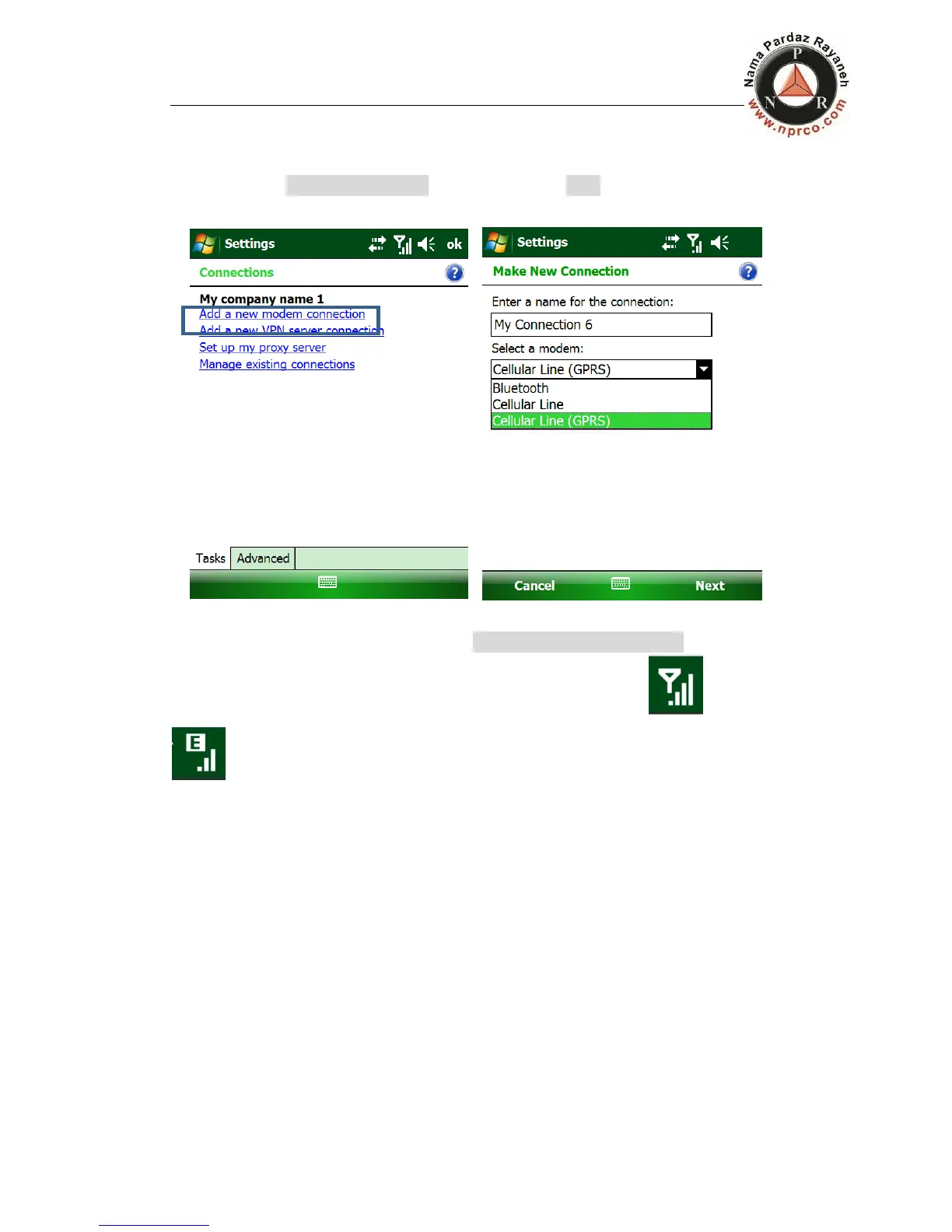
Add a new modem connection at first time, enter a name for the connection as you
like and choose Cellular Line (GPRS). Then click several Next and finish (no need to
key in).
If there is existing GPRS connections, click Manage existing connections, then long
press on the existing GPRS connection and connect it. You will see turn to
. It means you have connected to the Internet.



 To Next Page