ComNav T300 + CGSurvey User Guide
31
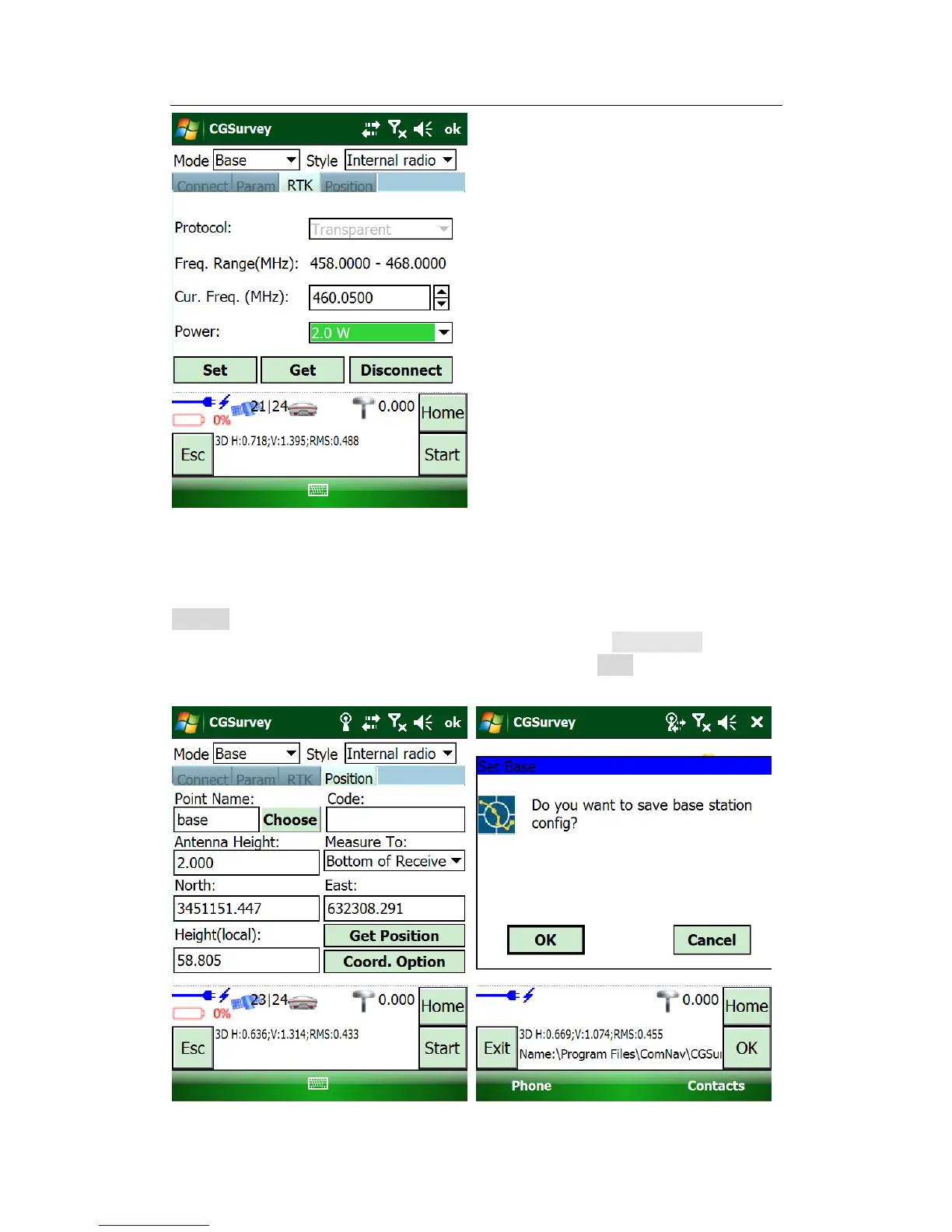
Finally, modify the parameters in Position tab.
Start base from known point, key in the point name, coordinates and antenna height,
select the antenna measure type; if you import the known points to current job, click
Choose and select the points.
Start base from unknown point, Key in point name, just tap Get Position to get the
current position as base station coordinates. Click Start to complete the
configuration.



 To Next Page