ComNav T300 + CGSurvey User Guide
27
Second, click Config->Work Mode, choose Base and Internal radio on the top of the
window.
Tip: if T300 is connected to external radio, please select the External radio; follow the
guidance below to start base station.
When T300 connect to external radio, you need the data cable from T300 lemo port to
external radio port, this kinds of cable you can make by yourself if you know the pin definition
of T300 lemo port, in the Appendix A explain the definition of T300 7 pin Lemo.
ComNav Provide the standard external radio is PDL radio, the detailed operation of PDL
please go to Appendix B.
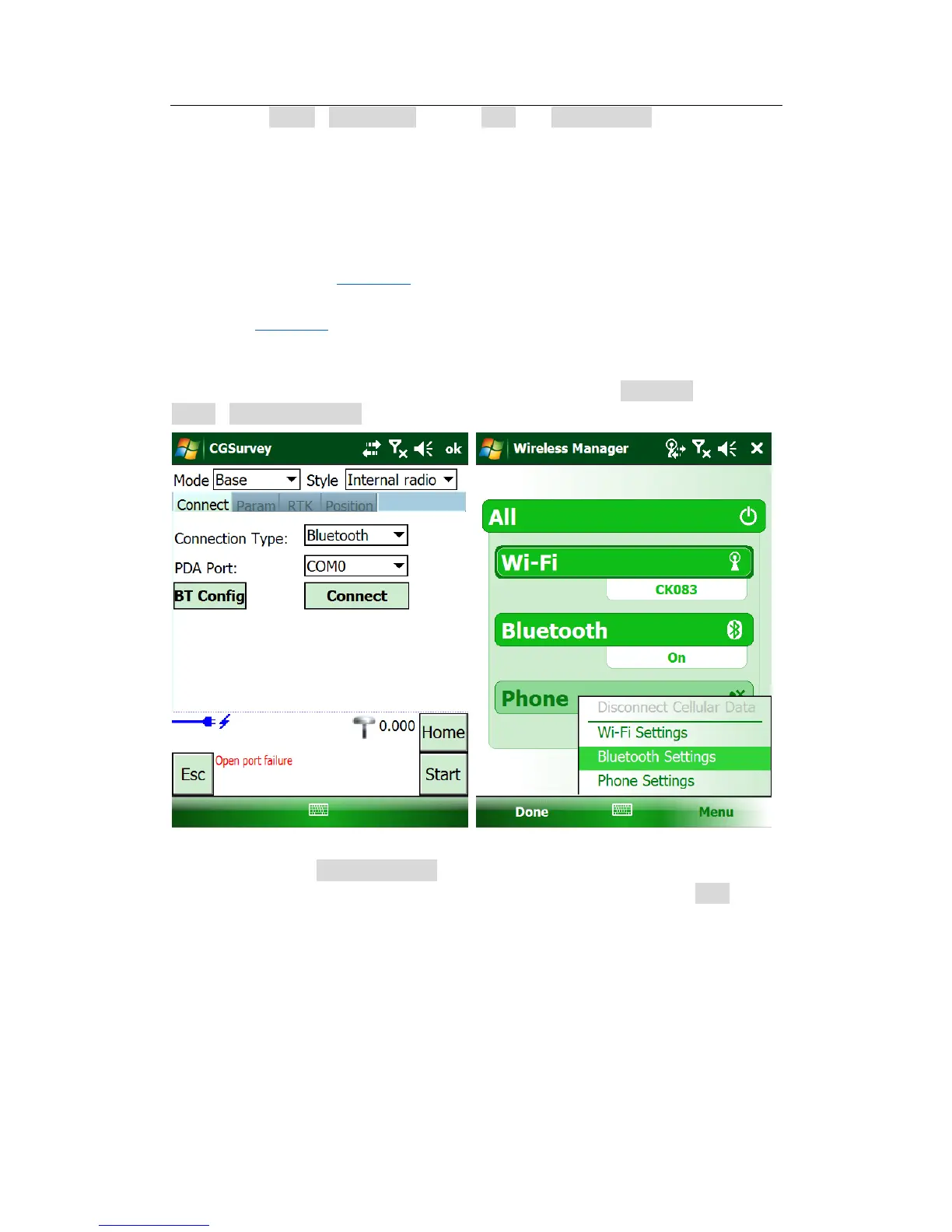
To build Bluetooth link between controller and T300, click BT Config. Then click
Menu->Bluetooth Setting.
In Device tab, click Add new device to search the Blutooth device (ensure T300 is
power on). Choose the right device according to the SN number and click Next.



 To Next Page