ComNav T300 + CGSurvey User Guide
29
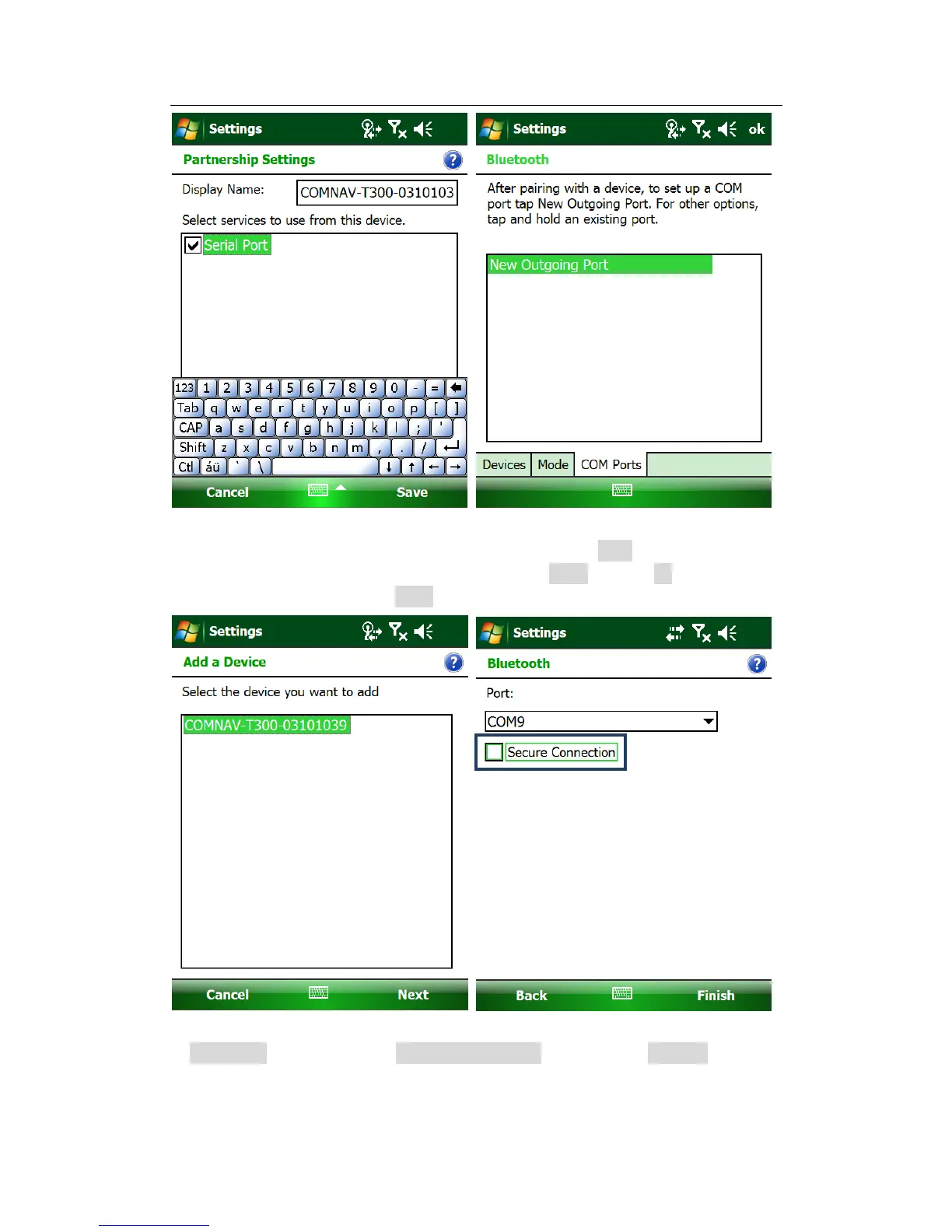
Choose the right device according to SN number and click Next, then choose a port
number, do not taggle the Secure Connection, click finish and tap ok, this will go to
the BT setting start menu, click Done, and go to the work mode window.
In workmode page, choose the corresponding COM and then click Connect.



 To Next Page