116 - Troubleshooting and Technical Support
DeviceMaster LT User Guide: 2000586 Rev. B
Testing Comtrol COM Ports
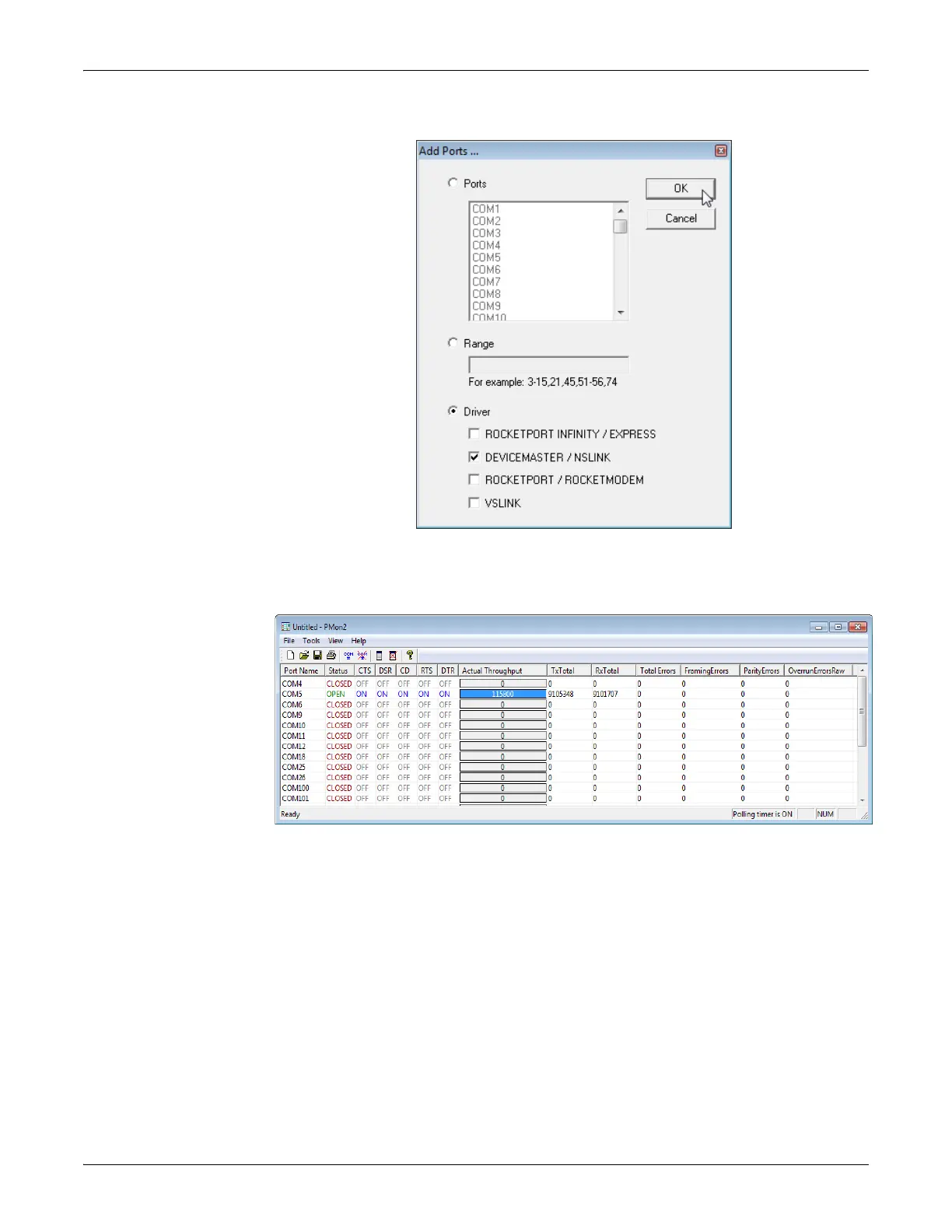
4. Click Driver, click RPSHSI/NSLINK.
5. If the DeviceMaster LT is communicating with the device driver for Windows,
Port Monitor should display CLOSED status. If a port is open for an
application, it displays as OPEN, and displays Actual Throughput, TxTotal and
RxTotal statistics.
Normally, there should be no data errors recorded or they should be very
small. To find out what the actual errors are, scroll to the right. You will see
three columns: Overrun Errors, Framing Errors, and Parity Errors.
If the errors are:
• Overrun Errors represent receive buffer overflow errors. If this is
the case,
you wi
ll have to configure either software or hardware handshakin
g to
contro
l the flow of data. The most common errors are Overrun errors.
• Framing Errors indicate that there is an synchronization error betw
een the
b
eginning of a data frame and the end of the data frame. A frame usuall
y
consists of a start bit,
8 data bits, and a stop bit or two. The framing
error
occurs if the s
top bit is not detected or it occurs in the wrong
time frame.
Most
causes for framing errors are electrical noise on the data lines,
or
di
fferences in the data clocks of the DeviceMaster LT and the connected
device.
• Parity Errors occur when parity is used and the parity bit is not what
is
expected.
This can also be caused by noise on the data lines.



 To Next Page