DeviceMaster LT User Guide: 2000586 Rev. B
Troubleshooting and Technical Support - 117
Testing Comtrol COM Ports
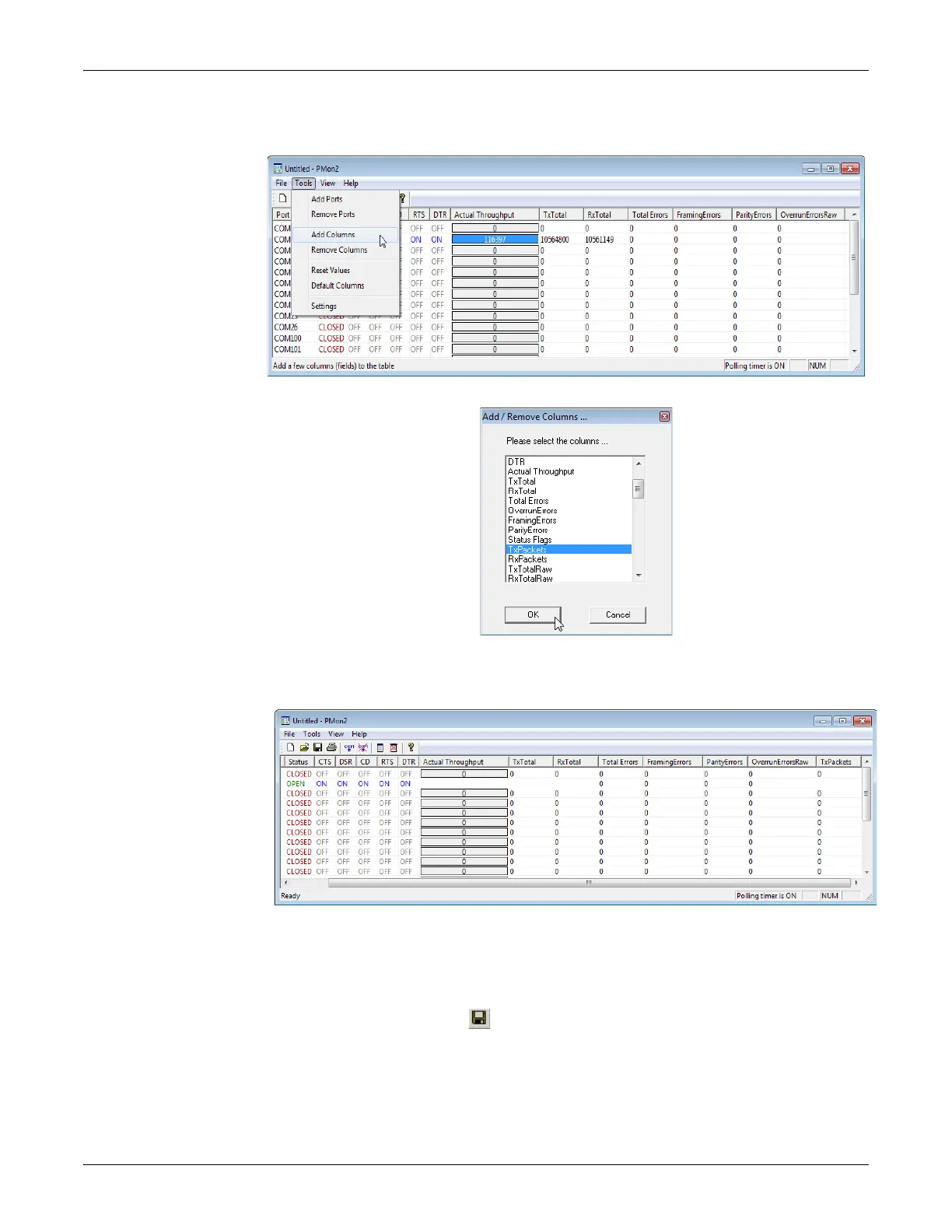
6. You can view additional statistics to Port Monitor by adding columns. Click
T
ools and Add Columns.
7. Highlight or shift-click to add multiple statistics and click Ok.
Note: See the Port Monitor help system if you need an explanation of a
column.
8. Scroll to the right to view the new columns.
9. If you want to capture this session, you can save a current sess
ion as a report.
T
o do this, select one of the following save options:
• File > Save As
• File > Save - if the report already exists in an older format
• Save Active Session button



 To Next Page