128 - Troubleshooting and Technical Support
DeviceMaster LT User Guide: 2000586 Rev. B
Socket Mode Serial Port Testing
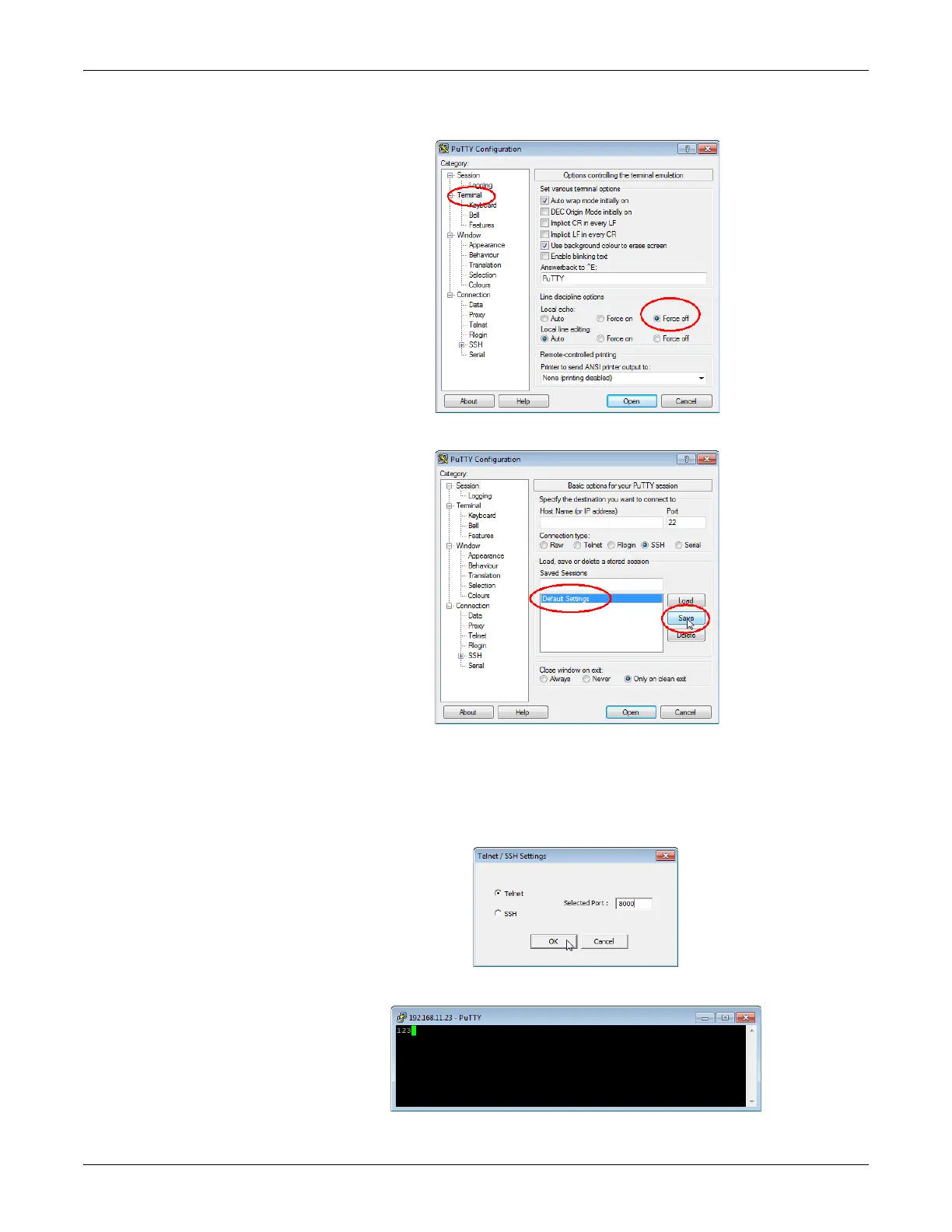
c. Click Terminal and click Force off for the Local echo option.
d. Return to the Session menu, highlight Default Settings and then click Save.
e. Click Cancel to close PuTTY.
f. Close the telnet (PuTTY) session that you opened from PortVision DX.
g. Re-open the telnet session by right-clicking the DeviceMaster LT,
and
sele
ct the Telnet / SSH Session option.
h. Enter the Socket Port number and then click Ok.
i. Enter 123, single digits should appear.



 To Next Page