DeviceMaster LT User Guide: 2000586 Rev. B
Troubleshooting and Technical Support - 127
Socket Mode Serial Port Testing
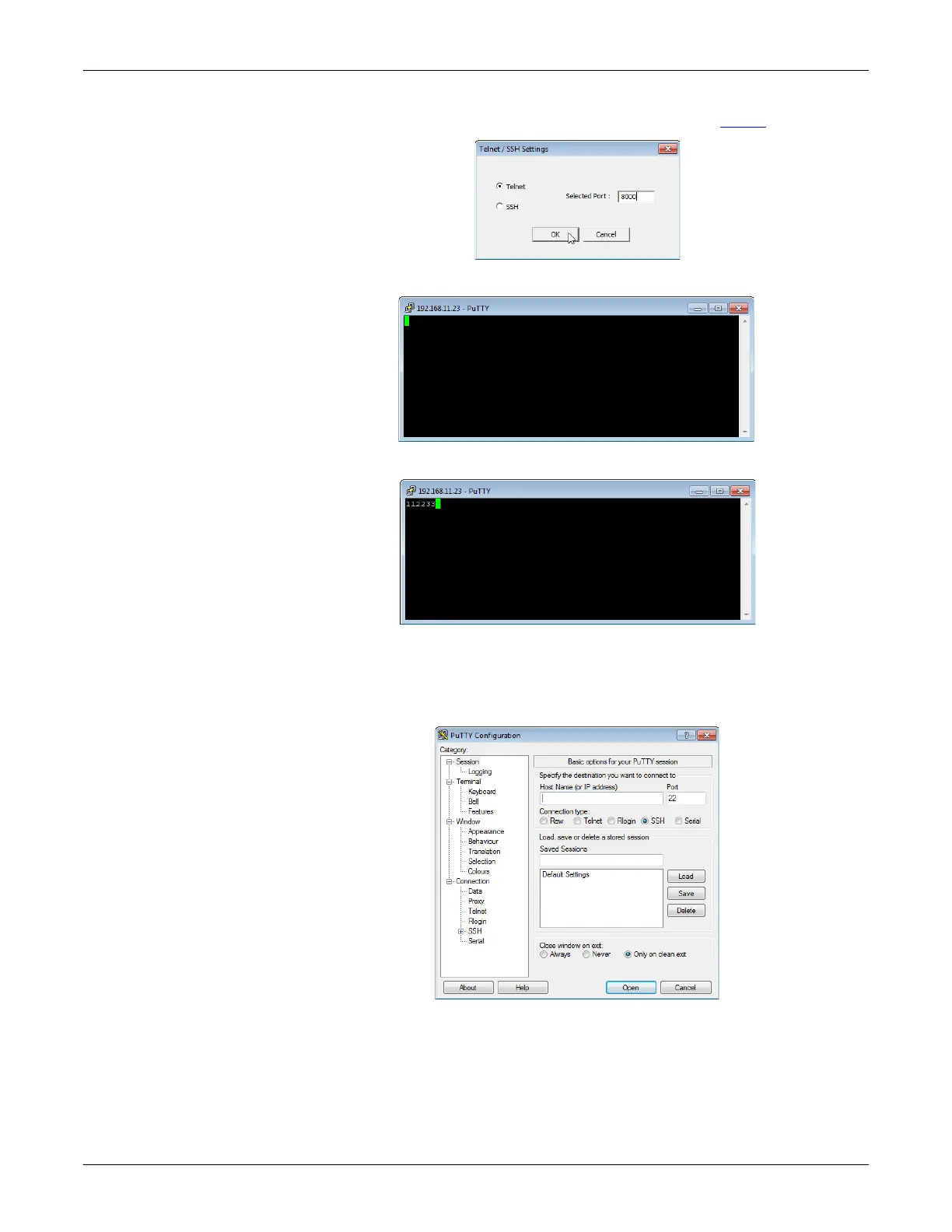
13. Enter the socket number of the port that you are testing (Step 6) and click Ok.
PuTTY loads.
14. Type 123.
If 112233 displays, you need to disable local echo. Use the following steps to
disable local echo.
a. Go to c: \Program Files (x86)\Comtrol\PortVision DX.
b. Execute PUTTY.EXE to open the application.



 To Next Page