34 - Device Driver (NS-Link) Installation
DeviceMaster LT User Guide: 2000586 Rev. B
NS-Link for Windows Installation
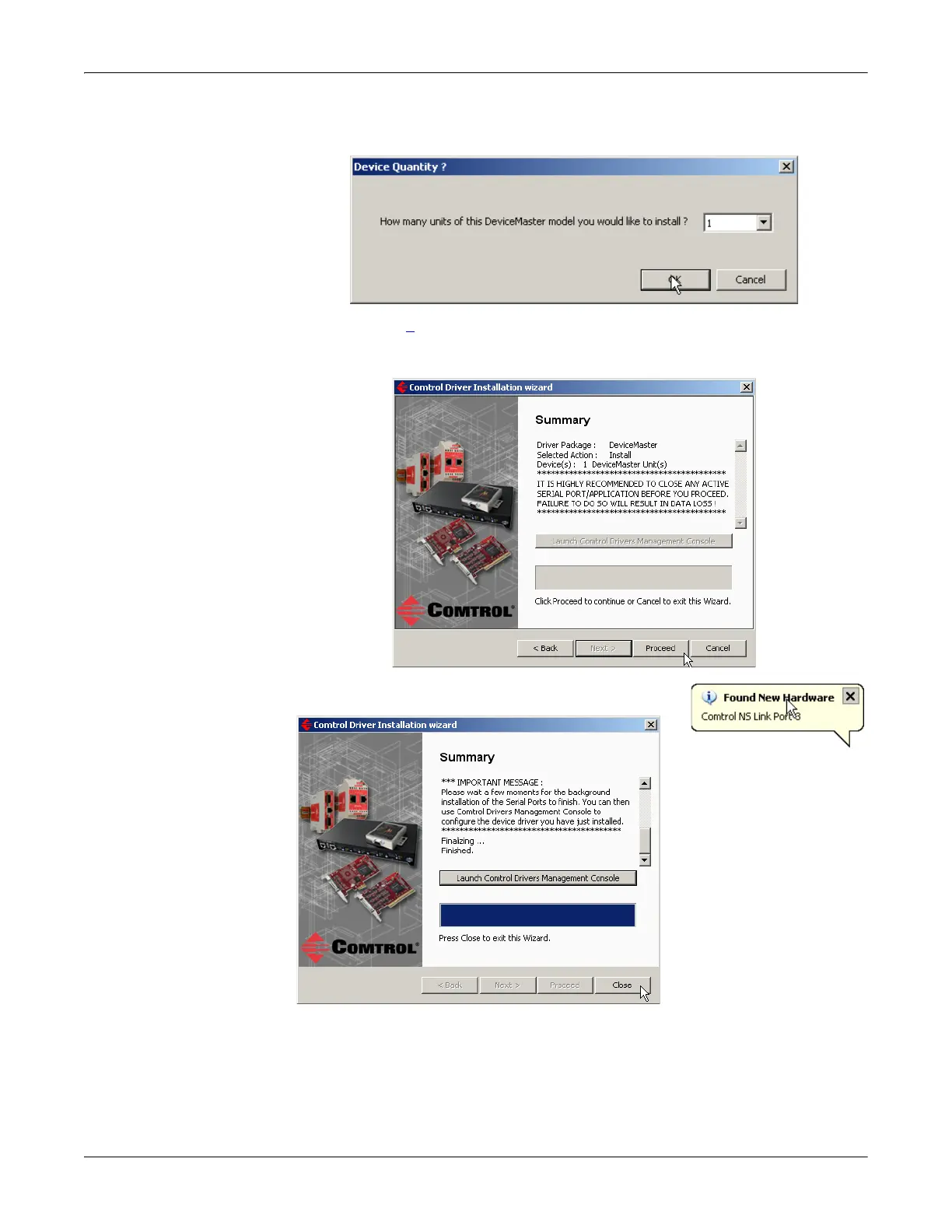
10. Enter the quantity of this DeviceMaster LT model that you want to install and
cl
ick Ok.
11. Repeat Steps
9 and 10 for each DeviceMaster LT that you are installing and
click Next.
12. Click Pr
oceed.
You may see the popup at the right for each port.
13. Return to the In
stallation Wizard and click Close.
14. Go to the next subsection for NS-Link driver configuration procedures.



 To Next Page