5.4 Electrical connection (continued)
• Set the main power switch to position “1” On.
• Ensure that the emergency stop is not activated.
• Start the granulator, press the “Start”-button and stop immediately, press the
“Stop” -button.
• Before the motor stops, check the direction of rotation of the granulator motor
in relation to the arrow on cutter-belt pulley.
WARNING. There is danger of being crushed when checking the direction of
rotation of the drive belts.
WARNING. Danger of being crushed between belt pulleys and drive belts.
Check the direction of rotation of the blower motor
• Ensure that the direction of rotation of the blower corresponds to the arrow on
the blower casing.
TIP: Start and immediately stop the motor.
Before the blower motor stops, – carefully insert the end of a cable tie at the rear
through the ventilation opening of the motor and feel in which way the motor is
rotating.
Check the direction of rotation of the optional equipments
• Granulator with belt conveyor, – check direction of motion of the belt conveyor.
• Granulator with roll feed, – check direction of motion of the rollers.
If any direction of rotation is wrong:
• Stop the granulator, press the “Stop”-button.
• Set the main power switch in position “0” Off.
• Ensure that the main supply is broken.
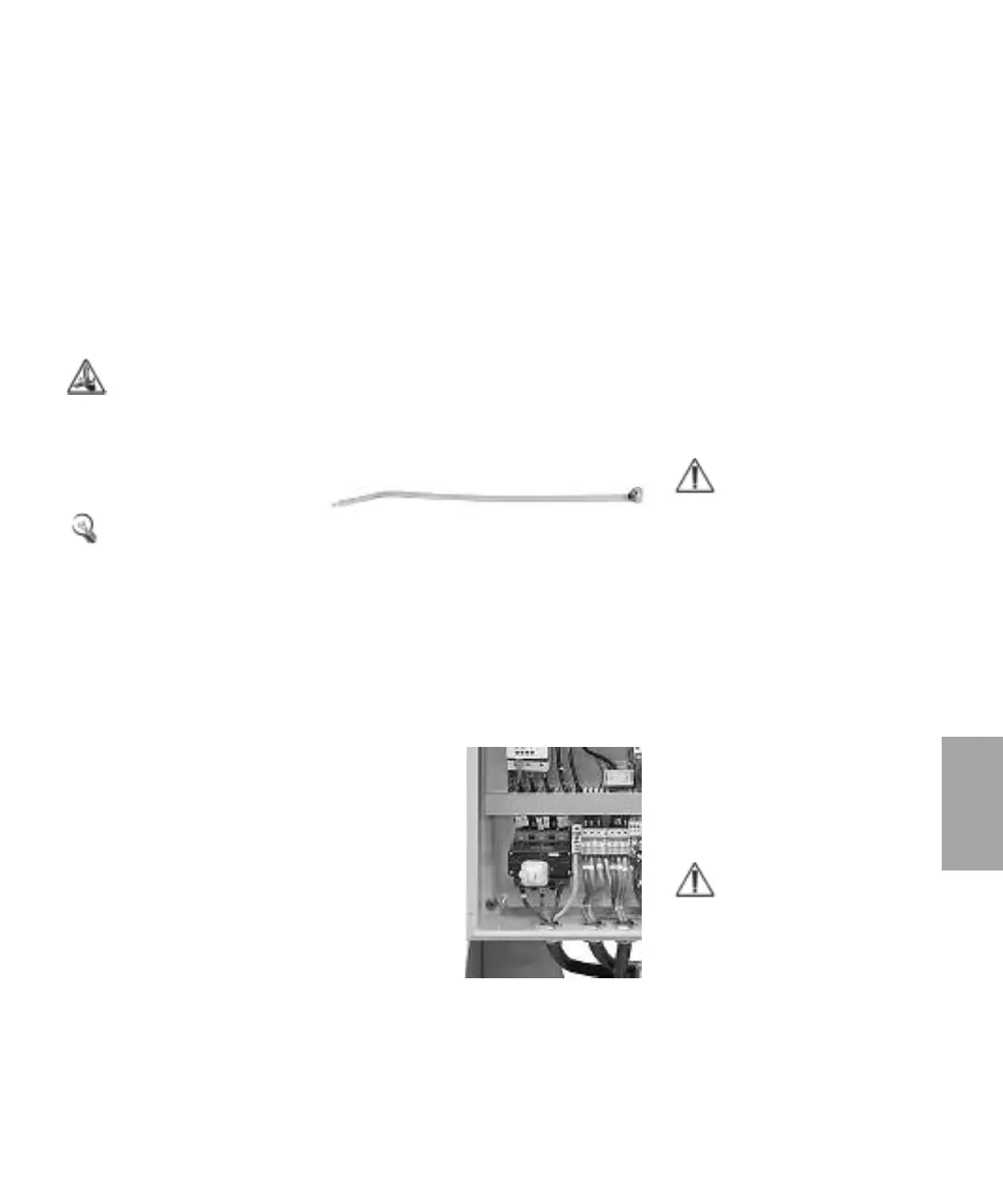
• Open the electric cabinet and shift two incoming
phases to the main power switch.
NOTE: The blower will blow
even if the direction of
rotation is wrong but the
result will be less than 25%
of the rated capacity.
NOTE: Sign the executed
electric installation in the
machine maintenance
schedule.
5
Maintenance
Maintenance l 5-7



 To Next Page