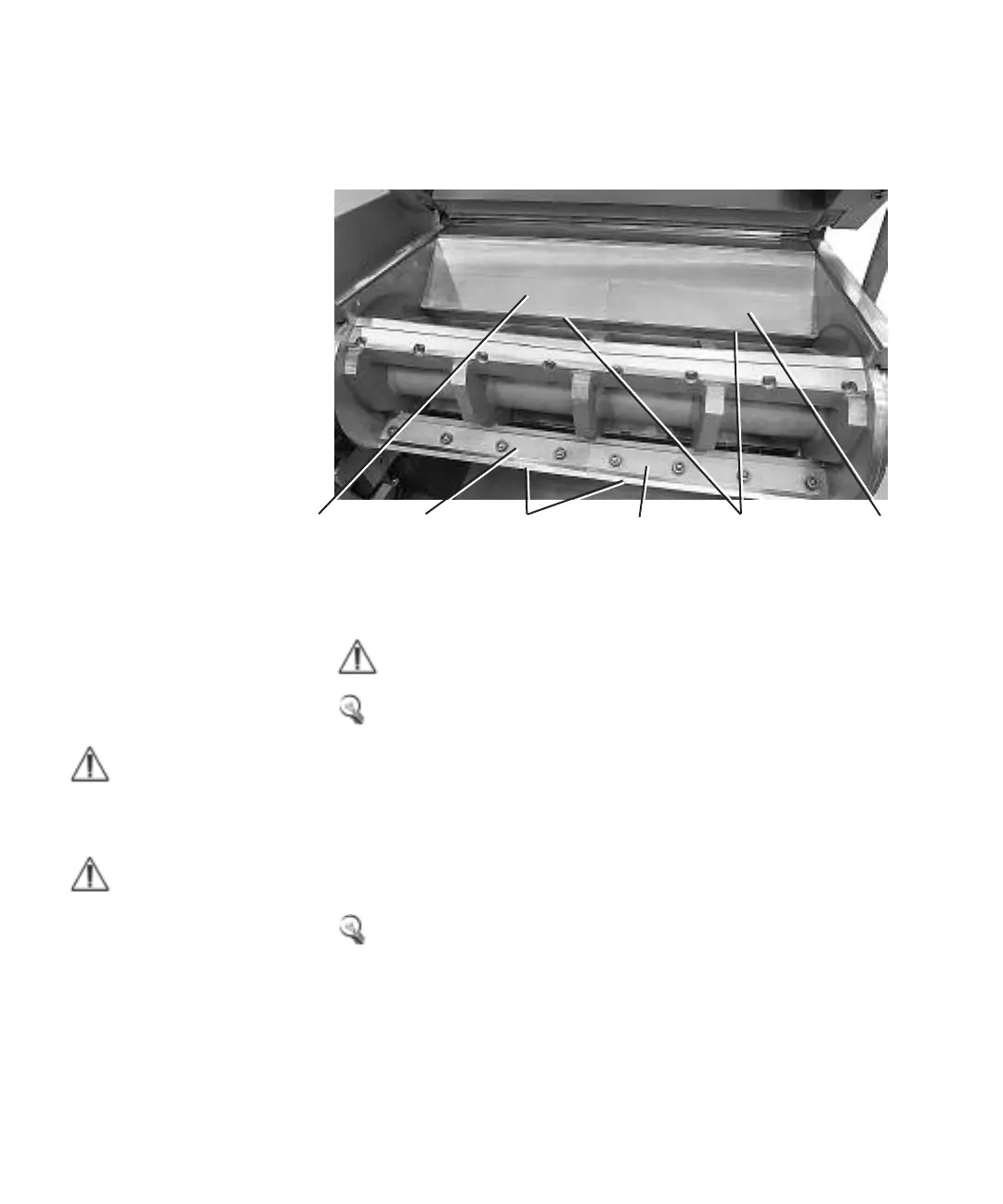
3-blade cutter and 5-blade cutter
1 Undo and remove the socket cap screws which fasten the support rules and the
rotating knives (hex 17 mm). The knives and support rules are now loose.
NOTE: Hold both the support rule and the knife, when the last screw for the knife is
undone and removed.
Remember! Mark the support rule and the knife.
2 Lift out the support rules and the rotating knives.
3 Clean the knife positions where the knives were located.
Removing of fixed knives
Each fixed knife consists of one pair of support rules and one knife pair.
Remember! Screws and nuts marked with red color must never change posi-
tion.
Fixed knife pair no. 1 (rear)
1 Noise encapsulated machine, loosen and remove the protective plate on rear
side of the granulator.
2 Undo and remove the socket cap screws which fasten the support rules and the
fixed knife pair (hex 17 mm).
NOTE: Be careful! If the cut-
ter lock is released the cutter
auto-rotates when the centre
of gravity becomes unstable.
NOTE: Depending on the
model of the cutter housing
the granulator can be
equipped with five different
fixed knives.
Support rule Support rule Rotating knife pair Support rule Fixed knife pair no.1 (rear) Support rule
7.1 Knife changing (continued)
7-6 l Ser vice



 To Next Page