Maintenance l 5-3
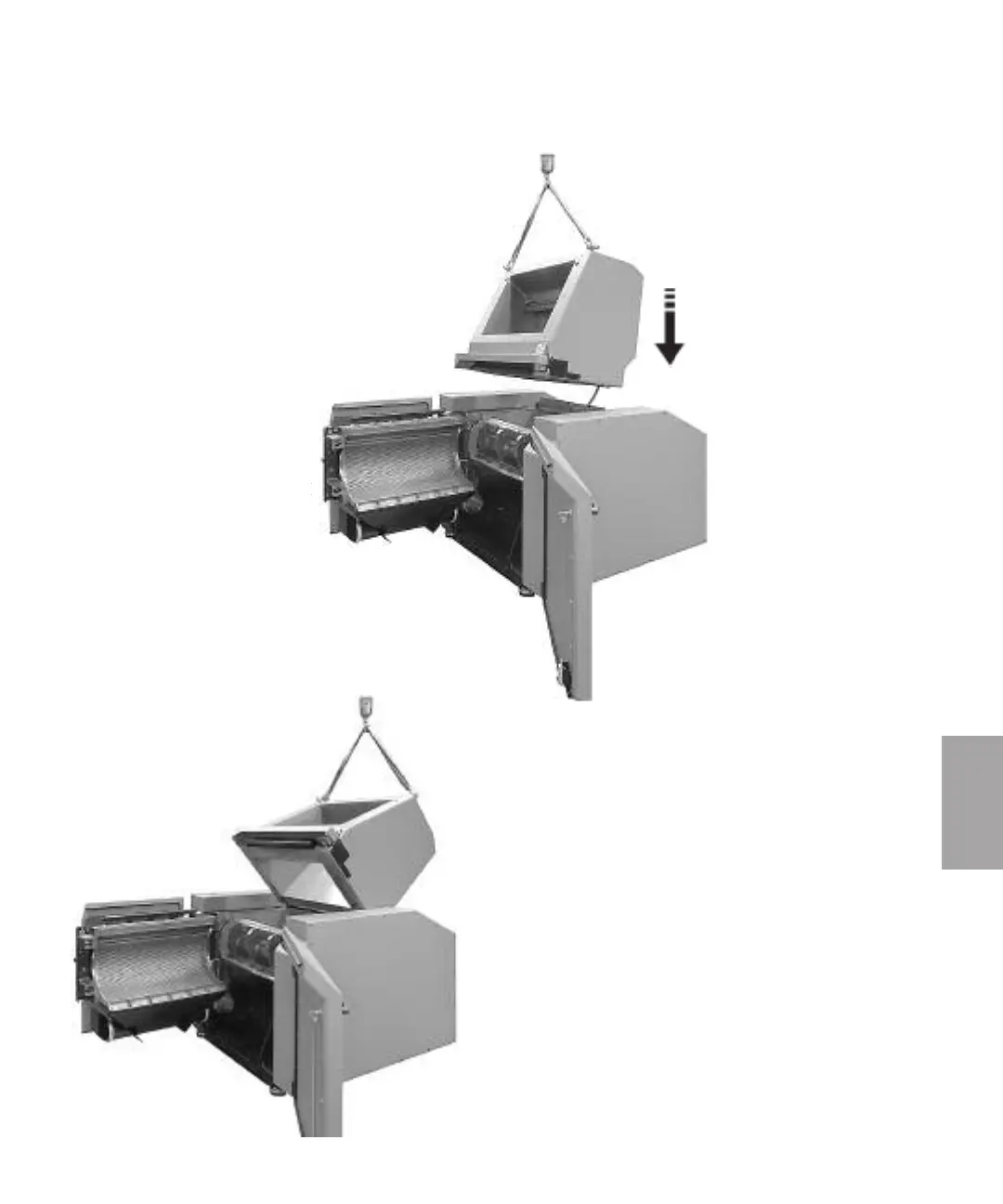
5.2 Install the hopper
Depending of the way of transport and delivery, the
granulator can be delivered with the hopper and
the front inlet part to the hopper uninstalled.
When installing the hopper to the granulator, the
jack must be able to operate. The jack can not
operated before the granulator is connected to
the mains.
1 Noise encapsulated machine, open the doors.
2 Open the cutter house door,
see section 5.7
3 Fit two lifting eyes and lift the hopper
by using a lifting strap.
4 Lower carefully down and fit the hopper
against the cutter housing.
5 Fasten the hopper against the
rear hinge list, (screws M12,
tightening torque 220 Nm).
6 Connect the granulator to
the mains and turn the main
switch to position “1” On.
7 Fold the hopper backwards
and fit the upper bracket to
jack against hopper.
(continued)
5
Maintenance



 To Next Page