7.1 Knife changing (continued)
First install the fixed knives
First install fixed knife no. 1; or fixed knife no. 3 (rear fixed knife)
1 Install the knife pair in the knife position.
2 Install the support rules.
3 Fit the socket cap screws so that the support
rules lightly support the knife pair. The
socket cap screws are fitted from the rear of
the cutter housing.
4 Fasten the knife with the socket cap screws
and the support rules and tighten with an
alternated increased torque to 200 Nm
(hex 17 mm).
5
6
Fasten the knife with the socket cap screws and the support rules furthermore
with an alternated increased torque to 400 Nm.
7 Fasten the knife with the socket cap screws and the support rules furthermore
with an alternated increased torque to 600 Nm.
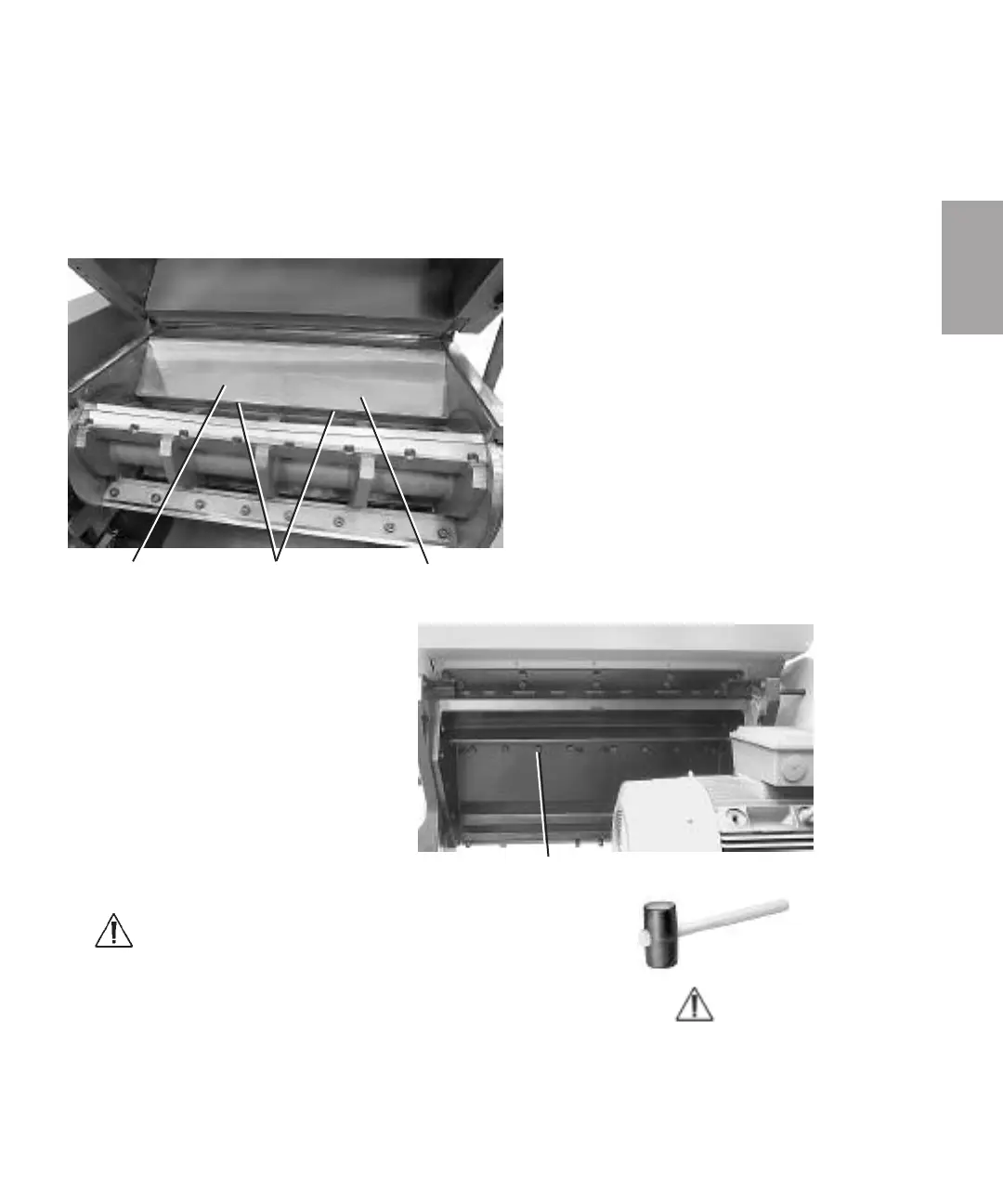
Support rule Fixed knife pair no.3 (rear) Support rule
Socket cap screws to fixed knife no. 1
NOTE: Knock/hammer between
the alternately increasing tight-
ening torque with the plastic or
rubber mallet, so that the
knives firmly goes in to the rear
of the knife position.
NOTE: Use a plastic or rubber mallet and knock/hammer the knives
hardly in against the rear of the knife position.
7
Service
Ser vice l 7-11



 To Next Page