5User Instructions for Control Panel M 2.2 User Manual
14
5100606_CFD5000 T - CM2.2_User Manual_T_EN_2023_E
Yellow steady light. During the start-up phase this indicator is yellow until the
system is ready.
Communication activity
Green steady light. Communication between the system modules is OK.
Service
Yellow steady light. There is a disturbance in the system. For instance a dirty
detector that has reached the contamination level.
The indication is turned off automatically if the
disturbance disappears.
Fire alarm
Indicates existance of a fire alarm and gives direct access to the fire alarm list:
Flashing red light. One or more un-muted fire alarm(s) in the system.
Steady red light. All fire alarms are muted.
Fault
Indicates existance of a fault and gives direct access to the fault alarm list:
Flashing yellow light. One or more un-muted fault(s) in the system.
Steady yellow light. All faults are muted.
Disablements
Indicates existance of a disablement and activates the disablements menu:
Steady yellow light. At least one disabled function in the system.
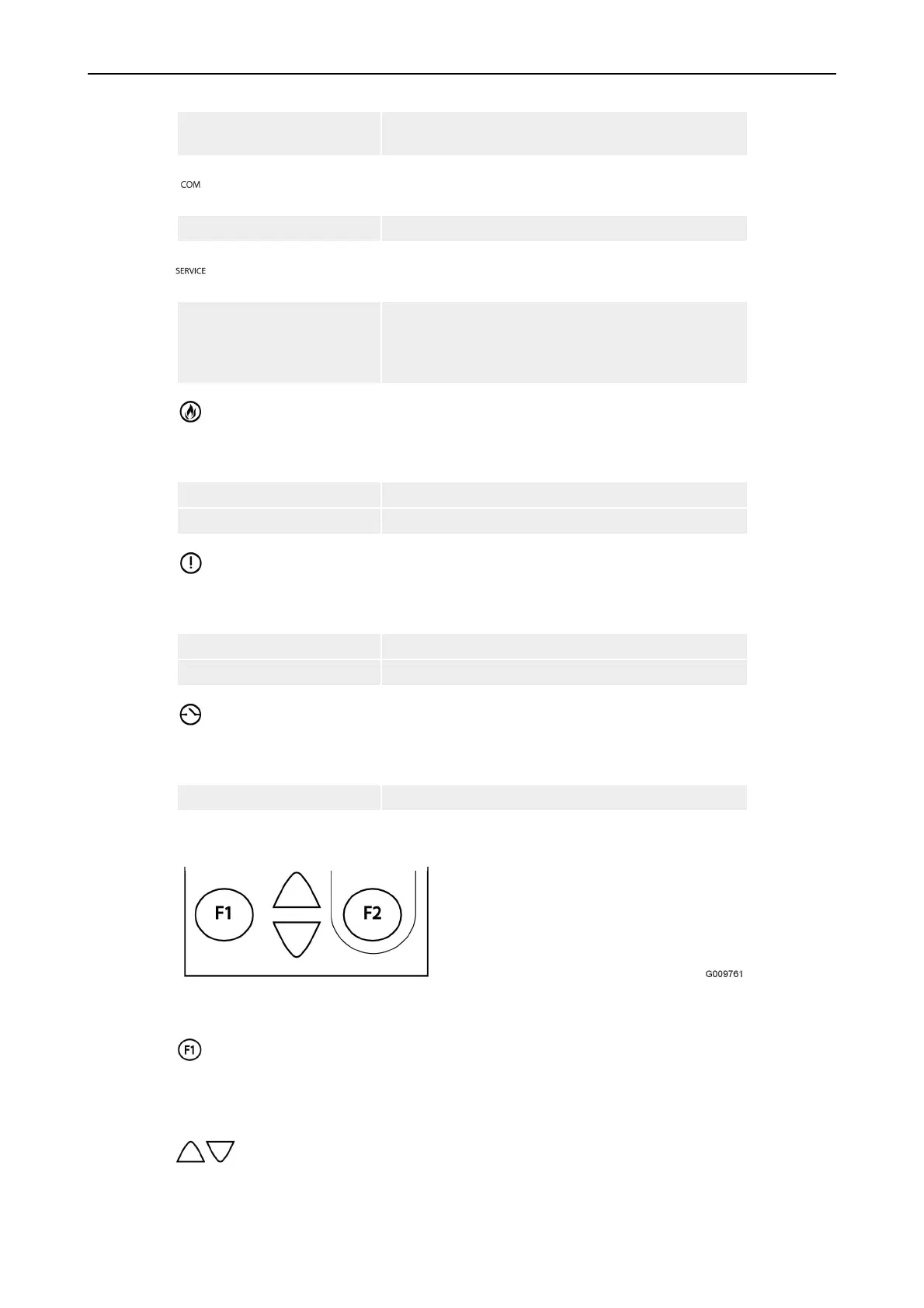
Part B = Operational controls
The Operational controls section is comprised of the following keys:
Function key
F1 activates the present function which is displayed at the bottom left corner of the
display.
Up and Down keys



 To Next Page