User Manual 6User instructions for Repeater M 4.3
5100606_CFD5000 T - CM2.2_User Manual_T_EN_2023_E
31
6 User instructions for Repeater M 4.3
6.1 General
The repeater panel is used to monitor functions in the fire detection system. It is
possible to view and list:
•
Fire alarms
•
Fault alarms
•
Disablements
6.2 Description of keys and indicators
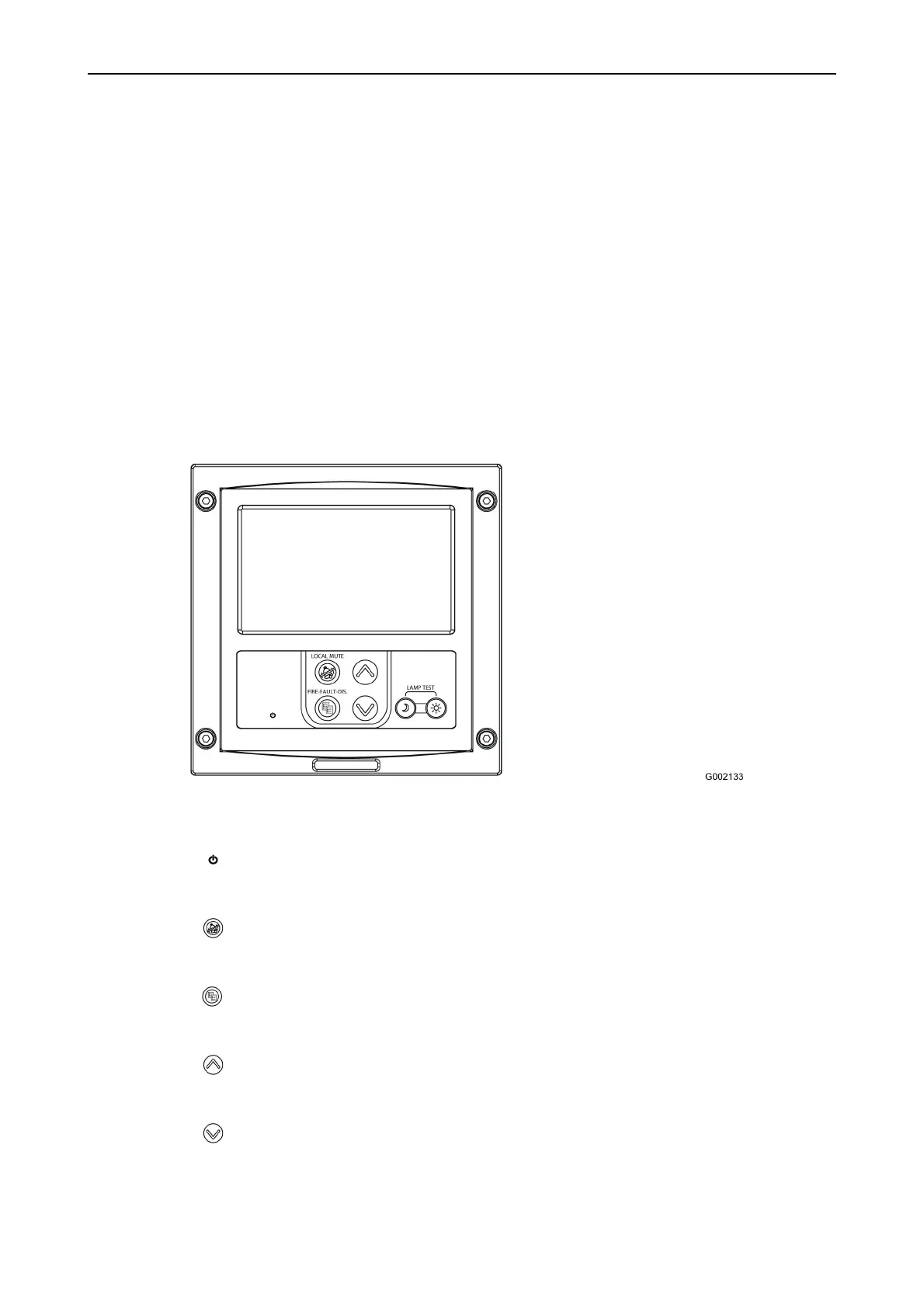
Figure 10. Keys and indicators for the repeater panel.
Repeater panel
•
Power
Green steady light indicates that the power supply to the repeater panel is OK.
•
Local Mute
Silence the local buzzer alarm or system mute and reset (depending on layout).
•
Fire - Fault - Dis.
Press the key to select the lists: Fire Alarm, Fault Alarm and Disablements.
•
Navigation key – previous
Scroll to previous item in the selected list.
•
Navigation key – next
Scroll to next item in the selected list.



 To Next Page